15
CONFIGURING USER ID’S
The four USER ID positions give you the ability to view the results from your last seven workouts. They can be recalled as a cumulative
total or as individual workouts.
Selecting and setting a USER ID
Step One:
Stand on the running belt and attach the garment clip on the end of the magnetic safety key to your clothing. Insert the safety key into its
recess on the control panel.
Step Two: Select a USER ID number by pressing the
(USER ID)
button. The default settings for all USER ID positions are 150 lbs. for
the weight and 40 years for the age.
Step Three:
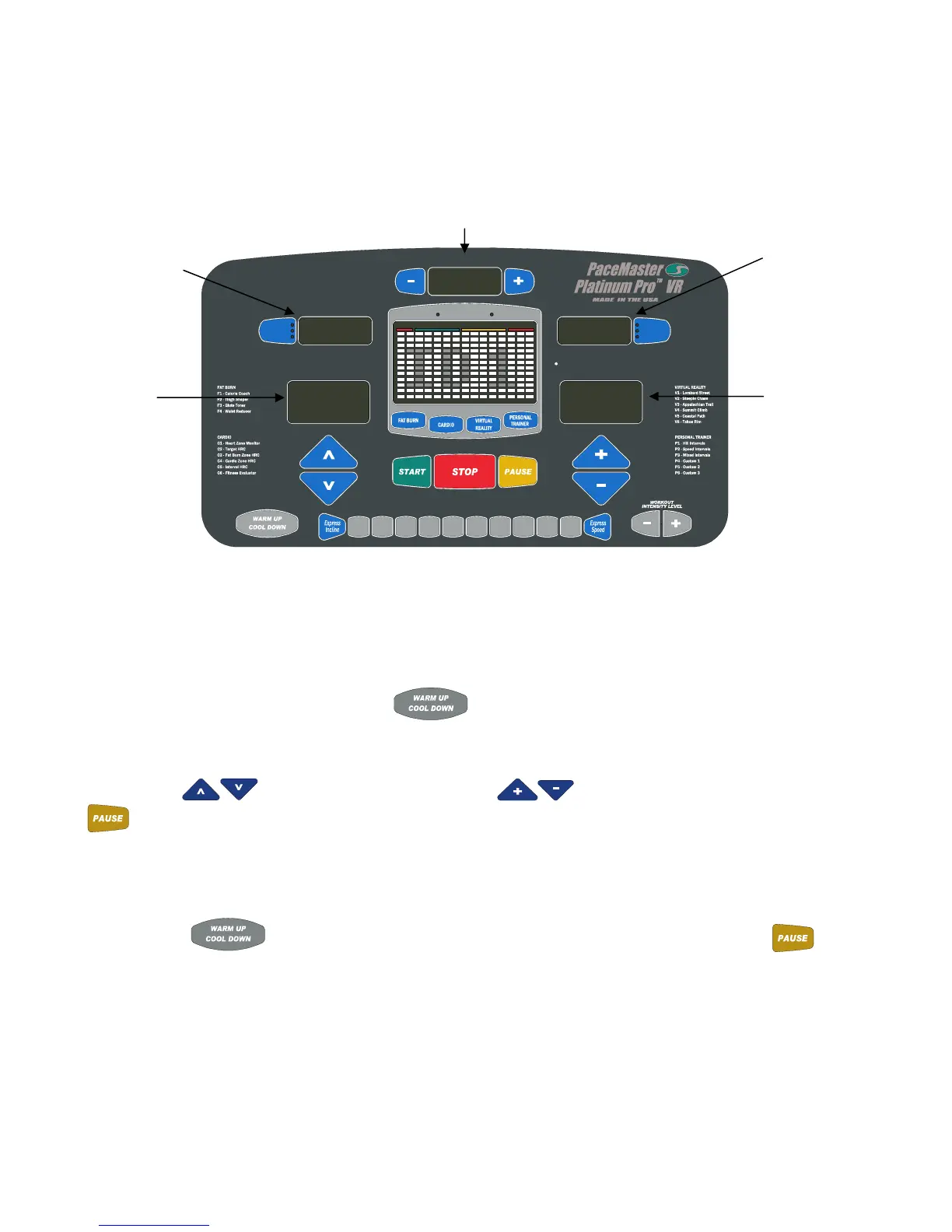
Press the Incline
buttons to set your weight and the Speed buttons to set your age, then press the
(ENTER)
button.
Step Four:
Prior to beginning each workout, you must remove and re-insert the magnetic safety key as described in Step One for the results to be
stored. Press the
(USER ID)
until your USER ID number is displayed in the PROFILE display window, then press the
(ENTER)
button.
Recalling the cumulative summary of your last seven workouts
Step One:
Stand on the running belt and attach the garment clip on the end of the magnetic safety key to your clothing. Insert the safety key into its
recess on the control panel.
Set Age
Max Max
HEART RATE ZONE 70% to 85%< 55% 55% to 69% > 85%
PROFILE
Cool DownWarm Up
(ENTER)(RESET)
Set Weight
INCLINE SPEED
0123456789
TIMER
(USER ID)
Calories
Aerobic Pts
PaceAvg Speed
Heart Rate
Distance
(QUICK)
3.26
532
150
40
USER 1 cumulative
distance for the last
seven workouts.
USER 1 weight
USER 1 cumulative
results for the last seven
workouts.
USER 1 age
USER 1 cumulative workout
time for the last seven workouts.
2:21



 To Next Page