36
EXCLUSIVE PACEMASTER FEATURES (cont’d)
TIP: If you have selected your user ID, go to Step Four.
Step Three:
Press the Incline
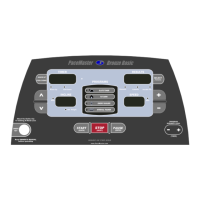
buttons to set your weight and the Speed buttons to set your age, then press the
(ENTER)
button.
Step Four:
Enter the workout time using the
timer buttons. until the desired workout time is displayed, you may also add a warm up
and/or cool down by pressing
(USER ID)
Step Five:
Press the
Calories
Aerobic Pts
Pace
button until the Aerobic Points indicator is illuminated.
Step Six:
Enter speed. You will begin to see the number of Aerobic points you will earn in the RIGHT DATA DISPLAY as you increase the speed.
Step Seven:
Enter Incline. You will begin to see the number of Aerobic points you will earn in the RIGHT DATA DISPLAY as you increase the speed.
Note: To create a workout based on calorie expenditure, select Calories in Step Five.



 To Next Page