41
1
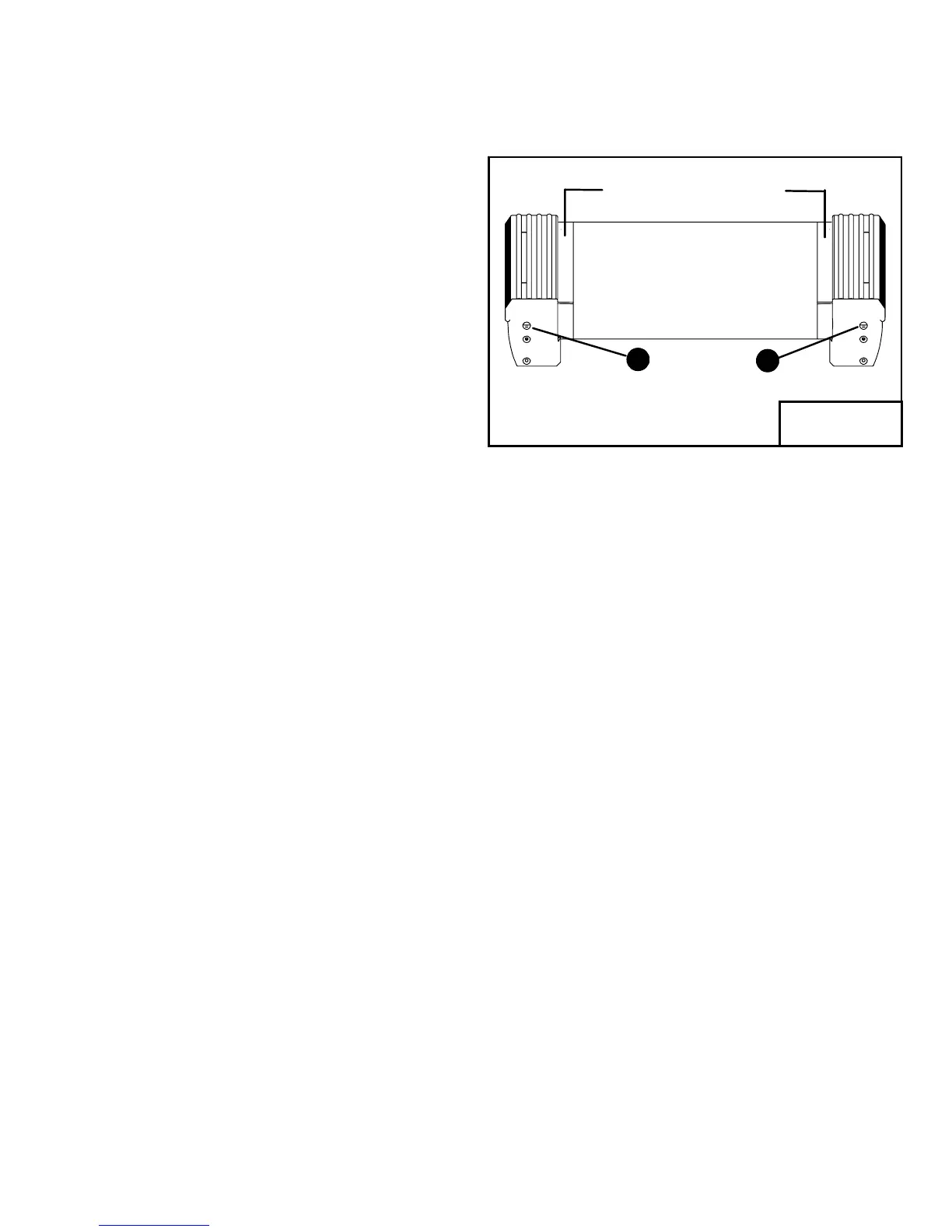
Keep Treadbelt
Reasonably Centered
2
Fi
ure 9
TROUBLESHOOTING (cont’d)
Tread Belt Tension Adjustment
Step One:
Locate the two tread belt adjustment screws (#1 & #2 in fig 9) as
shown.
Step Two:
Turn both the left and right tread belt adjustment screws 1/2 turn
clockwise.
Step Three:
Walk on the treadmill to see if the adjustment you made decreased
the slippage.
Step Four:
If a significant decrease in slippage was observed, go to step 2. If
you tighten the tread belt 1 1/2 turns per side and slippage is still
present, do not continue to adjust the tread belt tension. Contact
your authorized PaceMaster dealer.



 To Next Page