25
HEART RATE WORKOUTS (cont’d)
Step Nine:
Press the
(QUICK)
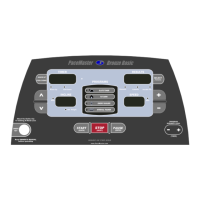
button. After the warm up phase, you will see a graphic depiction of a heart and a ⊥ (the On-Target Indicator) in the
PROFILE display window. When your heart rate is at the target the ⊥ (On-Target Indicator) will be centered under the heart depicted in
the Profile display. Correspondingly, when the heart rate falls below target the ⊥ (On-Target Indicator) will move to the left of center and if
the heart rate exceeds the target the ⊥ (On-Target Indicator) will move to the right of center.
TIP: Because the warm up and cool down phases are an essential part of your workout, they cannot be deleted prior to beginning a Heart
Rate workout. You will automatically advance into your main workout as soon as your heart rate reaches the target or at the end of the 5-
minute warm up, whichever occurs first. If you choose to bypass the warm up phase, after you press the START button, you can proceed
into the main workout by pressing the
button once.
Your workout will end when the timer has counted down to zero or the STOP button has been pressed. The treadmill will display total time,
current heart rate, calories expended, Aerobic Points earned, elapsed distance and average speed. The PROFILE display window will
show a graphic review of your workout.
If a problem should occur, the treadmill can be stopped quickly by pulling on the magnetic safety cord to dislodge the key from the control
panel. The treadmill will stop a bit more abruptly, but still gently enough to prevent you from being injured. This is an emergency
procedure only and should not be used as the normal stopping procedure.


 To Next Page