Operation Instructions
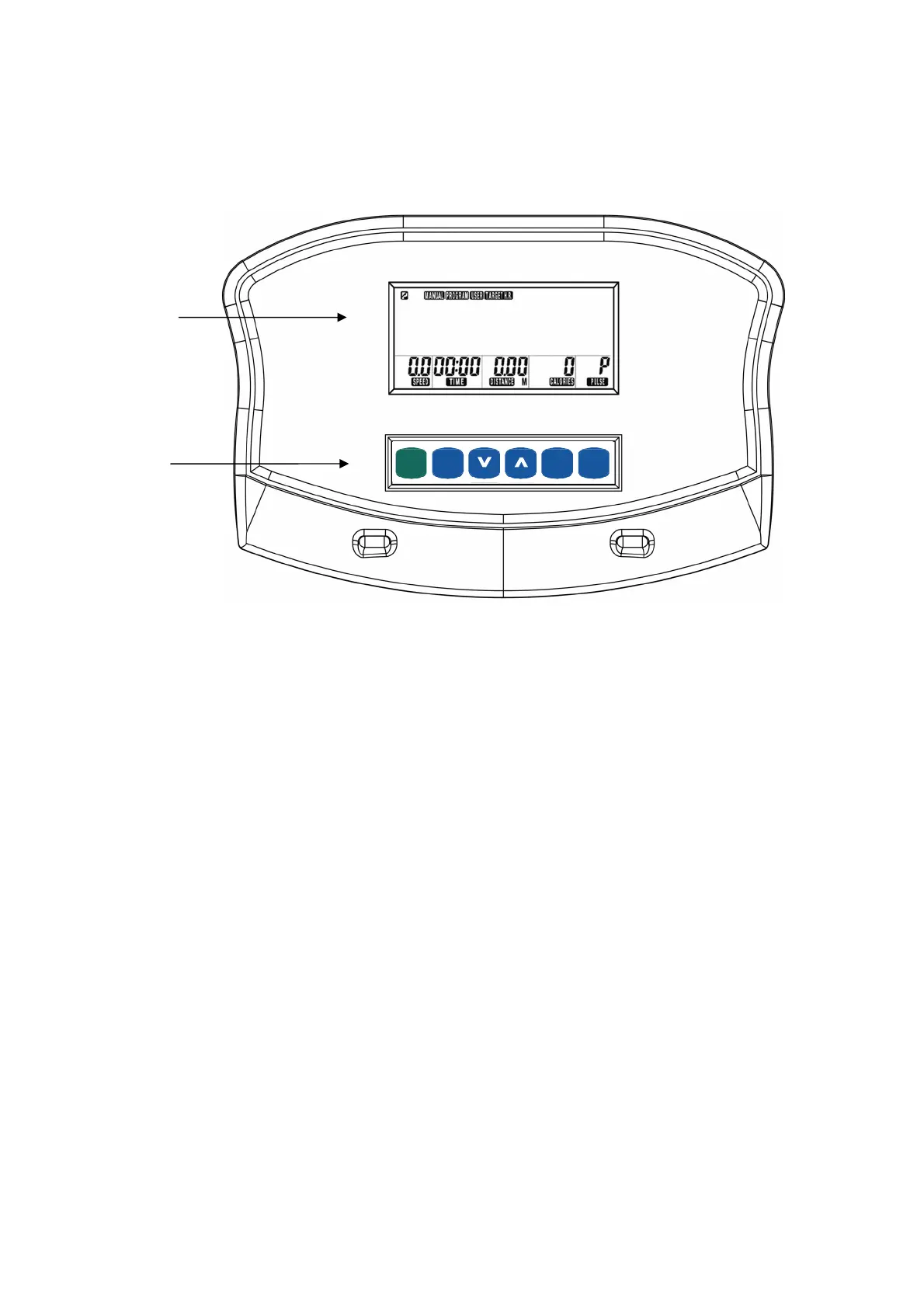
Silver XRC Control Panel
START
ENTER
RESET
RECOVERY
(PAUSE)
QUICKQUICK
(MODE)
LCD Displa
Screen
Buttons
Basic Operation
Power On
Plug in the AC Adapter to your Silver XRC, then plug the AC adapter into a wall outlet (See step 11,
page 18). If your Silver XRC is already plugged in, press any button to turn on the display
After 5 min. of inactivity the display will enter sleep mode (shut off). To wake the display, press any
key.
Monitoring Heart Rate:
Contact Heart Rate – Your PaceMaster Silver XRC comes equipped with contact heart rate monitoring
capability through contact heart rate grips. Your Heart Rate will be shown in the Pulse display.
Wireless Heart Rate – Your PaceMaster Silver XRC equipped with a built in wireless heart rate receiver.
If you have a Polar or Cardio Sport wireless chest strap and wear it according to the instruction that
came with it while using your Silver XRC your heart rate will be displayed in the respective area on the
display. A Wireless Chest Strap is NOT included with this product.
18


 To Next Page