6
Leisure-Lift POWER WHEELCHAIR TIE DOWN INFORMATION
WARNING: Do not engage in the following activities with your
power wheelchair or seri-
ous injury may result.
Do not remain seated on your
power wheelchair while it is being loaded into a vehicle using
anything other than a special wheelchair lift.
Riding on a platform lift is dangerous. Failure to check weight capacity, turn off controller,
have the required precise driving control capability or have the wheelchair properly main-
tained could result in serious injury or death.
Do not use the
power wheelchair as a seat in a moving vehicle. As of this date, the Depart-
ment of Transportation has not approved any tie down system for transportation of a user
while in a
power wheelchair in a moving vehicle of any type. The rider must be seated in a
regular automotive seat and restrained by an approved automobile safety belt. The rider must
be warned that there is a many times greater likelihood of sever injury or death in the event
of an accident if they are not in the provided automotive seat and restraint system. The fol-
lowing attachment points are provided for the sole purpose of securing the mobility device
without the rider. The
power wheelchair and batteries MUST be independently and properly
restrained or stored in a separate compartment so as to prevent it from causing injury in an ac-
cident.
CONVENIENT TIE DOWN POINTS
The following is a list of convenient locations that the straps from a 4 point securement sys-
tem could be anchored on PaceSaver products. These products have not been crash tested and
certifi ed as crash worthy using these locations.
POWER WHEELCHAIRS
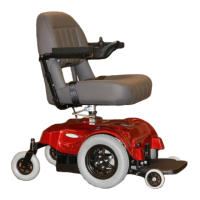
M1 FRONT WHEEL DRIVE
Back anchor points - Place a strap around the lower portion of each armrest support.
Front anchor points - Place a strap around each anti-tip wheel support arm just above the
small anti-tip wheel.
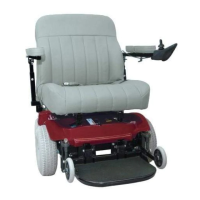
M1 REAR WHEEL DRIVE
Back anchor points - Place a strap around the lower portion of each armrest support.
Front anchor points - Place a strap around the top of each swivel caster fork.
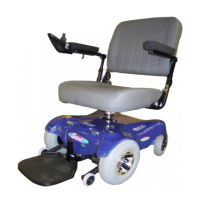
SCOUT, SCOUT RF, SCOUT RF 4, BOSS, BOSS 4.5, BOSS 6NS, BOSS 6.75
Back anchor points - Place a strap around the lower portion of each armrest support.
Front anchor points - Place a strap around each anti-tip wheel support arm just above the
small anti-tip wheel.



 To Next Page