27
Battery Charging
The satisfactory performance of the SHARK system is critically dependent on the type and state of the batter-
ies. The battery charger used must be correctly selected and adjusted according to the battery manufacturer’s
instructions. Failure to do so may damage or destroy the batteries, give poor range, or be potentially danger-
ous. Batteries should not be abused (for example by deep discharging or overcharging) and must be operated
and maintained according to the manufacturer’s instructions.
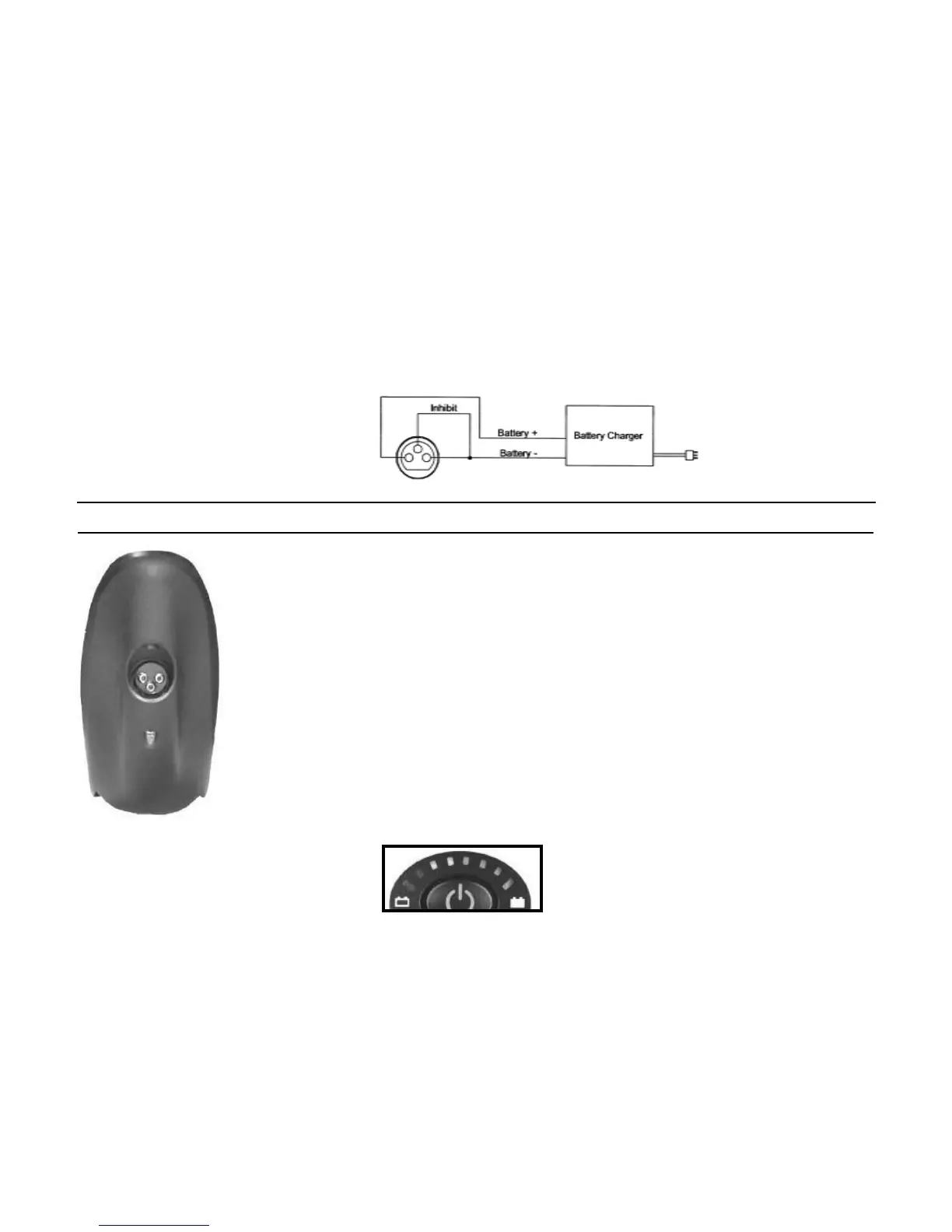
The battery charger socket is a 3 pin XLR type with pin confi guration as shown below. Ensure that the
charger used is compatible with this pin out before connection. The safety link between B- and the Inhibit
pin must be fi tted so that the wheelchair is prevented from driving when the batteries are being charged.
Warning : Do not disconnect batteries or open circuit the circuit breaker during charging. This is danger-
ous to both people and equipment.
Note : The inhibit is shorted to B- external to the System.
Plug the battery charger into the charging socket located at the front of the SHARK
Remote.
The SHARK Information Gauge will indicate the system is being charged by
cycling between a left-to-right "chase" and displaying the current battery state-of-
charge.
Driving is prevented (inhibited) while the system is being charged.
Once the system status gauge displays a "full battery charge (all LED's are lit), the
battery charger plug may be removed.
Note: If the SHARK is turned off, or goes into sleep while charging, charging will
continue.
SHARK Information Gauge
The SHARK Information Gauge (located on the joystick console) is the primary source of user feedback. It
displays every possible status that SHARK may have.
• SHARK Power ON
• True state-of-battery-charge, including notifi cation of when the battery desperately requires charging.
• Any green LED's lit indicates well-charged batteries.
• If only amber and red LED's are lit, the batteries are moderately charged.
Recharge before undertaking a long trip.
• If only red LED's are lit the batteries are running out of charge. Recharge as soon as possible.
System Battery
Charger Plug
(front view)



 To Next Page