Taking a temperature reading (Body Mode)
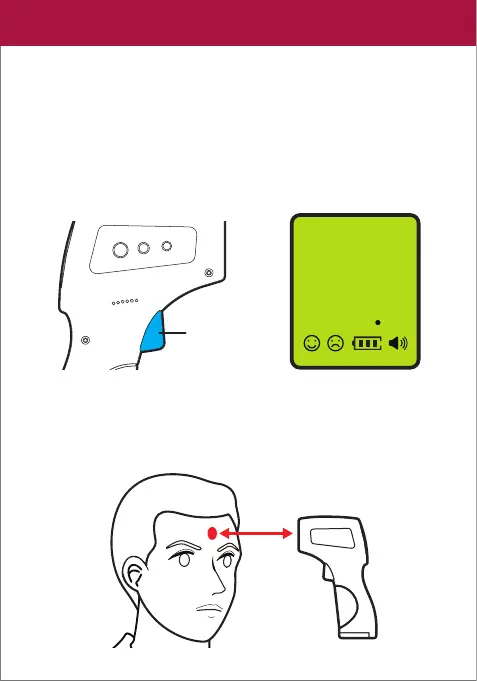
1. Press the TRIGGER to turn the thermometer ON. The LCD
display will light up Green and display all icons for about 1
second.
NOTE: The thermometer will shut off automatically after
15 seconds of inactivity.
2. Position the thermometer 1-2 inches away from the center
of the forehead.
1-2 inches
Trigger
LCD
888
8
88
Surface
Body
°F
°C
LOG
06


 To Next Page