EasyManua.ls Logo

PacketFront CPS 200 - CPS Wall Mounting Instructions; Free standing CPS

Default Icon
10 pages
Print Icon
To Next Page IconTo Next Page
To Previous Page IconTo Previous Page
Loading...
1.
CPS
Wall Mounting
lnstructions
Note:
I'lnsue
that the footpads
are
fitted
beforc momting
the cpS.
This
aliows airflorv
through
the'ents
on the
bottom
of the ITS
unit and
protects
the surface
on
u'hich it is mountecl
Ensure
that there
are no
electrical
porver
cables,
gas or w-aterpipcs
too close
to the
rvall
u.here
the
CPS is to be mounted.
Procedure
1.
Drill
the nccessary
holes
rn the
wall for
supporting the
CpS.
The fixing
positions
are
shorvn in Fi5yre
2 (no.
1). Å templatc
for
th:is purpose
is
aiso
pror.ided in
thc
back of this
leaflet.
2.
Use screws
v,ith rawl
plugs,
or other suitable
fixng, to
mount
the
CpS.
3.
Siide the
CPS onto the
scres,s
until the
CPS is held firmlv
in
pr,sition.
4. You
have
completed
this
procedure.
o@o
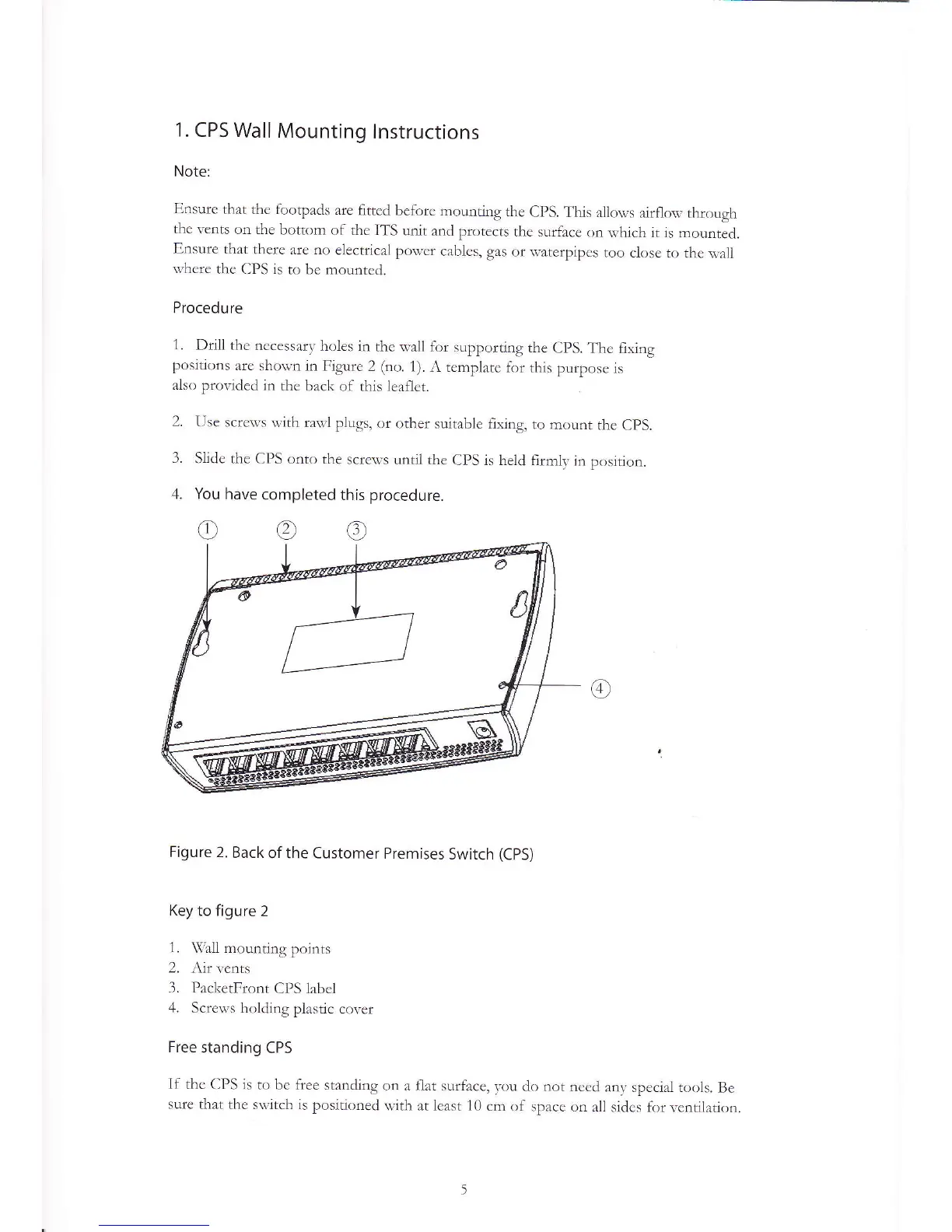
Figure 2.
Back
of the Customer
Premises
Switch
(CpS)
Key to figure
2
1.
\fi'all
mounting
points
2. Åir
vents
3. PacketFront
CPS label
zl.
Screu-s holding
plastic
cover
Free
standing
CPS
If the CPS
is to be free
standing
on a flat surface,
vou
clo not
need
any special tools.
Be
sure that
the s*,itch is
positioned
w:ith at least
10 cm of
space on
all sidcs f.r
lrentilation