2. Connect
the CPS to a True Broadband Network
(TBN)
Procedure
1. Determine
the
wpe
of CPS bcing uscd. Depending
on the
r-er:iun,
dilferent patch cables are uscd. (See legencl at
the
end
of this scction).
LJsing the appropriate cablc, connccting the
CPS port
labelled
"UpJink"
(see
Figure 3) to
-i,our
Ethernct broadband net§,ork
outlet. Push the cablc
connector gendv but frrmlv into thc
port
until
the
Iatch
engages.
2.
You lLaLe ronpletel thh
prorcdrre.
Patch
cable legend
CPS 218C TP u-ith RJ
,15
connectors.
CPS
229FlI
1 Pair 1310 nm, multimode flbre
s,ith
NIT-RJ
connector.
CPS
239FV
1 Pair 1310nm, multimode fibre
s.ith VF--45 VoLition coflflector.
CPS
249SFV
1 Pair 850 nm, singlemode flbre
rvith VF'-45 connector.
CPS 259SFNf
1 Pair
1310nm,
singlemocle fibre
rvith
\{T-Rj
conncctor.
CPS 269SFNf
1 single 1310nm/1520mm,
singlemode
fibre
u.tth S(l conncctor.
CPS
279SFN{
1 Pair 1310nm, singlemocle fible
rvith
LC
conncctor.
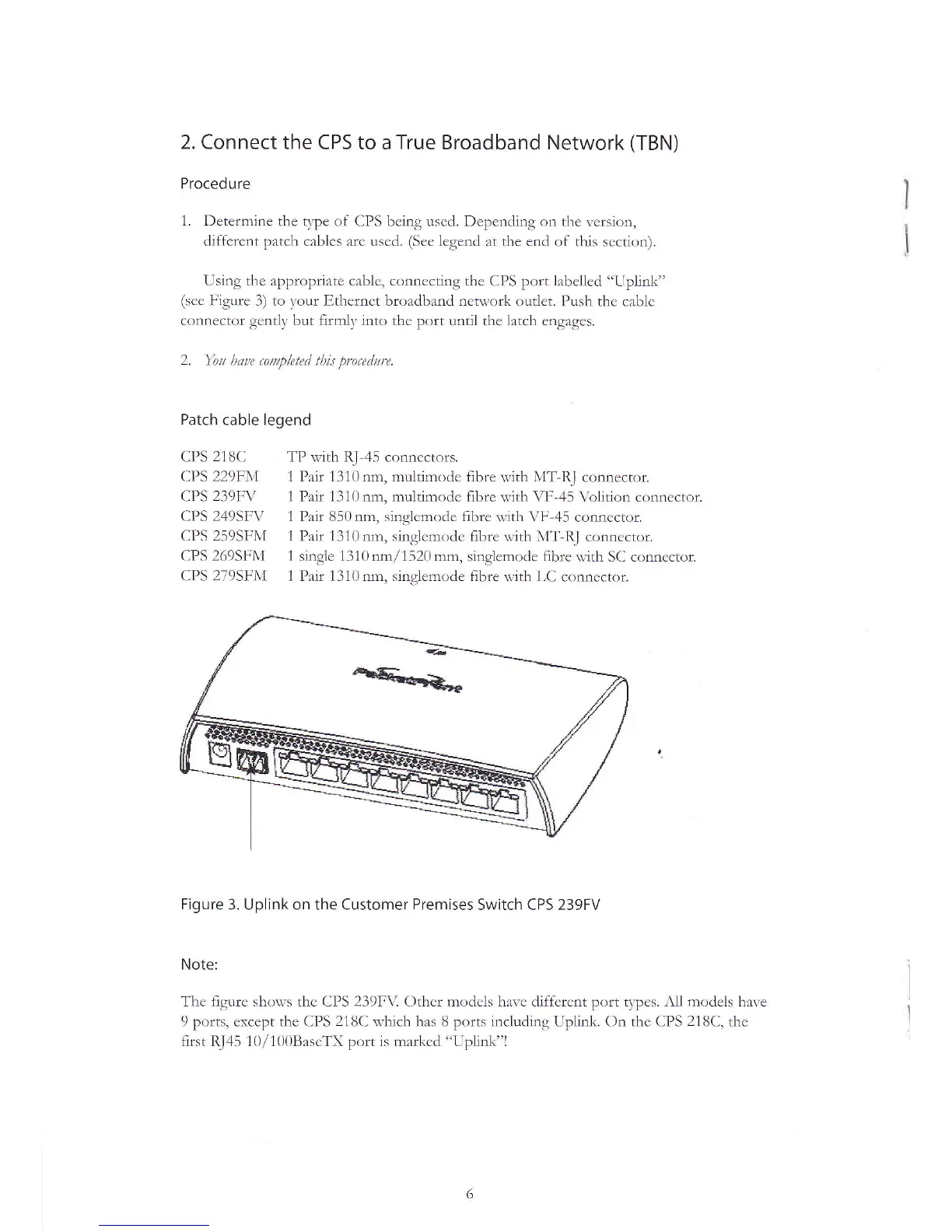
Figure
3. Uplink on the Customer
Premises
Switch CPS 239FV
Note:
The figrurc shou,s thc CPS 239F\i Othcr modcis harc diffcrcnt port tvpes. Iil
rnoclels
hale
9 ports, cxccpt thc CPS
218C
thich has 8 ports including Uplink. On thc CPS
218C,
thc
first Rl45 10/1()0BascTX
port
is mårl(cd "Uplink"l


 To Next Page
 Loading...