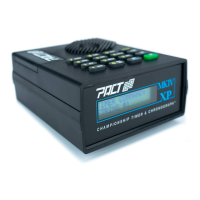
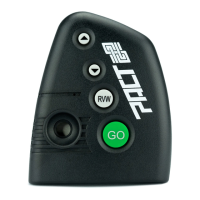
NOTE : While this is a nifty training feature we caution you against using it in matches. If you
accidentally hit normal GO you'll wipe the shooters string.
Set a PAR Time:
The PAR button allows the shooter to enter a time limit (or PAR time in IPSC parlance) for a given
string.
EXAMPLE : Set PAR time of 1.2 seconds
Push the PAR button. The timer will ask you to “ ENTER PAR TIME AND PRESS SET” .
Push 1.2 (for example), SET . The timer now displays “PAR TIME 1.20” on the bottom line
of the display.
NOTE : If you are entering a number and make a mistake use the back arrow key to delete
the incorrect number.
Push the GO button. Each time the shooter fires the timer will display the shot number,
split time and total time on the top line of the display as before. When 1.2 seconds
comes around the timer will beep telling you that the time limit has been reached.
To turn the PAR time off push PAR , SET without entering a number.
Set the Delay:
The DLY button allows the shooter to control the type and length of delay (if any) between the
pressing of the GO button and the start signal. The timer defaults to a random delay of 3 to 3.5
seconds. The shooter can adjust these delay points to suit him or have the machine give him a
fixed delay.
3


 To Next Page
 Loading...