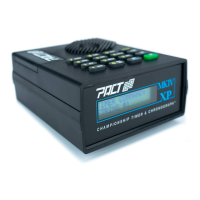
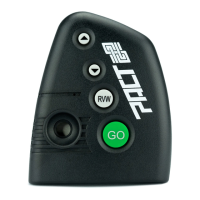
EXAMPLE : Change the default random delay range to 5-10 seconds
Push DLY , YES , YES . The MKIV will briefly display “INPUT LIMITS AND PRESS SET” then
“ LOWER: 3.00 ”. Push 5 , SET . The timer asks “UPPER: 3.5”. Push 10 , SET and GO .
This time the MKIV will start its' countdown from between 5 and 10 seconds giving you
all sorts of time to psych yourself into a zombie like state of confusion.
To turn the delay off just push DLY , NO , GO . Now when you push the GO button the timer will beep
immediately.
Set Benchmark(s):
The BNCH button activates the PACT Benchmark feature. This allows the shooter to program
the timer with a series of beeps or cues at specific times after the go signal which allow him to
simulate moving and pop-up targets.
EXAMPLE : Add benchmark times at 2, 3.5, 5, and 6.25 seconds
Press BNCH , YES . The timer asks you for a time. Press 2 , SET , 3.5 , SET , 5 , SET , 6.25, SET ,
GO . The timer will beep at these times. All of the other timing features remain intact.
If you always want the same spacing between shots use the cadence feature described below.
4


 To Next Page
 Loading...