1-800-263-9768 paderno.com
9
4. Press “Start/Pause” to inish setting
the timer, as shown in Fig 3. Set
time will appear on screen for 2
seconds and “Start/Pause” will
remain lit to indicate that the brew
cycle will start at the set time.
5. When brewing is completed, the
coee maker will enter the Keep
Warm function for 30 minutes.
NOTE: To begin brewing
immediately, select “Start/Pause”
again.
Selecting the Brew Size
1. To enter “Brew Setting” mode, click
the dial.
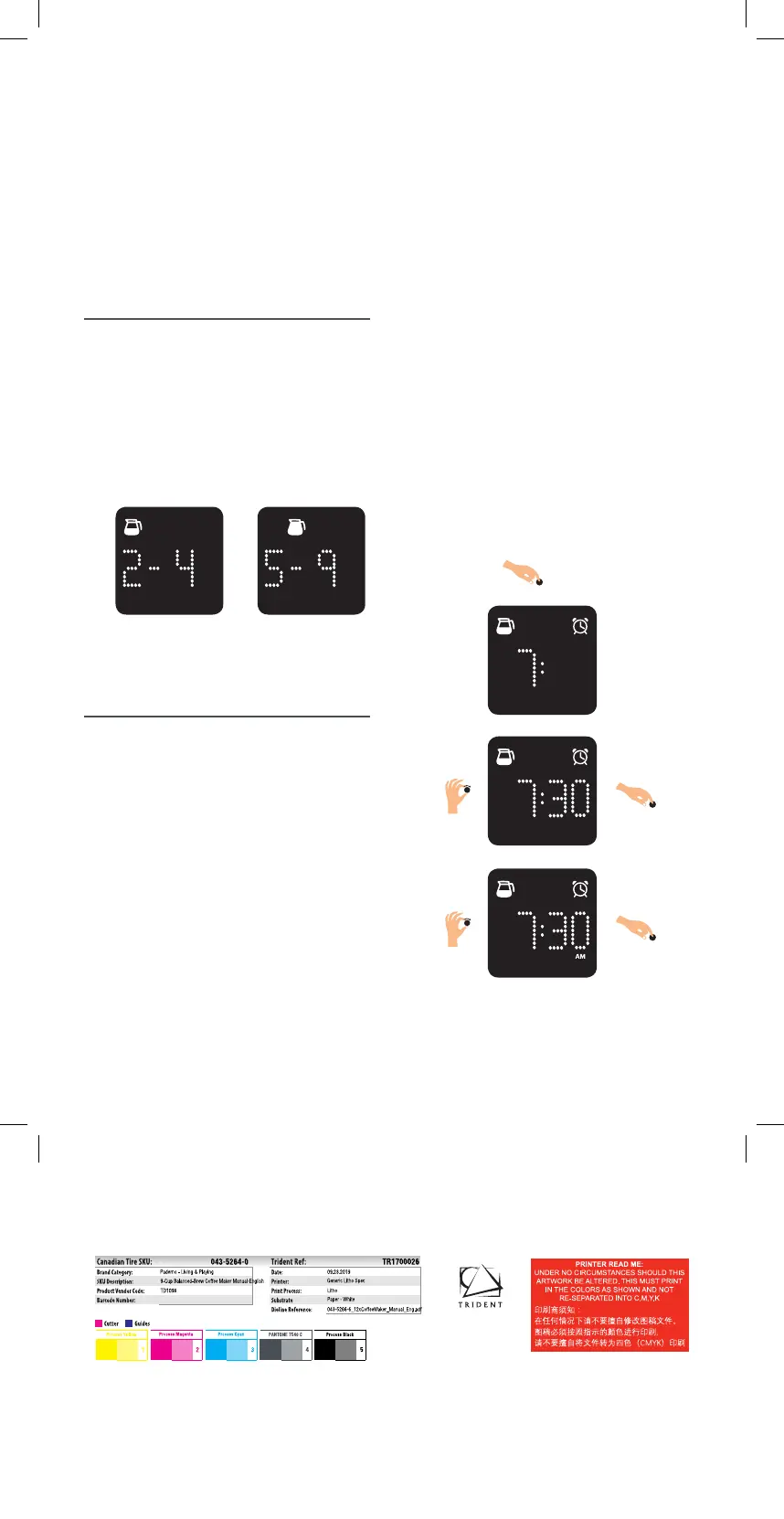
2. When setting Brew Size, carafe
icons will blink on the digital display.
Rotate dial to choose between
“Small Batch” or “Full Batch”. Click
dial to conirm selection, as shown
in Fig. 2.
Setting the Timer
1. When setting the timer to delay
brewing, the alarm clock icon will
blink. Rotate the dial to choose
between setting a timer, or not
setting a timer. Click the dial to
conirm selection.
2. If setting a timer is selected, the
“Hour” on the clock will blink.
Rotate the dial to set hour. Click the
dial to conirm selection, as shown
in Fig 3.
3. The “Minutes” on the clock will
blink after hour selection. Rotate
the dial to set minutes. Click the
dial to conirm selection, as shown
in Fig 3.
Fig. 2
Full Batch
Small Batch
Fig. 3
TR1700026_A.indd 9 9/25/19 7:44 AM



 To Next Page