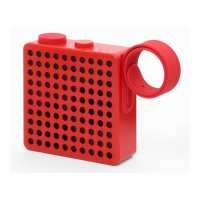
Thank you for having chosen
The Monkey!
Please take a few moments to read through this manual for a quick and easy explanation of the featu-
res and operation of your new The Monkey.
Check out the entire Palomar product line on our website www.palomarweb.com.
TECHNICAL SPECIFICATIONS
> FM Radio
> 13 core inside magnetic Speaker 3W
> Sound quality SNR ≥ 65 db
> Bluetooth 4.1
(10 meters remote control scope)
> Water resistant
> IP Rating IP56
> Lithium-Ion 3.7 V Battery 600 mAh
> Battery lifetime: up to 5 hours
> Battery charging time: about 3 hours
> 3-colored Status-LED (white, red, blue)
> Accessories: Micro-USB charging cord
GETTING STARTED
Unpack the unit carefully.
Remove all the accessories from the box.
Before setting up the unit, verify that the following contents are present:
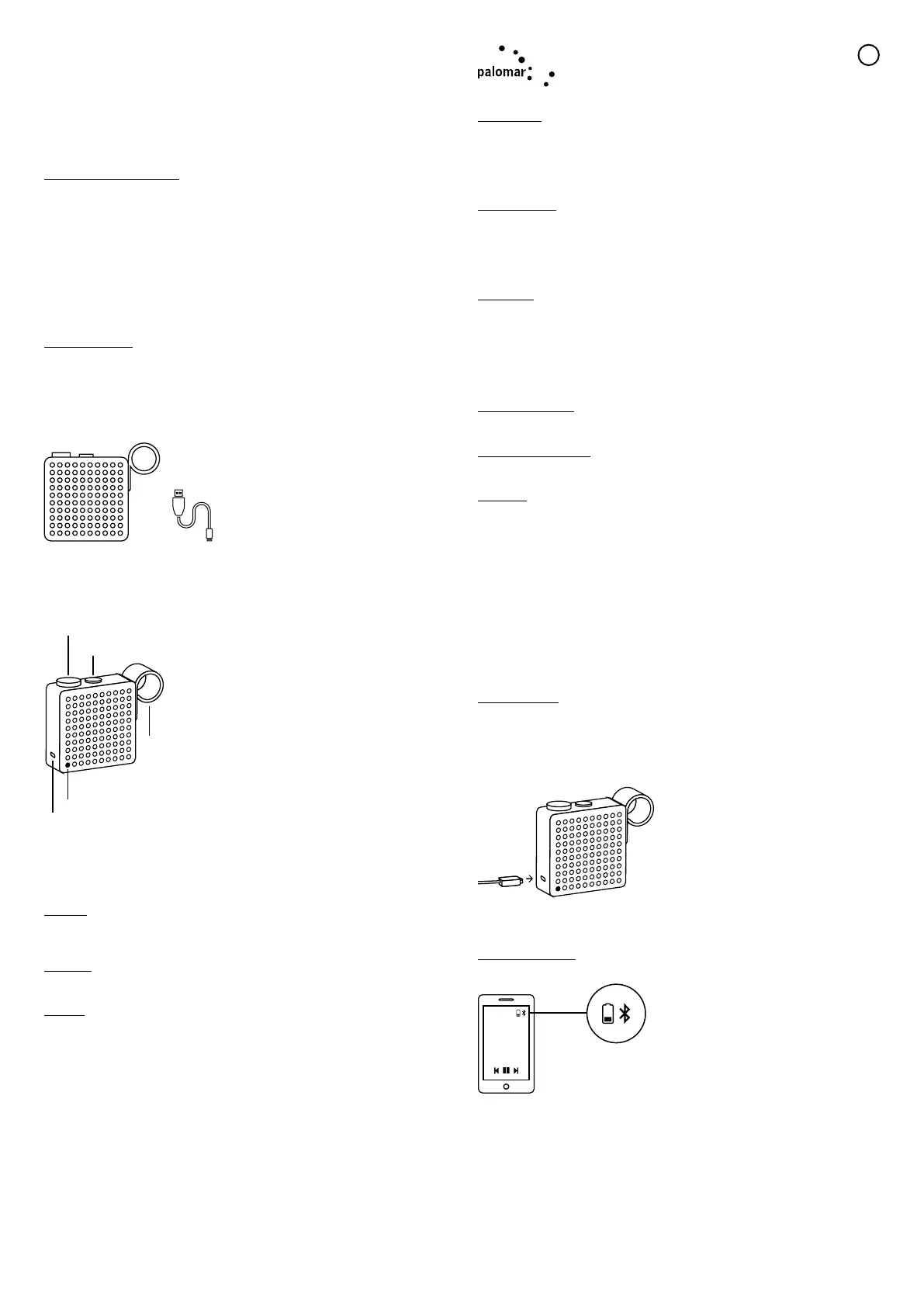
> The Monkey x 1
> USB to Micro USB charging cord x 1
Operation instructions
+
wheel B
wheel A
antenna
charging
LED lights
wheel A
> turn on / turn off
> radio FM / speaker
> volume
wheel B
> play / pause
> automatic radio
station scan
> answer / end a call
= sound notification
TURN ON
When The Monkey is off press and hold wheel A ().
The blue/red LED light will turn on.
TURN OFF
When The Monkey is on press and hold wheel A ().
PAIRING
Pairing is the process of establishing encrypted link between The Monkey
and Bluetooth devices.
Step 1
Turn on The Monkey. Make sure the blue
LED light is on.
Step 2
Follow the operating instruction of your Bluetooth device to start the pairing process. Typically, this is
done by going to a “Connect” or “Setup” menu and then selecting the option to search for
“The Monkey” that is still in the pairing mode.
Step 3
Select “The Monkey” from the available Bluetooth devices (connection code “0000” if required).
If the connection is successful, your speaker should be ready to use ().
If the pairing is unsuccessful, please turn off the speaker and turn it on again. Then, return to Step 1
and perform the pairing procedure again.
MAKE A CALL
Step 1
Use the mobile phone’s keypad to dial the phone number.
Step 2
Press mobile phone’s “Send” or “OK” key. The mobile phone initiates the call and transfers the call
from the mobile phone to the speaker.
ANSWER A CALL
Step 1
If there is an incoming call while you are listening to streaming music, you will hear your ring tone
through the speaker.
Step 2
Press Wheel B to answer the call.
END A CALL
Use either of the following methods to end a cal:
Method 1
Press Wheel B to end a call from the speaker.
Method 2
End a call from the mobile phone’s keypad.
After you end the call, the music should start playing and streaming from the speaker again.
PLAY/PAUSE MUSIC
In speaker mode, press Wheel B once to play or pause music.
PREVIOUS/NEXT SONG
Turn Wheel B clockwise or counter- clockwise skipping to next or previous song.
FM RADIO
To use the FM Radio press Wheel A to switch from speaker mode to FM mode () (short press to
switch from FM mode to speaker mode again).
White LED indicates that The Monkey is on and in FM mode.
Press and hold Wheel B for
2 seconds () to start the automatic
radio stations scan.
You will hear 3 seconds of every available station. To stop the scanning press
Wheel B again for 2 seconds ().
> Turn Wheel B clockwise until it blocks (45°) to search for next station. As soon as the wheel is
released it will snap back to center position.
> Turn Wheel B counter-clockwise to find the previous station.
Short press Wheel B to pause and play.
ADJUST VOLUME
In call mode or music mode you may adjust volume by rotating Wheel A.
Upon reaching the maximum volume level you will hear a sound ().
BATTERY CHARGING
A full charge requires approximately 3 hours. Unit can be charged by using the USB to Micro USB
cord (included) through a computer or AC adapter with USB jack (not included).
Battery charge lasts up to 5 hours.
When the battery charge is less than 5% a blinking red light will turn on.
While The Monkey is charging the red light is always on.
If The Monkey is used while charging the blue light (if in speaker mode) or the white light (if in FM
radio mode) will blink.
It is always possible to check battery charge level while The Monkey is connected to a device. A
specific indicator will appear on the device.
EN


 To Next Page
 Loading...