EasyManua.ls Logo

Palsonic TFTV700HL - User Manual

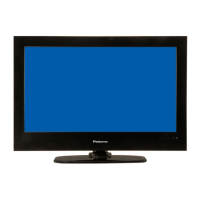
Palsonic TFTV700HL
33 pages
Print Icon
To Next Page IconTo Next Page
Loading...

Questions and Answers

Summary

Important Safety Instructions

General Safety Precautions

Essential safety guidelines for operating and maintaining the television to prevent hazards.

View of Unit

Front Panel Overview

Details and identification of the controls and indicators on the front of the television.

Rear Panel Connectivity

Description of all input and output jacks and ports on the rear of the television.

Remote Control

Remote Control Diagram and Buttons

Identifies all buttons on the remote control and their primary functions.

Remote Control Preparation and Usage

Instructions for inserting batteries and proper operating distance and conditions for the remote.

System Connections

Power Supply and USB Connection

Connect the power adapter and USB devices for media playback or software updates.

HDMI and Component Connections

Guide to connecting external devices using HDMI and Component (YPBPR) inputs.

AV and Digital Audio Connections

Instructions for connecting through MINI AV input and using the Coaxial Digital Output.

PC, Earphone, and Antenna Connections

Steps for connecting a PC, headphones, and antenna for receiving TV signals.

Basic Operation

Powering On;Off and Source Selection

How to turn the TV on/off and select different input sources.

Channel Selection and First Time Setup

Methods for changing channels and performing the initial TV setup process.

TV Operation and System Setup

Picture Settings

Customizing picture quality including mode, brightness, contrast, color, and aspect ratio.

Sound Settings

Configuring sound modes, bass, treble, balance, surround, AVL, and SPDIF output.

Channel Management

Managing channels, favorites, tuning, and program settings like lock and skip.

Feature Settings

Configuring features like parental controls, language, timers, and PVR/Timeshift.

Setup Options

Adjusting OSD timer, PC settings, performing system reset, and software updates.

PVR Function

Time Shift and Live Recording

Using time shift to pause/resume live TV and recording programs to a USB device.

Playback and Schedule Recording

Playing back recorded programs and setting up scheduled recordings for future broadcasts.

EPG Function

Electronic Program Guide Usage

Navigating the EPG, viewing program details, and scheduling recordings or reminders.

TELETEXT Function

Teletext Display and Controls

Accessing and navigating teletext information using various buttons on the remote.

NICAM Function

NICAM Audio Modes

Selecting different audio tracks (stereo, bilingual, mono) for various broadcast types.

Media Playback

USB Device Connection and Media Menu

Connecting a USB storage device and accessing the media playback menu.

Media Playback Controls

Using function buttons to control playback of photos, music, and videos from USB.

Troubleshooting

Common Issues and Solutions

Guidance for resolving common problems like no sound, no picture, or remote control issues.

Important Troubleshooting Notes

Additional advice on handling interference and seeking professional service.

Specifications

Technical Specifications Overview

Detailed technical data including resolution, brightness, power, and dimensions.

Product Disposal and Recycling

Information on responsible disposal of electronic waste and recycling advice.

Palsonic TFTV700HL Specifications

General IconGeneral
BrandPalsonic
ModelTFTV700HL
CategoryLED TV
LanguageEnglish

Related product manuals