7
DISPLAY AND MENU SETTINGS
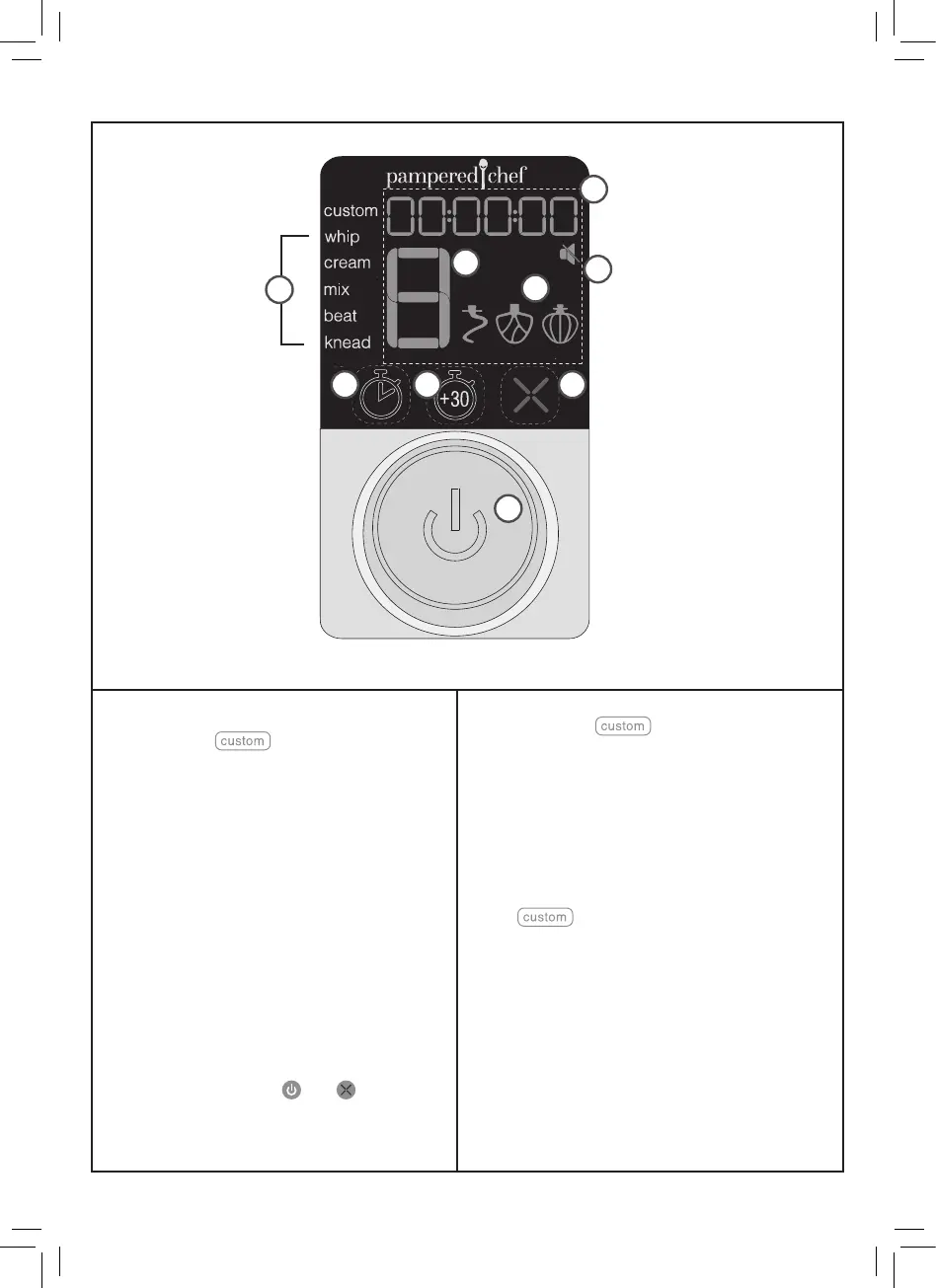
1. Timer Display
The timer counts down when using the presets.
When using the setting, it automatically
counts up unless you use the timer button to set
the time, then it will count down. See “How to
Use the Custom Setting.”
2. Presets
Each preset has been programmed to the optimal
speeds for the operation and a default time.
The speed cannot be changed but the time can.
See “How to Use the Mixing Presets.”
3. Speed Indicator
Displays the speed from 1–8.
4. Recommended Accessory
When you select a preset, the recommended
accessory (scraping beater, whisk, dough
hook) illuminates.
5. Speaker Off Icon
To mute the scrolling, selecting, and starting
beeps press and hold the and together for
two seconds. Repeat to unmute.
6. Timer Button
Press while in the setting to set time.
7. Add 30 Seconds Button
Press to add 30 seconds to the timer. Note: If
pressed within 5 seconds after mixing finishes,
it adds 30 seconds to the last mixing speed. If
pressed 5 seconds after mixing finishes, it adds
30 seconds at speed 3.
8. Cancel Button
Press at any time stop mixing and return to the
default setting.
9. Selector Wheel/Start Button
Turn the wheel to select presets, mixing time,
and mixing speed. Press the wheel to select and
start. During mixing, you can press the wheel to
pause mixing.
3
4
5
6 87
9
2
1
100833-032023-u&c.indd 7100833-032023-u&c.indd 7 9/23/22 4:50 PM9/23/22 4:50 PM


 To Next Page