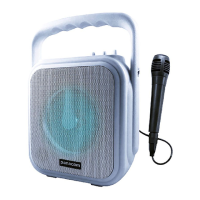
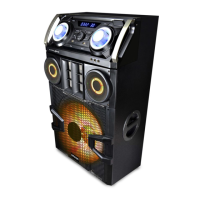
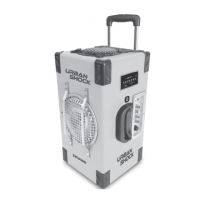
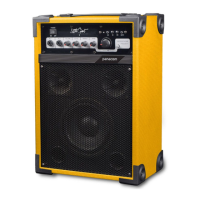
The Panacom SP-3110CM is a portable speaker designed for outdoor singing, advertisement, recreation, and other activities. It features a robust design with a 12-inch subwoofer unit and a 3.5-inch tweeter unit, delivering a 20W RMS output. The speaker is equipped with a rechargeable 1800mAH lithium battery, making it suitable for extended outdoor use.
Key Features and Specifications:
- Audio Output: 20W RMS, 12" Subwoofer Unit, 3.5" Tweeter Unit.
- Connectivity: USB/TF card support, Wireless BT connection, AUX in, 1 Mic input jack.
- Microphone: Includes a wired microphone.
- Lighting: Features LED light effects.
- Battery: Rechargeable 1800mAH Lithium battery.
Usage and Operation:
The speaker is designed for ease of use with a comprehensive control panel.
Power and Charging:
The device includes a built-in battery and a power switch circuit. When connected to an adaptor and the charging interface, the speaker automatically switches to adaptor power and charges the internal battery. If the adaptor power is interrupted, the speaker intelligently switches to the built-in battery for continuous operation. A charging indicator lamp lights up during charging and indicates full charge when complete. It's recommended to charge the battery for 8-10 hours initially. For prolonged outdoor use, charge the battery before use. If the battery is depleted after a short period, it may need replacement. If the speaker is not used for a long time, charge the battery every six months to prevent invalidity.
MP3 Encoding Function:
To use the built-in MP3 encoding function, format your USB disk (U disk) as FAT32 on a computer and then copy MP3 files to it. The encoding system plays songs based on their generation sequence on the U disk. If specific playback order is desired, arrange the copying sequence accordingly. Ensure files are in MP3 format; otherwise, convert them on a computer before copying. Copy MP3 files directly to the U disk's catalogue. It is advisable to delete unnecessary files and folders to minimize reading errors. For optimal performance, use U disks with good quality and internal encoding supporting 64MB/128MB/256MB/512MB/1GB/2GB/4GB/8GB and other volumes. During playback, keep the device away from high temperature, high magnetic field, and high-frequency interference to prevent crashes. In case of a crash, turn off the power and restart.
Control Panel Functions (refer to page 6 for layout):
- Display: Shows playing track, time, or receiving rate.
- Volume Control: Adjusts the overall sound volume.
- Power On/Off: Controls the main power of the sound amplifier. Note: It does not control battery charging when the adapter is connected.
- LED On/Off: Controls the front LED light effects.
- Battery DC IN: Connects the DC power source.
- MIC. IN / GUITAR. IN: Jacks for connecting wired microphones and guitars.
- MODE: Switches between Line-in and BT functions.
- Previous Song (K): Selects the previous music track. Pressing for longer than 3 seconds reduces volume.
- Play/Pause (►II): Plays or pauses the music.
- Next Song (►►): Selects the next music track. Pressing for longer than 3 seconds increases volume.
- REC (Record Button): Activates the recording function.
- USB Driver: Reads music from a USB disk.
- TF Driver: Reads music from a TF card.
- LINE IN: External audio input interface for connecting compatible audio equipment (e.g., DVC, computer).
- EQ (Equilibrium): Adjusts music frequency curve, gain, and attenuation.
- ECHO Volume: Adjusts the echo depth for the microphone.
- MIC. VOL (Microphone Volume): Adjusts the microphone volume.
- DC IN (Adaptor Plug): Connects the power adaptor for charging.
Additional Controls and Adjustments:
- TREBLE (Music): Adjusts the gain of music treble.
- BASS (Music): Adjusts the gain of music bass.
- MIC. TREBLE (Microphone): Adjusts the gain of microphone treble.
- MIC. BASS (Microphone): Adjusts the gain of microphone bass.
- DELAY (Microphone): Adjusts the effect of microphone echo delay.
- GUITAR. VOLUME: Adjusts the volume after guitar input amplification.
- DC FUSE: Protective tube for the power supply of the machine (F10A/250V).
- 12V BATTERY IN: External 12V battery interface. Ensure correct anode/cathode connection and use connection lines no smaller than 0.75 square meters.
- WIRELESS MIC ANT: Built-in microphone antenna. For wireless microphone use, position the antenna vertically for better reception.
- REPEAT: Repeats a single song or all songs.
Troubleshooting and Maintenance:
- No Power: Check if the power switch is on. If using battery, ensure it's charged with the power adaptor.
- No Sound: Verify the sound source input and signal line connection. Adjust the main volume knob. If playing from U disk, check if the U disk is working or if the audio switch is correct. Inspect external signal source and signal line for poor contact or damage.
- External Microphone No Sound: Ensure the microphone is fully inserted into the jack. Check if the external microphone switch is on and adjust the microphone volume knob.
- Wireless Microphone Issues: Turn on the wireless microphone switch. If the microphone is not inserted into the battery box or if the sound is distorted, check the battery and connections.
For persistent issues, contact the local maintenance department. The product is covered by a 6-month international warranty against manufacturing and material defects from the date of purchase. The warranty is voided by unauthorized repairs or alterations to connection cables/plugs. To claim warranty, present the original purchase invoice with the purchase date, dealer name, and product identification to an Authorized Service Center. Transportation, freight, stay, and insurance expenses are not covered by the warranty.

 Need help?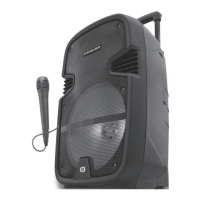

 To Next Page
 General