III. FUNCTIONAL OPERATIONS AND FEATURES
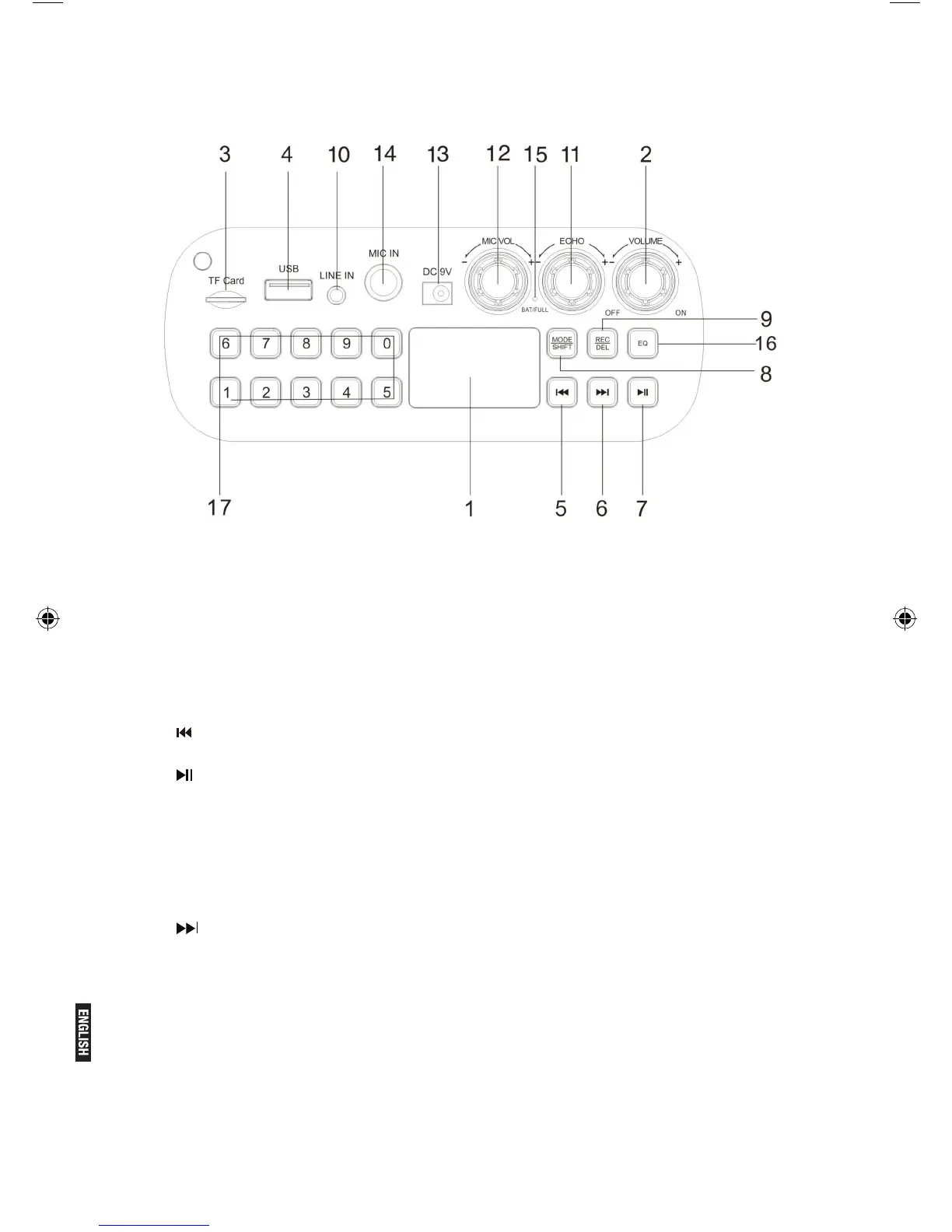
1. LED Screen
2. Master Volume: In MP3/FM/AUX mode, use it to regulate volume output from
the speaker.
3. TF Port: Read audio les in MP3 format in TF card in capacity up to 32G
(FAT32).
4. USB Port: Read audio les in MP3 format in USB storage device in capacity
up to 32G (FAT32).
5. : In FM receiving status, short press it to select the previous channel after a
full station search has been executed.
6. : In USB/TF card reading status, short press it to play/pause, or long press
it to select one of two playback sequencing modes (All - play all tracks in
sequence; ONE - repeat one track). In FM receiving status, long press it to
execute a full search (it is recommended to execute at least one full search
before using radio receiving function. All founded stations will be saved even
in power-off). In AUX input / FM radio status, short press it to toggle between
mute and normal volume.
7. : In USB/TF card reading status, short press it to go to the previous track.
In FM receiving status, short press it to select the next channel after a full
station search has been executed.
8. Mode/SHIFT: short press it to toggle between USB/TF and FM receiving
modes. long press it to toggle between recording folder and MP3 folder.
9. Recording/DEL: Short press it to enable recording (USB/TF storage device
need be connected rst). During recording, reverberation should be tuned to
the minimum. Long press it to delete a recording le. Recording in AUX or FM
mode is available.
10. LINE IN: External sound source input port (plug-and-play).
11. Reverberation: Microphone reverberation regulating knob.


 To Next Page