4
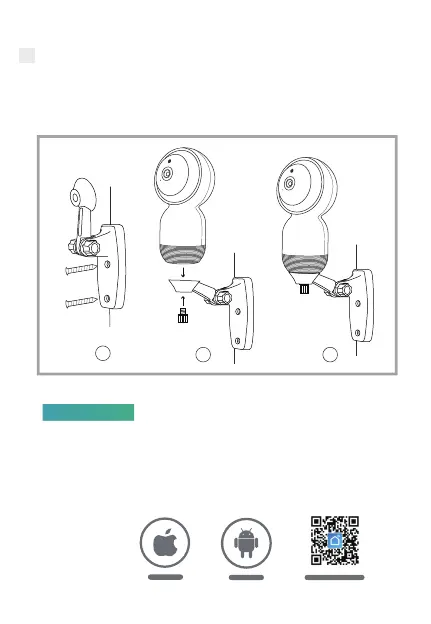
2 Mount it on the wall or ceiling
① Fix the bracket to the wall with the screws included.
② Put the camera on the holder, then tighten the screws on.
③ Adjust the nut gently to get the angle you need.
Smart Life is available for both iOS and Android OS. Search the
name 'Smart Life' in App Store or Android Market, or scan the
QR-Code to download the App.
Connection
Android
IOS
·Support
Download App(IOS&android)
Download
1
2 3



 To Next Page