6
Operation
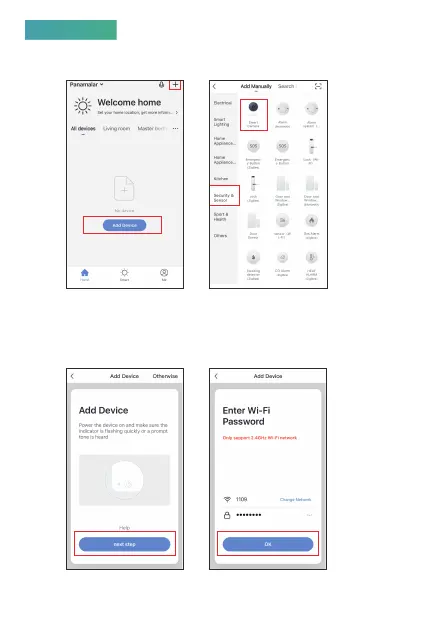
1. Access to“Smart Life”App, add the device with“Smart Camera”
in“Security & Sensor”.
2. Power the device on, you will hear the first prompt tone, wait
about 8 seconds, the second prompt tone will be heard, click
“next step”, input your wifi passwords (this steps only required
for the first connection), then click “OK” go into the next step.



 To Next Page