7
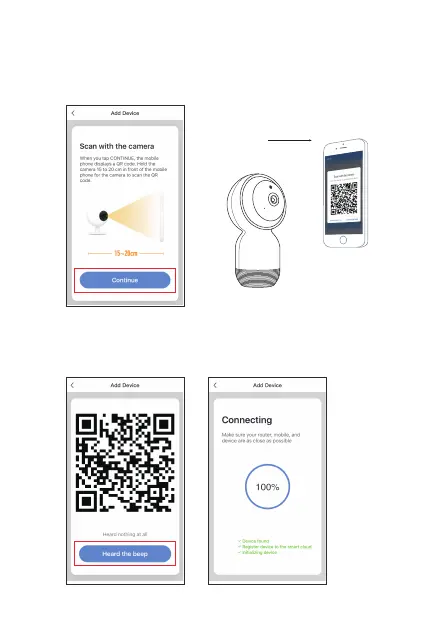
3. Read the guideline of the OR-Code Scanning first, click
“continue”, scan the QR-Code with your camera. (Please hold
the camera 15-20cm in front of your smart phone for scanning. )
4. Click “heard the beep” when the camera comes out the third
prompt tone, then wait about 10-20S until the progress bar
comes to 100%, it means connected successfully.
About 20cm



 To Next Page