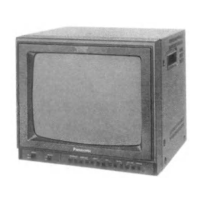
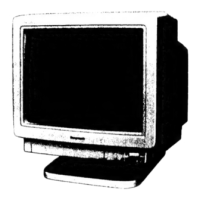
This document is a service manual for the Panasonic Color Computer Display C1381, chassis number KMX-F407E. It provides comprehensive information for servicing, maintenance, and understanding the device.
Function Description
The Panasonic C1381 is a color computer display designed to work with various video boards, including IBM personal computer standard video boards, VGA, SVGA, and 8514/A standards. It features a multi-scan rate type, allowing it to adapt to different horizontal and vertical synchronization frequencies. The display is capable of producing a full-color image with adjustable contrast, brightness, and image positioning. It includes safety features such as X-radiation protection and an over-voltage protection circuit to ensure safe operation and prevent component failure.
Important Technical Specifications
Mechanical Description:
- Dimensions:
- Width: 13.9 in. (354 mm)
- Depth: 14.8 in. (375 mm)
- Height: 14.4 in. (366.5 mm)
- Weight:
- Monitor only: 25.3 lbs (11.5 kg)
- Monitor packaged for shipment: 28.2 lbs (12.8 kg)
CRT Characteristics:
- Size: 14 inch diagonal (13 inch visual)
- Matrix: Black opaque matrix
- Matrix type: Negative guard band
- Faceplate type: Non-glare surface, tinted screen glass
- Phosphor: P22
- Persistence: Short
- Array: Triangular dot trios
- Trio pitch: 0.28 mm typ. at center
- Integral Tube Component (ITC): The CRT is supplied as an ITC, which includes the Deflection Yoke (DY) and Convergence Yoke (CY).
Environmental Characteristics:
- Operating Temperature: +32°F ~ +104°F (0°C ~ +40°C)
- Operating Humidity: 5% ~ 90% (no condensation)
- Operating Altitude: 10,000 Feet max. (3.048m max.)
- Non-Operating Temperature: -40°F ~ +149°F (-40°C ~ +65°C)
- Non-Operating Humidity: 5% ~ 90% (no condensation)
- Non-Operating Altitude: 40,000 Feet max. (12.192m max.)
- Storage and Shipment Temperature: -40°F ~ +149°F (-40°C ~ +65°C)
- Storage and Shipment Humidity: 5% ~ 95% (no condensation)
- Storage and Shipment Altitude: 40,000 Feet max. (12.192m max.)
Electric Performance:
- Input Voltage: 180 ~ 264V AC
- Input Frequency: 50 Hz
- Input Current: 0.7A max. (at 230V AC)
- Power: 95W max. (at 230V AC)
- Surge Current: 80A max. (at 230V AC)
Input Signals:
- Video Signal: Positive polarity, Analog 0.7Vp-p/75 ohm level.
- Horizontal Synchronization Signal: Positive/Negative polarity, TTL level separate sync, 30 kHz to 37 kHz continuous. Auto size and center at 31.5 kHz, 35.2 kHz VGA/SVGA/8514A standards.
- Vertical Synchronization Signal: Positive/Negative polarity, TTL level separate sync, 50 Hz to 90 Hz continuous. Non-interlaced or interlaced modes. Auto size and center for VGA/SVGA/8514A standards.
- The monitor automatically detects vertical & horizontal sync polarity and selects its polarity and frequency.
Image Characteristics:
- Image Size (Horizontal): 9.65 ± 0.39 in. (245 ± 10 mm)
- Image Size (Vertical): 7.20 ± 0.28 in. (183 ± 7 mm)
- Distortion (Pincushion Error): a, b ≤ 0.098 in. (2.5 mm); c, d ≤ 0.098 in. (2.5 mm) for a crosshatch pattern.
- Rectangularness & Parallelogram Distortion: a, b ≤ 0.118 in. (3 mm) for a crosshatch pattern.
- Linearity (Horizontal & Vertical): ≤ 7.5%
- Rotation: Horizontal line of the image shall be within a shaded area (a ≤ 0.079 in. (2 mm) for a crosshatch pattern).
- Convergence: Area A ≤ 0.0118 in. (0.3 mm), Area B ≤ 0.0236 in. (0.6 mm).
- Image Size Variation: Within ± 0.118 in. (± 3mm) for brightness control rotation, and within ± 0.157 in. (± 4 mm) for AC line voltage variation (220 to 240 volts) and external ambient temperature variation (20 ± 20°C).
Overall Performance:
- Resolution: Horizontal 1024 Pixels, Vertical 768 Pixels.
- Insulation: More than 100 MΩ between AC line and chassis.
- Jitter: Less than 1 dot, invisible at a distance of 18 in. (45.7 cm) from CRT surface.
Signal Connector:
- 15 pin mini D-SUB type connector (interface cable) with specific pin assignments for Red, Green, Blue, Grounds, Key, M. Sense 0, M. Sense 1, Horizontal Sync, Vertical Sync, and Reserved.
Usage Features
The C1381 display offers several user-accessible controls for image adjustment:
- Power Switch: Push to turn the display on/off.
- Contrast Control: Adjusts the display's contrast level (white level).
- Brightness Control: Adjusts the display's brightness level (black level).
- H-SIZE Control: Adjusts horizontal size, with a click position for IBM personal computer standard video boards.
- H-CENTERING Control: Adjusts horizontal position, with a click position for IBM personal computer standard video boards.
- V-SIZE Control: Adjusts vertical size, with a click position for IBM personal computer standard video boards.
- V-CENTERING Control: Adjusts vertical position, with a click position for IBM personal computer standard video boards.
Rear user controls are also available for signal cable connection and AC inlet.
Maintenance Features
The manual provides detailed instructions for various maintenance procedures:
Safety Precautions:
- Emphasizes the use of an isolation transformer for troubleshooting.
- Stresses observing original lead dress, especially in high voltage circuits.
- Requires replacing overheated or damaged parts.
- Insists on proper installation of protective devices (insulation barriers, papers, shields, R-C combinations).
- Includes leakage current checks (cold and hot) to prevent shock hazards.
- Warns about high voltage (up to 24.5 kV) and X-radiation, requiring specialized knowledge and equipment for servicing.
- Specifies using only manufacturer's specified parts for critical components (shaded in diagrams and parts lists) to prevent X-radiation, shock, fire, or other hazards.
Disassembly Instructions:
- Step-by-step guide for removing the pedestal, back cabinet, PWB assembly (main board and neck board), AC switch, and CRT.
- Includes cautions regarding discharging the anode of the picture tube before handling.
Adjustment Procedures:
- Detailed instructions for service adjustments, including:
- B+ Voltage Output Adjustment
- H-Hold Tracking Adjustment (31 kHz and 35 kHz)
- High Voltage Adjustment (with a warning to cover the control VR with UL tube and silicon rubber after adjustment)
- Sub Contrast Adjustment
- Video Bias Adjustment
- White Balance Adjustment
- Convergence Adjustment (requires prior vertical size, linearity, and focus adjustments)
- Color Purity Adjustment (not necessary if CRT is replaced as ITC)
- Raster Brightness Adjustment
- Brightness Adjustment
- Focus Adjustment
- Pincushion Adjustment
- V-Linearity Adjustment
- V-Center Adjustment
- V-Size Adjustment
- Raster Center Adjustment (optional, for non-normal positions)
- H-Center Adjustment
- H-Size Adjustment
Troubleshooting Flow Charts:
- Provides systematic flow charts for diagnosing common issues such as:
- Power indicator not lighting or lighting then going out.
- No character or figures appearing on the screen.
- One-color missing.
- Vertical synchronization not holding.
- Picture showing as one horizontal line.
Component Reference Guide:
- Lists and describes key integrated circuits (IC5002 - Signal/Deflection Process IC, IC401 - V. Out, IC504 - Regulator IC, IC801 - Comparator, IC3501 - Analog Amp).
- Includes a block diagram illustrating the interconnections and signal flow within the display.
Schematic Diagram:
- Detailed circuit diagrams with shaded areas indicating important safety components that must be replaced with manufacturer-specified parts only.
- Includes notes on resistor and capacitor types, test points, and voltage measurement conditions.
Mechanical Parts Location:
- Exploded views and diagrams showing the location of all mechanical parts, including screws, brackets, and internal components.
Replacement Parts List:
- Comprehensive list of all replaceable parts, categorized by type (resistors, capacitors, diodes, transistors, integrated circuits, coils, others, mechanical parts).
- Includes part numbers, descriptions, and specifications for each component.
- Critical safety components are highlighted to ensure correct replacement.

 Need help?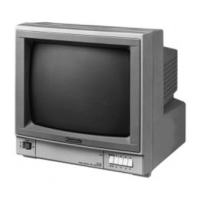



 To Next Page
 General