14
CQ-C9901W/C9801W
15
English
CQ-C9901W/C9801W
General
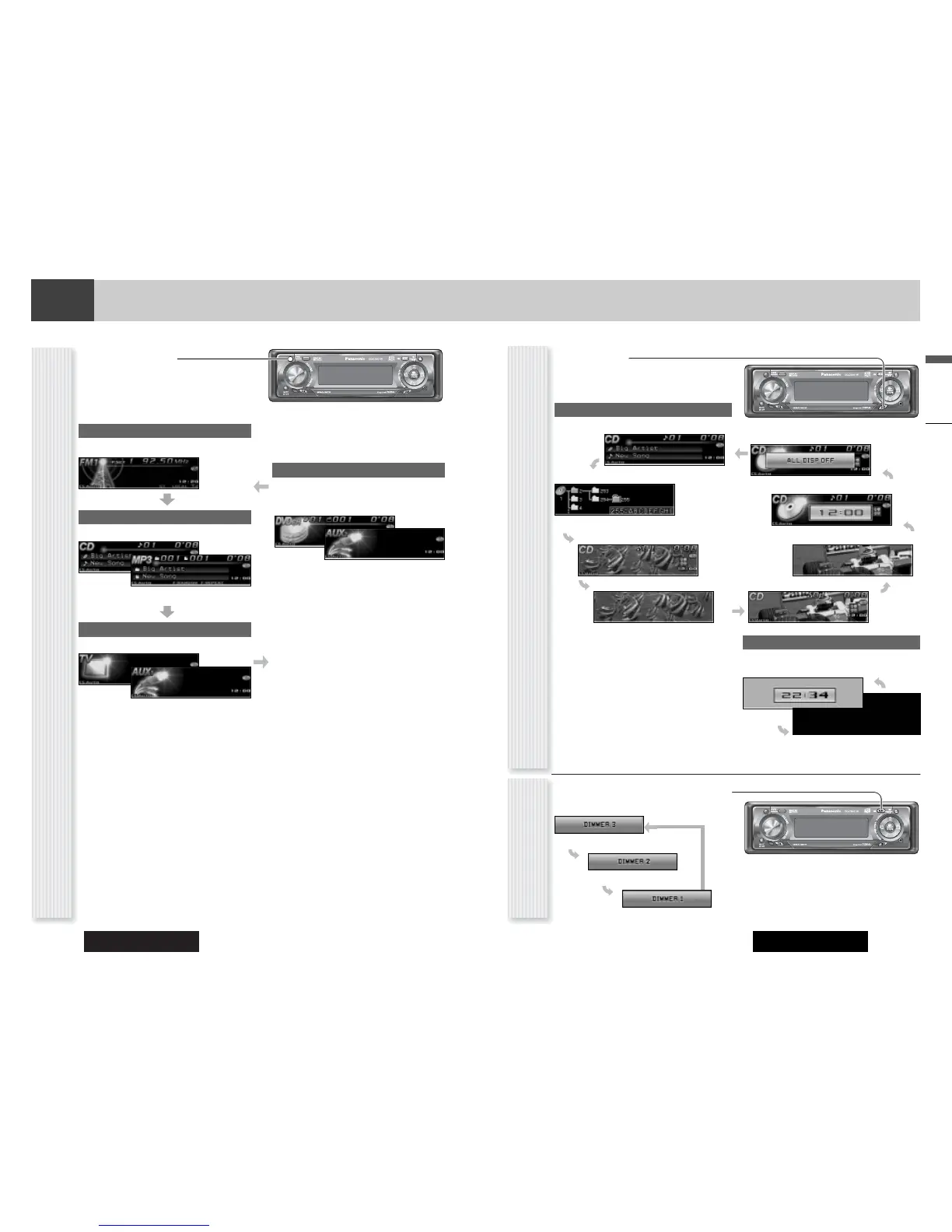
The display changes as follows every time [DISP:
DISPLAY] is pressed.
Note: You can select a graphic pattern and a still image
from originally stored data. (a page 35) You can also use
your original images. (Customize Function a page 36)
At power-off:
Clock display (default)
The dimmer level changes as follows every time you hold
down [MENU] (DIM: DIMMER) for 2 sec. or more.
Brighter (Default)
Medium
Mode
Folder hierarchy (MP3/WMA mode only.)
Ordinary display + still image
Ordinary display + clock
Display OFF
All displays disappear in 5 seconds.
At power-on:
Darker
Off
Only graphic pattern
Only still image
Display Change
(DISP: DISPLAY)
Dimmer Control
(DIM: DIMMER)
Note: This setting is not adjustable with the remote con-
trol.
General
Radio
FM1, FM2, FM3, AM (a page 19)
Source Selection
(SRC: SOURCE)
The source changes as follows every time
[SRC: SOURCE] is pressed.
Player
Auxiliary (AUX 1)
Auxiliary (AUX2)
When connecting CD Changer, DVD Changer (a page
28, 30)
When connecting a device that is not
compatible with this unit
When loading CD (a page 22)
When loading MP3/WMA disc (a page 24)
When connecting a TV
When connecting a device that is not compatible with
this unit
Notes: Please connect a CD changer or a DVD changer
to AUX2. (a Installation Instructions)
Ordinary display + graphic pattern



 To Next Page