EasyManua.ls Logo

Panasonic CQ-C3200U - User Manual

Panasonic CQ-C3200U
24 pages
Print Icon
To Next Page IconTo Next Page
Loading...
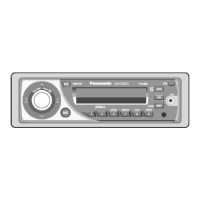
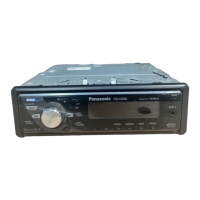
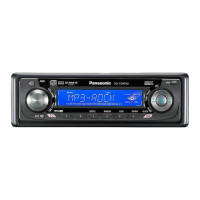
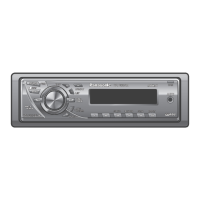
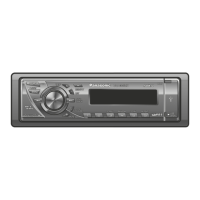
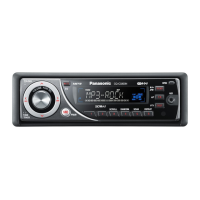
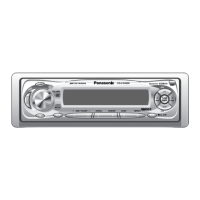
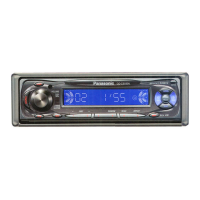
Removable Full Front MP3 WMA CD Player/Receiver with CD Changer Control
CQ-C3400/C3300U
Removable Full Front CD Player/Receiver with CD Changer Control
CQ-C3200/C3100U
Please read these instructions carefully before using this product and save this manual for future use.
Prière de lire ces instructions attentivement avant d’utiliser Ie produit et garder ce manuel pour l’utilisation ultérieure.
Lea con atención estas instrucciones antes de utilizar el producto y guarde este manual para poderlo consultar en el futuro.
(CQ-C3400U)
Operating InstructionsOperating Instructions
Manuel d’instructionsManuel d’instructions
Manual de instruccionesManual de instrucciones

Questions and Answers

  • M
    Mark DavisJul 30, 2025
    How to fix noise in Panasonic Car Receiver?
    • T
      Tracy HodgesJul 30, 2025
      If you are experiencing noise issues with your Panasonic Car Receiver, it might be due to a few reasons. An electromagnetic-wave generator, like a cellular phone, could be too close to the unit or its wiring. Try moving such devices away. Also, ensure the ground lead is securely connected to an unpainted part of the chassis. If alternator noise is the cause, try changing the wiring position of the ground lead. Incorrect balance/fader settings can also cause noise, so readjust them. Finally, check the speaker wiring for breaks, short circuits, or poor contact, and ensure the wiring is correct. If some speakers are out of order, replace them. If the speaker wiring is confused between right and left, perform the speaker wiring in accordance with the wiring diagram.
  • J
    Jonathan McleanAug 9, 2025
    What to do if there is no sound from Panasonic Car Receiver speakers?
    • L
      Lisa HarrisonAug 9, 2025
      If your Panasonic Car Receiver isn't producing any sound, several factors could be at play. First, verify that the power cord (battery, ACC, and ground) is correctly wired. Also, check if the fuse has blown; if so, address the cause and replace it. Ensure that the MUTE function is set to OFF. Inspect the speaker lines for correct wiring, breaks, or poor contact, referring to the wiring diagram. If a demonstration screen is active, press the [DISP] button to exit. Frequent demonstration screens suggest potential wiring issues between the unit's battery lead and the car's battery cable, so check the battery wiring. Finally, some operations are disabled in certain modes, so consult the operating instructions and exit the mode if necessary.
  • A
    alexdavisNov 18, 2025
    Why does my Panasonic Car Receiver have sound skipping or noise?
    • M
      Mike FordNov 19, 2025
      If your Panasonic Car Receiver is skipping or producing noise, there are several potential causes. Ensure the disc is inserted correctly, with the correct side up. Check the disc for flaws or foreign objects and remove them, or use a flawless disc. If the disc contains unplayable formatted data, refer to the MP3/WMA description for playable sound data. If the unit is playing the ROM track of a mix mode CD, skip the ROM track. The playability of some CD-R/RWs may depend on the combination of media, recording software, and recorder used, so try different combinations. Secure the unit to the console box with the rear support strap, etc. Ensure the unit is not tilted at more than 30 degrees in the front-to-end direction. If the microcontroller is operating abnormally due to noise, unplug the p...

Summary

Safety Information

Precautions

Important safety warnings and handling advice for product use.

Features

Before Reading these Instructions

Key features and model differences to note before operation.

Preparation

Clock Setting

Guide on how to set the device's internal clock time.

General

Unit Controls and Indicators

Explanation of main unit buttons, display, and indicators.

Radio

Radio Operation and Tuning

Instructions for selecting bands, tuning stations, and display changes.

Station Presets and Memory

How to store and recall favorite radio stations using presets and memory.

Before Disc Playback

Disc Handling and Insertion

Guidelines for handling and inserting CDs correctly.

CD Player

CD Player Basic Controls

Operation of basic CD playback functions like track selection and pause.

CD Player Playback Modes

How to use modes like random, scan, and repeat for CD playback.

MP3;WMA Player

MP3;WMA Player Operation

Navigating and controlling MP3/WMA files and folders.

MP3;WMA Player Playback Modes

Using playback modes like random, scan, and repeat for MP3/WMA files.

Notes on MP3;WMA

MP3;WMA File Guidelines

Recommendations for creating and encoding MP3/WMA files.

MP3;WMA Disc Information

Details on displayable characters, recording, and file order for MP3/WMA discs.

CD Changer Control

CD Changer Operation

Basic controls for operating the CD changer unit.

CD Changer Playback Modes

Using playback modes and selection for the CD changer.

Audio Settings

Basic Audio Adjustments

Adjusting volume, bass, treble, balance, and fader.

Advanced Audio Settings

Configuring subwoofer level, LPF, and mute/attenuation.

Security Setting

Security Function and Alarm

Activating the anti-theft feature and panel removal alarm.

Troubleshooting

Preliminary Steps and Tips

Initial checks and common troubleshooting advice for issues.

Common Problem Areas

Addressing specific issues like noise, no sound, radio reception, and preset problems.

Notes on Discs

Disc Handling and Cleaning

Guidelines for proper disc care and handling.

CD-R;RW Playability Notes

Information on compatibility and playback issues with CD-R/RW discs.

Anti-Theft System

Face Plate Removal and Installation

Steps to remove and install the detachable face plate.

Security Indicator and Alarm

Understanding the security indicator light and panel removal alarm.

Installation Guide

Installation Overview and Preparation

General installation steps, hardware, and dashboard preparation.

Installation Procedures

Mounting and Removing the Unit

Step-by-step guide for installing and removing the main unit.

Electrical Connections

Wiring Diagram and Accessory Leads

Visual guide to connecting power, speakers, and accessories.

System Upgrades

Instructions for connecting CD changers and related components.

Speaker System Connection

Guide for connecting front speakers, rear speakers, and subwoofers.

Specifications

General and Radio Specifications

Technical details for power, current, FM, and AM radio performance.

CD Player Specifications

Technical performance data for the CD playback function.

Panasonic CQ-C3200U Specifications

General IconGeneral
TypeCD Receiver
DIN SizeSingle DIN
TunerAM/FM
FM Presets18
AM Presets6
CD PlaybackYes
CD-R PlaybackYes
CD-RW PlaybackYes
MP3 PlaybackYes
WMA PlaybackYes
USB PortNo
Aux InputYes
Number of Channels4
EQ Bands3
DisplayLCD
Faceplate SecurityDetachable
ClockYes
Anti-Theft ProtectionYes
Max Power Output50 Watts x 4
RMS Power Output22 Watts x 4

Related product manuals