EasyManua.ls Logo

Panasonic CQ-DFX683N - User Manual

Panasonic CQ-DFX683N
21 pages
Print Icon
To Next Page IconTo Next Page
Loading...
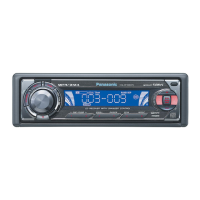
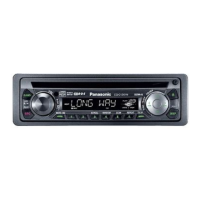
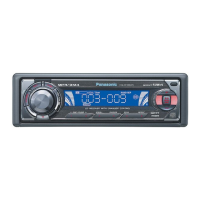
Removable Full Front MP3 WMA CD Player/Receiver with CD Changer Control
CQ-DFX683N
Removable Full Front CD Player/Receiver with CD Changer Control
CQ-DFX223/DFX213/DFX203N
¡Please read these instructions carefully before using this product and keep this manual for future reference.
¡Bitte lesen Sie diese Bedienungsanleitung vor der Verwendung dieses Produktes aufmerksam durch und bewahren Sie sie danach
für spätere Nachschlagzwecke sorgfältig auf.
¡Prière de lire ces instructions attentivement avant d’utiliser le produit et garder ce manuel pour l’utilisation ultérieure.
¡Leest u deze instructie alstublieft zorgvuldig door voor u dit product in gebruik neemt en bewaar deze handleiding voor later gebruik.
¡Läs igenom denna bruksanvisning noga innan produkten tas i bruk. Spara bruksanvisningen för framtida behov.
¡Si prega di leggere attentamente queste istruzioni prima di usare questo prodotto e di conservare questo manuale per usi futuri.
¡Lea con atención estas instrucciones antes de utilizar el producto y guarde este manual para poderlo consultar en el futuro.
¡
Przeczytaj uwazænie instrukcjeç obs¬ugi przed rozpoczeçciem uzæywania urzaçdzenia i zachowaj jaç do uzæytku w przysz¬oóci.
Operating Instructions
Bedienungsanleitung
Manuel dinstructions
Gebruiksaanwijzing
Bruksanvisning
Manuale di istruzioni
Manual de Instrucciones
Instrukcja ob¬ugi
Operating Instructions
Bedienungsanleitung
Manuel d’instructions
Gebruiksaanwijzing
Bruksanvisning
Manuale di istruzioni
Manual de Instrucciones
Instrukcja ob¬ugi
R
E
G
P
T
Y
TA
123456
SCROLL
P
W
R
CQ-DFX683N
DISC /
FOLDER
RANDOM SCAN
REPEAT
M
U
T
E
S
O
U
R
C
E
T
U
N
E
/
T
R
A
C
K
CD RECEIVER WITH CHANGER CONTROL
BAND
OPEN
AF
DISP
TEXT
(CQ-DFX683N)
YEFM283971 NT1202-1023 Printed in China
Matsushita Electric Industrial Co., Ltd.
Web Site : http://www.panasonic.co.jp/global/

Other manuals for Panasonic CQ-DFX683N

Question and Answer IconNeed help?

Do you have a question about the Panasonic CQ-DFX683N and is the answer not in the manual?

Summary

Remote Controls and Accessories

Battery Installation and Notes

Guide to installing the remote battery and related cautions.

Remote Control Button Functions

Description of buttons on the remote control.

Power and Audio Settings Management

Unit Power On;Off and Source Selection

Instructions for turning the device on/off and switching audio sources.

Volume, Bass, Mute, and Clock Settings

Controlling audio levels, muting, and adjusting the unit's clock.

Radio Operation and Presets

Radio Mode, Band, and Tuning

Selecting radio mode, bands, and finding stations.

Station Presets Management

Auto/manual saving and selecting stored radio stations.

Radio Data System (RDS) Features

Traffic Announcement (TA) and PTY Functions

TA Mode, Standby, and Volume Settings

Activating TA, standby mode, and setting TA volume.

PTY Presets and Other RDS Functions

Emergency Announcement Reception

Automatic handling of emergency broadcasts.

CD and MP3;WMA Player Operation

Inserting and Ejecting Discs

How to load and remove CDs from the player.

MP3;WMA Playback Features

MP3;WMA File Management and Recording

CD Changer Operation

Audio Settings Adjustment

System Function Settings

Security Function Activation

Setting up the anti-theft system.

Anti-Theft System Features

Face Plate Removal and Installation

Steps for removing and attaching the face plate.

Troubleshooting Guide

Initial Checks and Product Service

Preliminary steps and when to seek service.

MP3;WMA and Sound Troubleshooting

Installation Instructions Overview

Pre-Installation and Wiring Preparation

Steps before installing the unit.

Unit Mounting Procedures

Physical installation of the device.

Electrical Connections

Wiring the unit for power and speakers.

Wiring Diagram and Connections

Power, Speaker, and Antenna Wiring

Connecting main power, speakers, and antenna.

Summary

Remote Controls and Accessories

Battery Installation and Notes

Guide to installing the remote battery and related cautions.

Remote Control Button Functions

Description of buttons on the remote control.

Power and Audio Settings Management

Unit Power On;Off and Source Selection

Instructions for turning the device on/off and switching audio sources.

Volume, Bass, Mute, and Clock Settings

Controlling audio levels, muting, and adjusting the unit's clock.

Radio Operation and Presets

Radio Mode, Band, and Tuning

Selecting radio mode, bands, and finding stations.

Station Presets Management

Auto/manual saving and selecting stored radio stations.

Radio Data System (RDS) Features

Traffic Announcement (TA) and PTY Functions

TA Mode, Standby, and Volume Settings

Activating TA, standby mode, and setting TA volume.

PTY Presets and Other RDS Functions

Emergency Announcement Reception

Automatic handling of emergency broadcasts.

CD and MP3;WMA Player Operation

Inserting and Ejecting Discs

How to load and remove CDs from the player.

MP3;WMA Playback Features

MP3;WMA File Management and Recording

CD Changer Operation

Audio Settings Adjustment

System Function Settings

Security Function Activation

Setting up the anti-theft system.

Anti-Theft System Features

Face Plate Removal and Installation

Steps for removing and attaching the face plate.

Troubleshooting Guide

Initial Checks and Product Service

Preliminary steps and when to seek service.

MP3;WMA and Sound Troubleshooting

Installation Instructions Overview

Pre-Installation and Wiring Preparation

Steps before installing the unit.

Unit Mounting Procedures

Physical installation of the device.

Electrical Connections

Wiring the unit for power and speakers.

Wiring Diagram and Connections

Power, Speaker, and Antenna Wiring

Connecting main power, speakers, and antenna.

Panasonic CQ-DFX683N Specifications

General IconGeneral
BrandPanasonic
ModelCQ-DFX683N
CategoryMedia Player
LanguageEnglish

Related product manuals