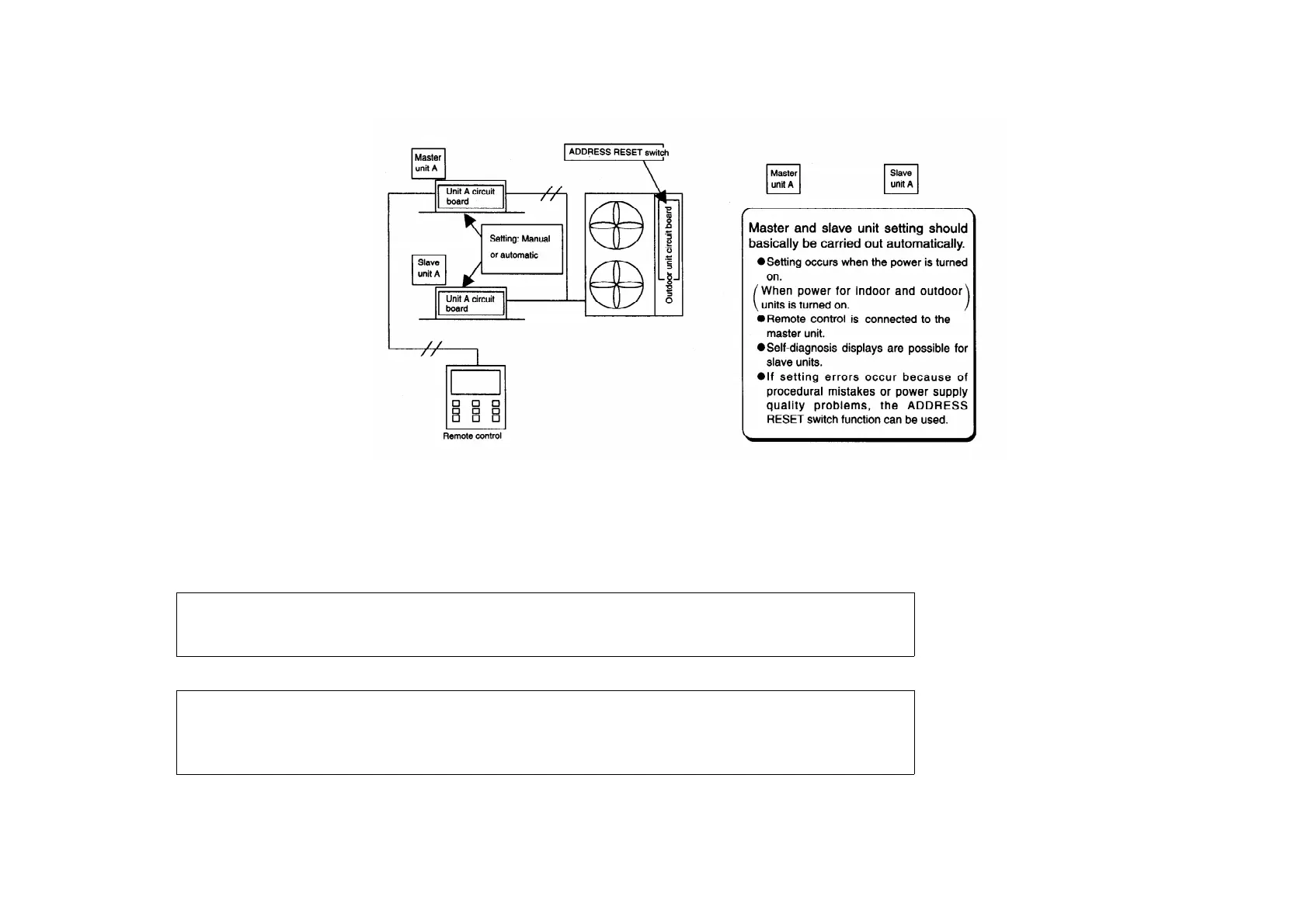
/ / / / Automatic address setting for twin system
/ Procedure: Turn on the power supply for the indoor and outdoor units. / Operation: Automatic
address setting will start 10 to 30 seconds after the power supply is turned on, and will be
completed / after about 1 minute. / /
If the power supplies for the indoor unit and outdoor unit cannot be turned on at the same time,
turn on the power supply for the outdoor unit, the indoor unit which is connected to the remote
control, and then the other indoor units in that order.
If the order of turning on the power supply is incorrect, the master unit setting may overlap. In
such a case, turn on the power supplies for all units in the correct order as given above, or carry
out a twin/triple automatic address reset (press dip switch 3 on the outdoor unit continuously for 4
seconds or longer).
164



 To Next Page