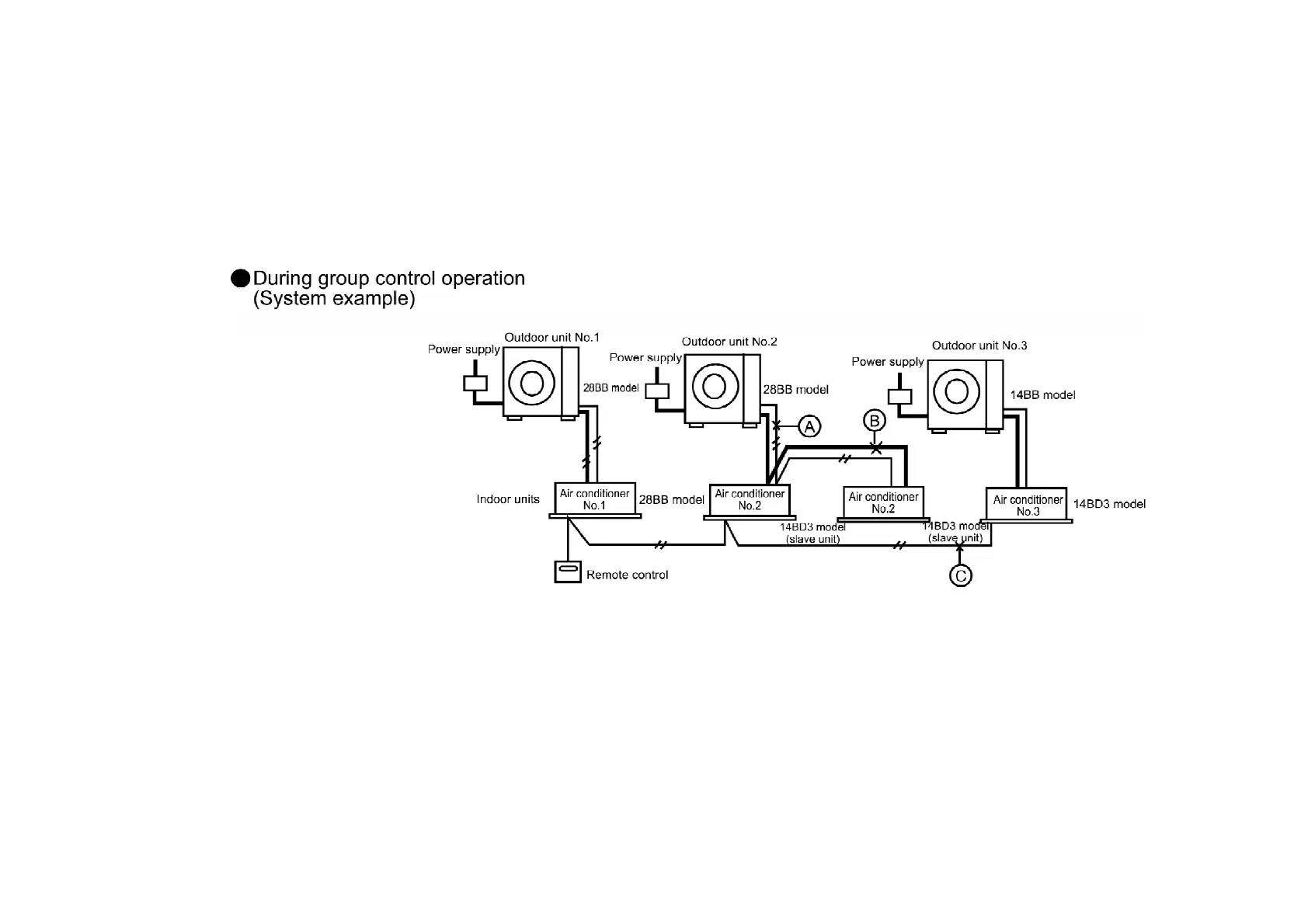
2. Press the ADDRESS RESET button (SW3) at the outdoor unit for approximately 4 seconds / (The
self-diagnosis LEDS 2 to 8 will illuminate in order, and the system is reset once they are all
illuminated.)
/ The above procedure cannot be used to carry out automatic address resetting during group
control. /
1. The main power is turned on while the transmission wires between the indoor unit and the
outdoor unit are not connected (open circuit at section A) / Symptom: / Operation of indoor unit
No. 1 and indoor unit No. 3 is possible. / However, “CHECK” flashes in the remote control unit
display for 3-5 minutes after the main power is turned on.
- Remote control... “CHECK” flashes
- Indoor unit No. 2... LED2 on the printed circuit board flashes (both master and slave units)
- Outdoor unit No. 2... LED3 and LED7 on the printed circuit board flash /
195



 To Next Page