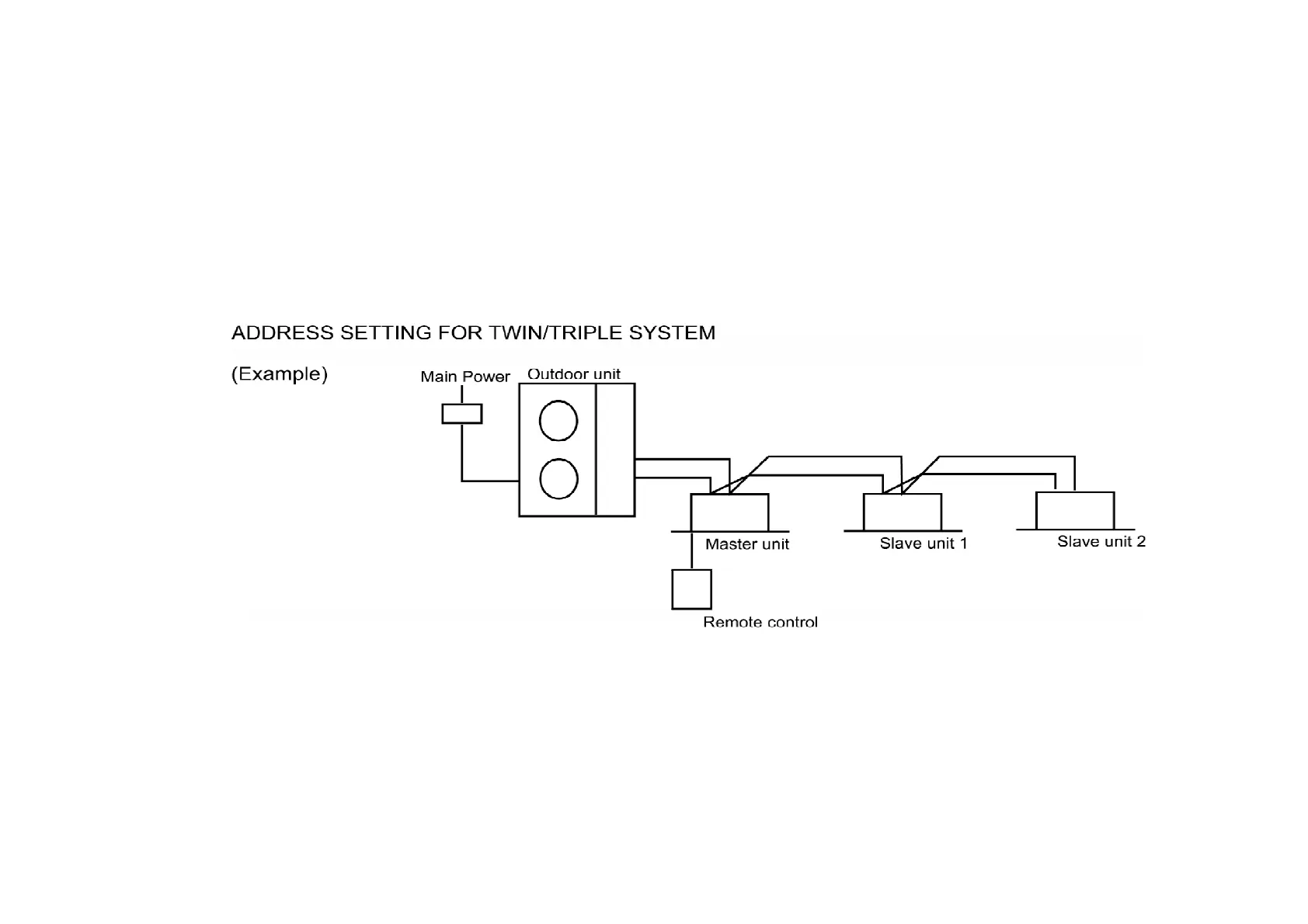
addresses will be momentarily reset, and then automatic address setting will be carried out once
more.
/ The above procedure cannot be used to carry out automatic address resetting of twin/triple
control. / / (Note on automatic address setting) / The printed circuit boards automatically store the
connected system configuration when power is supplied. As a result, once the power has been
turned on for these printed circuit boards, the units can not be changed about within the system,
even if the units are of the same model and have same capacity. /
1. Automatic address setting (no need to have dip-switch set) / If the wiring connected properly as
above example, the address is set automatically by the main power supply. An indoor unit with
remote control will be set as the master. If the power source is installed to indoor units and
outdoor separately, turn on the switch as the following procedure: outdoor unit, indoor unit with
control, and other indoor units. /
197



 To Next Page