EasyManua.ls Logo

Panasonic CS-E21NKR - User Manual

Panasonic CS-E21NKR
12 pages
Print Icon
To Next Page IconTo Next Page
Loading...
F568746
Operating Instructions
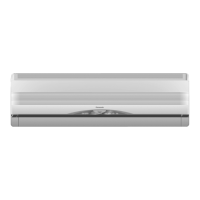
Air Conditioner
Model No.
Indoor Unit Outdoor Unit
CS-E7NKR CU-E7NKR
CS-E9NKR CU-E9NKR
CS-E12NKR CU-E12NKR
CS-E15NKR CU-E15NKR
CS-E18NKR CU-E18NKR
CS-E21NKR CU-E21NKR
CS-E24NKR CU-E24NKR
CS-E28NKR CU-E28NKR
QUICK GUIDE
QUICK GUIDE
Before operating the unit, read these operating
instructions thoroughly and keep them for future
reference.
© Panasonic Appliances Air-Conditioning Malaysia
Sdn. Bhd. 2012. Unauthorized copying and distribution
is a violation of law.

Other manuals for Panasonic CS-E21NKR

Question and Answer IconNeed help?

Do you have a question about the Panasonic CS-E21NKR and is the answer not in the manual?

Summary

Safety Precautions

Indoor Unit and Outdoor Unit Safety

Safety warnings and precautions for indoor and outdoor units to prevent injury or damage.

Remote Control Safety

Safety warnings and precautions for the proper use and handling of the remote control.

Power Supply Safety

Safety warnings and precautions related to the power supply cord and connection.

Remote Control Operation

Turn On or Off Unit

Instructions for turning the air conditioner on and off using the remote.

Set Temperature

How to adjust the desired temperature setting on the remote control.

Select Operation Mode

Guidance on selecting different operating modes like AUTO, HEAT, COOL, DRY, FAN.

Select Fan Speed

Explanation of how to adjust the fan speed settings.

Adjust Airflow Direction

Instructions for controlling the direction of airflow using the remote.

Purify Air with nanoe-G

Details on using the nanoe-G function for air purification.

Improve Humidity and Moisture

How to use the unit to manage humidity levels.

Switch Between Powerful and Quiet

How to select between POWERFUL and QUIET operation modes.

Human Presence and Sunlight Saving

Explanation of ECONAVI and AUTO COMFORT features for energy saving and comfort.

Set Timer Operation

Detailed steps for setting ON/OFF timers for the air conditioner.

Indoor Unit Maintenance

Cleaning Instructions

Guidelines for cleaning the indoor unit components safely and effectively.

Human Activity Sensor

Information and precautions regarding the human activity sensor.

nanoe-G Generator Cleaning

Instructions for cleaning and maintaining the nanoe-G generator.

Air Filter Maintenance

Maintenance schedule and instructions for cleaning air filters.

Auto Off;On Button Use

How to use the auto off/on button on the unit when remote is lost.

Troubleshooting Guide

Symptom and Cause Analysis

Lists common symptoms and their potential causes to help diagnose issues.

Pre-Service Checks

Pre-service checks to perform before contacting a technician.

Retrieve Error Codes

Procedure to retrieve error codes using the remote control for troubleshooting.

Information and Disposal

Seasonal Inspection After Non-Use

Recommendations for inspecting the unit after periods of non-use.

Preparation for Extended Non-Use

Steps to take for extended periods of non-operation.

Non-Serviceable Criteria

Conditions under which the unit requires professional servicing.

Disposal of Equipment and Batteries

Information on proper disposal of the unit and batteries.

Quick Guide to Operation

Remote Control Preparation

Step-by-step guide to prepare the remote control for use.

Select Operating Mode

Guide on selecting the desired operating mode (AUTO, HEAT, COOL, FAN, DRY).

Start or Stop Operation

How to start or stop the air conditioner operation.

Select Desired Temperature

Instructions for selecting the desired temperature.

Summary

Safety Precautions

Indoor Unit and Outdoor Unit Safety

Safety warnings and precautions for indoor and outdoor units to prevent injury or damage.

Remote Control Safety

Safety warnings and precautions for the proper use and handling of the remote control.

Power Supply Safety

Safety warnings and precautions related to the power supply cord and connection.

Remote Control Operation

Turn On or Off Unit

Instructions for turning the air conditioner on and off using the remote.

Set Temperature

How to adjust the desired temperature setting on the remote control.

Select Operation Mode

Guidance on selecting different operating modes like AUTO, HEAT, COOL, DRY, FAN.

Select Fan Speed

Explanation of how to adjust the fan speed settings.

Adjust Airflow Direction

Instructions for controlling the direction of airflow using the remote.

Purify Air with nanoe-G

Details on using the nanoe-G function for air purification.

Improve Humidity and Moisture

How to use the unit to manage humidity levels.

Switch Between Powerful and Quiet

How to select between POWERFUL and QUIET operation modes.

Human Presence and Sunlight Saving

Explanation of ECONAVI and AUTO COMFORT features for energy saving and comfort.

Set Timer Operation

Detailed steps for setting ON/OFF timers for the air conditioner.

Indoor Unit Maintenance

Cleaning Instructions

Guidelines for cleaning the indoor unit components safely and effectively.

Human Activity Sensor

Information and precautions regarding the human activity sensor.

nanoe-G Generator Cleaning

Instructions for cleaning and maintaining the nanoe-G generator.

Air Filter Maintenance

Maintenance schedule and instructions for cleaning air filters.

Auto Off;On Button Use

How to use the auto off/on button on the unit when remote is lost.

Troubleshooting Guide

Symptom and Cause Analysis

Lists common symptoms and their potential causes to help diagnose issues.

Pre-Service Checks

Pre-service checks to perform before contacting a technician.

Retrieve Error Codes

Procedure to retrieve error codes using the remote control for troubleshooting.

Information and Disposal

Seasonal Inspection After Non-Use

Recommendations for inspecting the unit after periods of non-use.

Preparation for Extended Non-Use

Steps to take for extended periods of non-operation.

Non-Serviceable Criteria

Conditions under which the unit requires professional servicing.

Disposal of Equipment and Batteries

Information on proper disposal of the unit and batteries.

Quick Guide to Operation

Remote Control Preparation

Step-by-step guide to prepare the remote control for use.

Select Operating Mode

Guide on selecting the desired operating mode (AUTO, HEAT, COOL, FAN, DRY).

Start or Stop Operation

How to start or stop the air conditioner operation.

Select Desired Temperature

Instructions for selecting the desired temperature.

Panasonic CS-E21NKR Specifications

General IconGeneral
BrandPanasonic
ModelCS-E21NKR
CategoryAir Conditioner
LanguageEnglish

Related product manuals