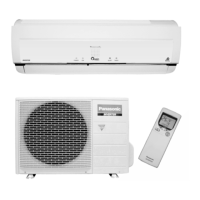
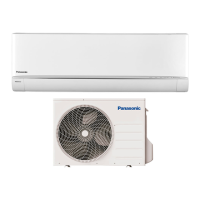
This document is an operating manual for a Panasonic Air Conditioner, model numbers CS-XU9XKT, CS-XU13XKT, CS-XU18XKT, CS-XU24XKT for indoor units and CU-XU9XKT, CU-XU13XKT, CU-XU18XKT, CU-XU24XKT for outdoor units. It provides comprehensive information on safety, operation, maintenance, and troubleshooting.
Function Description:
The Panasonic Air Conditioner is designed to provide a comfortable indoor environment through cooling and dehumidification. It features a built-in Network Adaptor for remote control via a wireless LAN module, allowing users to manage the unit's operation from anywhere. The unit incorporates nanoe™ X and nanoe™-G TECHNOLOGY for air purification, aiming to create a fresher and cleaner environment by removing viruses and bacteria. The system uses R32, a mild flammable refrigerant, and includes various safety features to prevent accidents and ensure proper operation.
Important Technical Specifications:
- Refrigerant Type: R32 (mild flammable refrigerant). Special precautions are detailed for handling R32, including specific piping, installation tools, and charging port thread diameters (1/2 inch for R32 and R410A).
- Temperature Range (COOL mode):
- Indoor: DBT 16°C (60.8°F) to 32°C (89.6°F), WBT 11°C (51.8°F) to 23°C (73.4°F).
- Outdoor: DBT 16°C (60.8°F) to 46°C (114.8°F), WBT 11°C (51.8°F) to 26°C (78.8°F).
- Power Supply: Requires proper earthing and protection against overheating, fire, and electric shock. The use of an Earth Leakage Circuit Breaker (ELCB) or Residual Current Device (RCD) is strongly recommended.
- Remote Control: Operates within 8 meters of the indoor unit's receiver. Uses AAA or R03 batteries.
- nanoe™ X and nanoe™-G TECHNOLOGY: Integrated air purification system that activates automatically when the unit is turned on.
- iAUTO-X Mode: Provides fast cooling by automatically reducing the set temperature by 2°C (4°F) for up to 4 hours. Fan speed is fixed at AUTO in this mode.
- Timer Function: Allows setting two different ON/OFF times daily, which repeat automatically.
- Wireless LAN Module: Enables remote control via a network. Setup instructions are provided in a separate manual.
Usage Features:
- Basic Operation:
- Power ON/OFF: Press the OFF/ON button to start or stop the unit.
- Mode Selection: Press the MODE button to cycle through iAUTO-X, COOL, and DRY modes.
- Temperature Adjustment: Use TEMP UP/DOWN buttons to select the desired temperature (16.0°C to 30.0°C / 60°F to 86°F). Holding the SELECT button for 10 seconds switches between °C and °F display.
- Airflow Direction: The AIR SWING button adjusts the horizontal flap (up/down) and lateral direction (left/right). Manual adjustment of the flap is not recommended.
- Fan Speed and Quiet Mode: The FAN SPEED/QUIET button cycles through fan speeds, including FAN AUTO and a low noise "QUIET" setting. In iAUTO-X mode, fan speed is automatically set to AUTO.
- nanoe™ X and nanoe™-G TECHNOLOGY: Activates automatically upon unit startup. Can be manually turned ON/OFF using its dedicated button. This function can be activated even when the unit is OFF, with the flap and fan speed operating according to remote control settings.
- ECO Mode: Reduces power consumption for energy saving without sacrificing comfort. Cannot be activated during iAUTO-X mode.
- iAUTO-X Mode (Fast Cooling): Automatically reduces temperature by 2°C (4°F) for rapid cooling. Can be reactivated to extend operation.
- Sleep Mode: Provides a comfortable sleeping environment by automatically adjusting the sleep pattern temperature. The indoor unit indicator dims, and the function can be set with an activation timer (0.5 to 9 hours). Sleep operation takes priority over the OFF timer.
- Timer Setting: Set ON/OFF times for the unit. The nearest timer setting is displayed and activates sequentially. Timers repeat daily.
- Auto Restart Control: After a power failure, the unit automatically restarts with the last operation mode and airflow direction (not applicable if TIMER is set).
- nanoe™ X Filter Deactivation: A daily operation that runs after the unit enters standby mode to remove viruses/bacteria. The flap opens slightly, and the fan operates at low speed for 2 to 2.5 hours depending on the previous mode.
Maintenance Features:
- Regular Cleaning: Essential for optimal performance and to prevent malfunctions (e.g., "H 99" error code).
- Safety Precautions for Cleaning: Disconnect power, avoid touching aluminum fins, do not use benzine, thinner, or scouring powder. Use mild soap (pH 7) or neutral household detergent. Do not use water hotter than 40°C (104°F).
- Indoor Unit: Wipe gently with a soft, dry cloth. Coils and fans should be periodically cleaned by an authorized dealer.
- Outdoor Unit: Clean debris around the unit and clear any blockages from the drain pipe.
- Front Panel: Wash gently and dry. To remove, raise the panel, slide it to the right, and pull it out. To attach, insert, match, push in, close down, and press both ends and the center.
- nanoe™-G Generator: Clean with a dry cotton bud every 2 weeks. Do not touch during operation.
- Air Filters: Wash/rinse gently with water every 2 weeks. Dry thoroughly in the shade, away from fire or direct sunlight. Replace damaged filters. To remove, pull out from the unit. To attach, insert into the unit.
- Seasonal Inspection (after extended non-use): Check batteries, ensure no obstructions around air inlets/outlets. Verify temperature difference between air inlet and outlet vents (≥ 8°C / 14.4°F in COOL mode after 15 minutes).
- Extended Non-Use Preparation: Activate nanoe™ TECHNOLOGY mode for 2-3 hours to remove moisture and prevent mold growth. Turn off power supply, unplug the unit, and remove remote control batteries.
Troubleshooting:
The manual provides a list of symptoms that do not indicate malfunction (e.g., POWER indicator blinking before startup, TIMER indicator always ON, cracking sounds, mist from indoor unit, water/steam from outdoor unit, discolored plastic parts, soft buzzing from nanoe™ TECHNOLOGY operation). It also offers a checklist for common issues (e.g., inefficient COOL mode, noisy operation, remote control not working, unit not receiving signals) and advises on checks like correct temperature settings, closed doors/windows, clean filters, and unobstructed vents. For non-serviceable criteria (e.g., abnormal noise, water leakage, frequent circuit breaker trips, hot power cord, non-functioning buttons), users are instructed to turn off the power, unplug the unit, and consult an authorized dealer. The manual also details how to retrieve error codes using the remote control for diagnostic purposes.

 Need help?
 General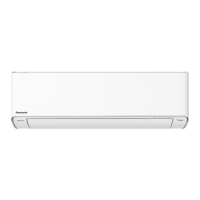



 To Next Page