remote control unit is connected while the power is still turned on, the remote control unit
displays may not appear.) / If no displays appear on the remote control unit, check while referring
to “If no remote control unit displays appear” in “5. Test operation”.
- The remote control cable is live during use, so take care not to short it. / /
Remote control unit wiring
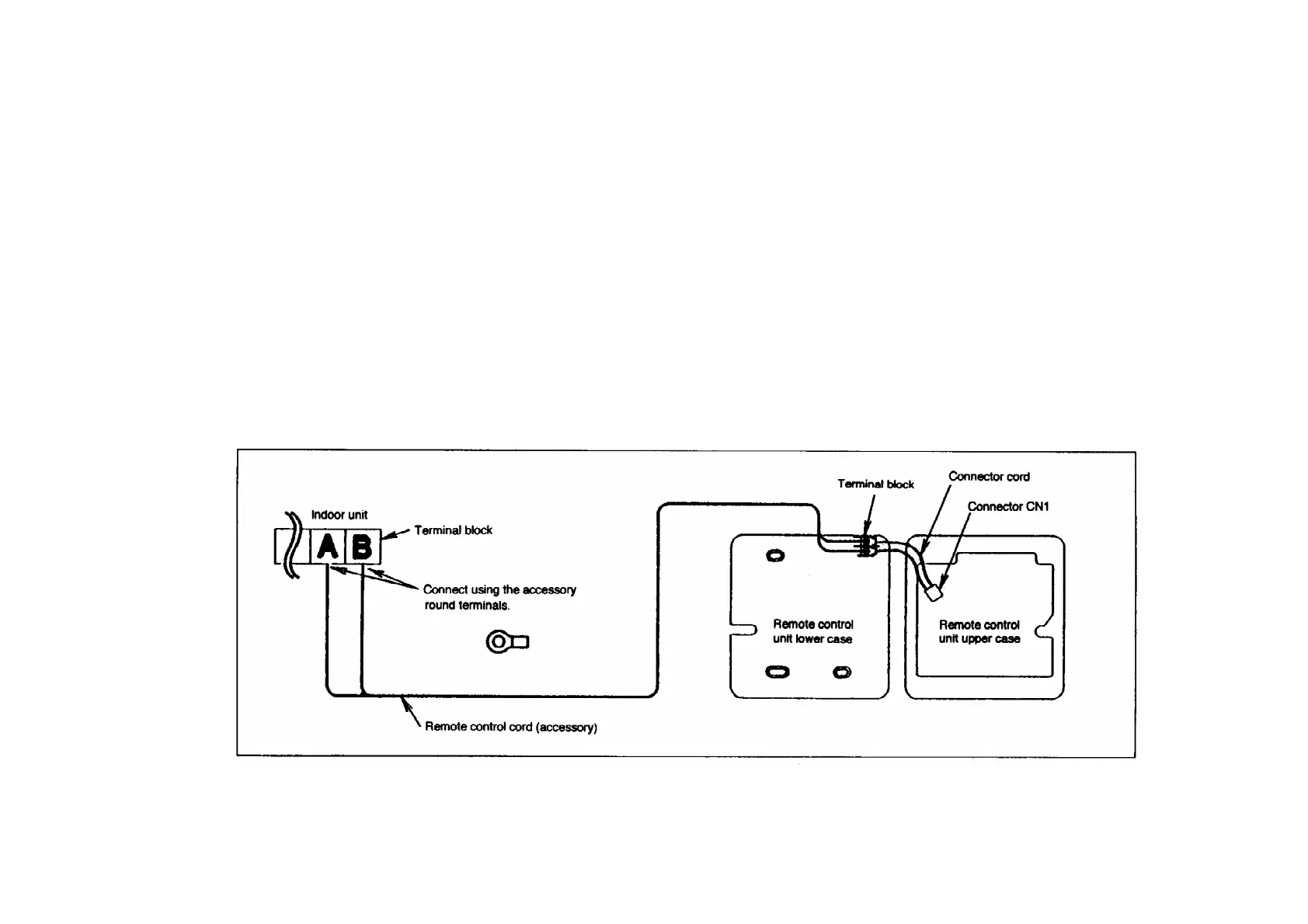
- Connect the indoor unit and the remote control unit as shown in the illustration below.
- The remote control unit cord is non-polar.
- At the time of shipment from the factory, the connector cable used to connect the terminal block
and / connector CN1 is disconnected. When connecting the remote control unit wiring and
installing / the remote control unit, be sure to connect the cord to connector CN1. / /
Extending the remote control cord
243



 To Next Page