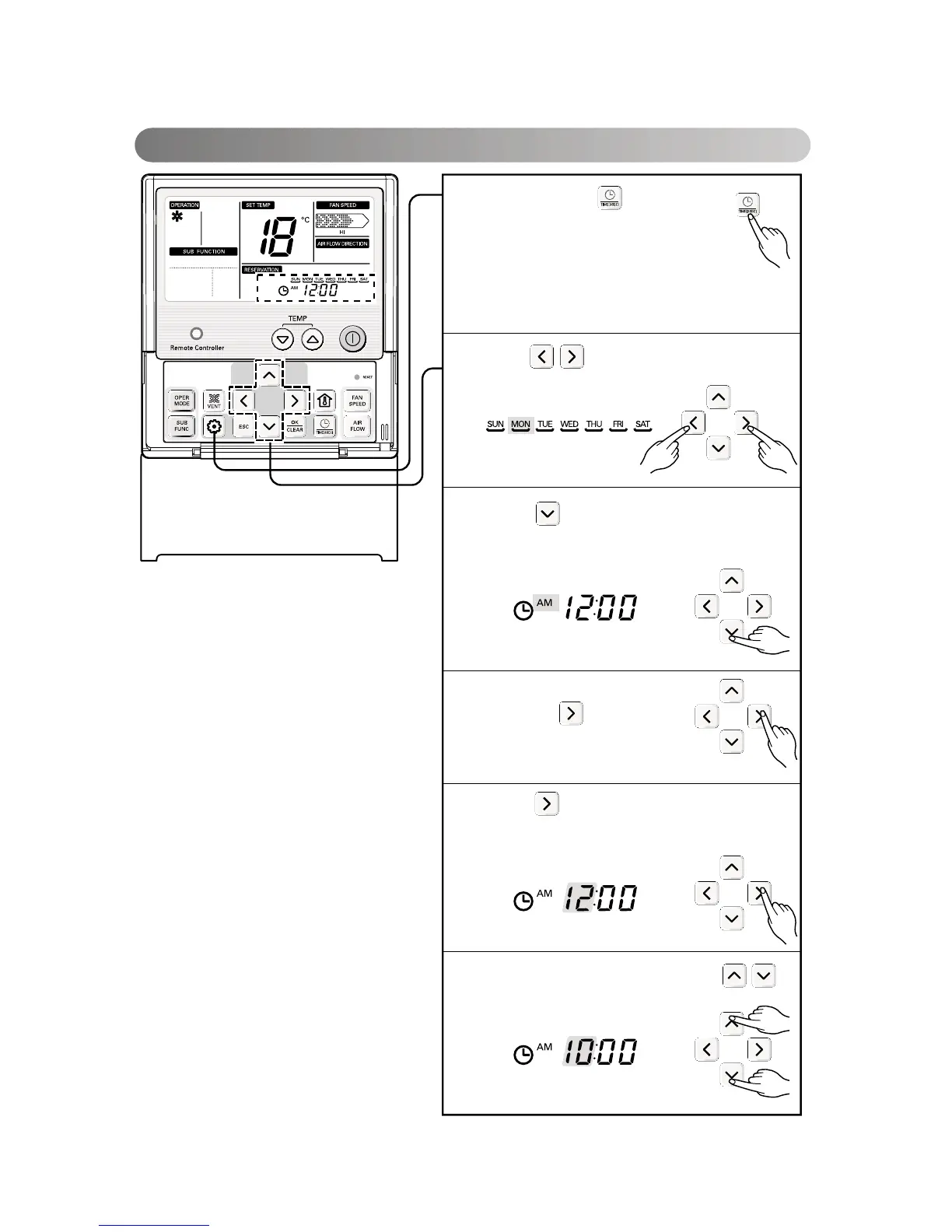
Changing Current Time
Keep pressing button for 4
secs to enter Setting current
time mode.
Ex) Changing Current Time as
'Monday / AM 10:20'.
1
Press key to adjust the current
day.
2
Press key to move to AM/ PM setting
mode (the 'AM/ PM segment will flash).
3
Setting AM/ PM value by
pressing button.
4
Press button to move to 'Hour'
setting mode. (the 'Hour' segment will
flash)
5
Setting Hour value by pressing
button.
6
16




 To Next Page