Why is my Panasonic Air Conditioner outdoor unit emitting water or steam?
- JJennifer SampsonAug 4, 2025
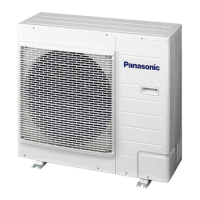
The water or steam emitted from the outdoor unit of your Panasonic Air Conditioner is due to condensation or evaporation occurring on the pipes.
Why is my Panasonic Air Conditioner outdoor unit emitting water or steam?
The water or steam emitted from the outdoor unit of your Panasonic Air Conditioner is due to condensation or evaporation occurring on the pipes.
Why does my Panasonic CU-YE18MKE Air Conditioner start automatically after a power failure?
The Panasonic Air Conditioner is equipped with an Auto Restart function. If the power is interrupted and then restored, the unit will automatically resume operation using the previous settings (operation mode and air flow direction), as long as the operation was not stopped by remote control.
Why does mist emerge from my Panasonic CU-YE18MKE Air Conditioner indoor unit?
The mist emerging from the indoor unit of your Panasonic Air Conditioner is a condensation effect that occurs due to the cooling process.
Why is there a delay when I restart my Panasonic CU-YE18MKE Air Conditioner?
The operation delay after restarting your Panasonic Air Conditioner is a built-in protection mechanism for the unit's compressor.
Why does my room have a peculiar odor when using my Panasonic Air Conditioner?
The peculiar odor in the room when using your Panasonic Air Conditioner may be due to a damp smell emitted by the wall, carpet, furniture, or clothing.
Why does the indoor fan stop sometimes on my Panasonic CU-YE18MKE during automatic fan speed?
The indoor fan in your Panasonic Air Conditioner stops occasionally during automatic fan speed setting to help remove surrounding odors.
Why is the pressure low during heating mode in my Panasonic Air Conditioner?
Low pressure during heating mode in your Panasonic Air Conditioner may be due to an inefficient compressor, insufficient refrigerant, or a clogged strainer or capillary cube.
Safety guidelines for indoor and outdoor units, including use by persons and installation.
Safety guidelines for remote control, preventing accidental swallowing of batteries.
Safety guidelines for power supply, including cord use and preventing electric shock.
Button function to turn the air conditioner unit on or off.
Adjusts the desired temperature for cooling, heating, or dry modes.
Choose between Auto, Heat, Cool, or Dry operating modes.
Adjusts the indoor fan speed based on operation mode.
Controls the direction of airflow with 5 different options.
Activates a mode to reach the desired temperature faster.
Reduces airflow noise for a quieter operating environment.
Resets the remote control to its original factory default settings.
Sets the unit to stop operation automatically after a specified delay.
Sets the unit to start operation automatically after a specified delay.
Configures both delayed stop and delayed start operations.
Activates the set timer operation or confirms the settings.
Deactivates any previously set timer operations.
Instructions for gently wiping the indoor unit with a soft, dry cloth.
Steps to remove, wash, and reattach the front panel for cleaning.
Functionality of the Auto ON/OFF button for unit control when remote is unavailable.
Guidelines for cleaning air filters, including washing and drying methods.
Symptoms that do not indicate a malfunction, like mist or water sounds.
Steps to check before calling for servicing, such as temperature and obstructions.
Procedure to retrieve error codes using the remote control for diagnosis.
Safety guidelines for indoor and outdoor units, including use by persons and installation.
Safety guidelines for remote control, preventing accidental swallowing of batteries.
Safety guidelines for power supply, including cord use and preventing electric shock.
Button function to turn the air conditioner unit on or off.
Adjusts the desired temperature for cooling, heating, or dry modes.
Choose between Auto, Heat, Cool, or Dry operating modes.
Adjusts the indoor fan speed based on operation mode.
Controls the direction of airflow with 5 different options.
Activates a mode to reach the desired temperature faster.
Reduces airflow noise for a quieter operating environment.
Resets the remote control to its original factory default settings.
Sets the unit to stop operation automatically after a specified delay.
Sets the unit to start operation automatically after a specified delay.
Configures both delayed stop and delayed start operations.
Activates the set timer operation or confirms the settings.
Deactivates any previously set timer operations.
Instructions for gently wiping the indoor unit with a soft, dry cloth.
Steps to remove, wash, and reattach the front panel for cleaning.
Functionality of the Auto ON/OFF button for unit control when remote is unavailable.
Guidelines for cleaning air filters, including washing and drying methods.
Symptoms that do not indicate a malfunction, like mist or water sounds.
Steps to check before calling for servicing, such as temperature and obstructions.
Procedure to retrieve error codes using the remote control for diagnosis.
| Cooling Capacity | 5.0 kW |
|---|---|
| Inverter | Yes |
| Energy Efficiency Rating | 4 Stars |
| Refrigerant | R32 |
| Indoor Noise Level | 42 dB(A) |
| Power Supply | 220-240V, 50Hz |
| Type | Split |
| Power Consumption | 1.5 kW |
| Outdoor Noise Level | 50 dB(A) |


Loading...