EasyManua.ls Logo

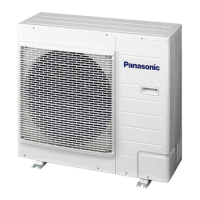
Panasonic CU-YT24KBH52 - User Manual

Panasonic CU-YT24KBH52
48 pages
Print Icon
To Next Page IconTo Next Page
Loading...
QUICK GUIDE
QUICK GUIDE
簡易指南
簡易指南
PANDUAN SEGERA
PANDUAN SEGERA
PEDOMAN CEPAT
PEDOMAN CEPAT
HƯNG DN NHANH
HƯỚNG DN NHANH
Operating Instructions
Air Conditioner
Model No.
Indoor Unit Outdoor Unit
CS-T19KD2H5 CU-YT19KBH52
CS-T24KD2H5 CU-YT24KBH52
CS-T34KD2H5 CU-YT34KBH52
CS-T43KD2H5 CU-YT43KBH52
CU-YT19KBH5
CU-YT24KBH5
CU-YT34KBH5
CU-YT43KBH5
CU-YT19KBP5
CU-YT24KBP5
CU-YT34KBP5
CU-YT43KBP5
P07-T11230
ENGLISH 2 ~ 9
Before operating the unit, read these operating
instructions thoroughly and keep them for future
reference.
中文 10 ~ 17
在操作空調器前,請細讀此操作說明,並保
存此書以備日後參考。
B.MALAYSIA 18 ~ 25
Sebelum menggunakan unit ini, baca arahan
operasi ini dengan teliti dan simpan untuk rujukan
masa depan.
B.INDONESIA 27 ~ 36
Sebelum mengoperasikan unit, baca terlebih
dahulu petunjuk penggunaan secara teliti dan
simpan untuk referensi selanjutnya.
TING VIT 38 ~ 45
Đọc k hướng dn trước khi s dng và
gi tài liu này cn thn để tham kho
v sau.
Question and Answer IconNeed help?

Do you have a question about the Panasonic CU-YT24KBH52 and is the answer not in the manual?

Summary

Wired Remote Control Operations

Turn Unit On or Off

Instructions for starting and stopping the air conditioner operation using the wired remote control.

Set Desired Temperature

Selects the desired operating temperature, with a range from 16°C to 31°C.

Select Operation Mode

Allows selection of AUTO, FAN, COOL, or DRY modes for optimal air conditioning.

Select Fan Speed Options

Sets the fan speed to AUTO, LOW, MEDIUM, or HIGH for customized airflow.

Reduce Power Consumption

Recommends using economy operation when desired room temperature is reached for energy saving.

Enjoy Clean and Fresh Air

Explains odour removing and odour clearing functions for maintaining fresh indoor air quality.

Weekly Timer Settings

Weekly Timer Operation Details

Details on timer applicability, setting limits, and energy-saving benefits of weekly timers.

Check Timer Program

Steps to enter timer mode, select a day, and view the programmed settings.

Modify or Add Timer Program

Instructions for modifying existing or adding new timer programs via the check timer function.

Cancel Timer Program

Procedure to cancel a specific timer program for a particular day.

Disable Weekly Timer

Steps required to disable the weekly timer setting.

Enable Weekly Timer

Procedure to re-enable previously set weekly timer configurations.

Care and Cleaning Instructions

General Cleaning Guidelines

Instructions for cleaning the unit, including safety precautions and recommended cleaning agents.

Air Filter Maintenance

Guidance on when to clean the air filter and how to reset the filter indicator.

Troubleshooting Guide

Symptoms Not Indicating Malfunction

Lists common symptoms and their potential causes that do not indicate a unit malfunction.

Pre-Servicing Checks

Provides essential checks to perform for operational issues before contacting a service professional.

Important Information

Disposal of Old Equipment and Batteries

Information on the proper collection and disposal of old electrical equipment and used batteries.

Seasonal Inspection After Non-Use

Recommendations for inspecting the unit after periods of seasonal inactivity.

Preparation for Extended Non-Use

Instructions for preparing the unit and remote control for extended periods of non-operation.

Non-Serviceable Criteria

Lists conditions where professional service is required and user maintenance is not advised.

Quick Guide to Operation

Start;Stop Operation

Basic instructions for turning the air conditioner unit on or off.

Select Operation Mode

Guide to selecting the desired mode such as AUTO, FAN, DRY, or COOL.

Set Desired Temperature

Instructions on how to select the preferred temperature setting for the room.

Summary

Wired Remote Control Operations

Turn Unit On or Off

Instructions for starting and stopping the air conditioner operation using the wired remote control.

Set Desired Temperature

Selects the desired operating temperature, with a range from 16°C to 31°C.

Select Operation Mode

Allows selection of AUTO, FAN, COOL, or DRY modes for optimal air conditioning.

Select Fan Speed Options

Sets the fan speed to AUTO, LOW, MEDIUM, or HIGH for customized airflow.

Reduce Power Consumption

Recommends using economy operation when desired room temperature is reached for energy saving.

Enjoy Clean and Fresh Air

Explains odour removing and odour clearing functions for maintaining fresh indoor air quality.

Weekly Timer Settings

Weekly Timer Operation Details

Details on timer applicability, setting limits, and energy-saving benefits of weekly timers.

Check Timer Program

Steps to enter timer mode, select a day, and view the programmed settings.

Modify or Add Timer Program

Instructions for modifying existing or adding new timer programs via the check timer function.

Cancel Timer Program

Procedure to cancel a specific timer program for a particular day.

Disable Weekly Timer

Steps required to disable the weekly timer setting.

Enable Weekly Timer

Procedure to re-enable previously set weekly timer configurations.

Care and Cleaning Instructions

General Cleaning Guidelines

Instructions for cleaning the unit, including safety precautions and recommended cleaning agents.

Air Filter Maintenance

Guidance on when to clean the air filter and how to reset the filter indicator.

Troubleshooting Guide

Symptoms Not Indicating Malfunction

Lists common symptoms and their potential causes that do not indicate a unit malfunction.

Pre-Servicing Checks

Provides essential checks to perform for operational issues before contacting a service professional.

Important Information

Disposal of Old Equipment and Batteries

Information on the proper collection and disposal of old electrical equipment and used batteries.

Seasonal Inspection After Non-Use

Recommendations for inspecting the unit after periods of seasonal inactivity.

Preparation for Extended Non-Use

Instructions for preparing the unit and remote control for extended periods of non-operation.

Non-Serviceable Criteria

Lists conditions where professional service is required and user maintenance is not advised.

Quick Guide to Operation

Start;Stop Operation

Basic instructions for turning the air conditioner unit on or off.

Select Operation Mode

Guide to selecting the desired mode such as AUTO, FAN, DRY, or COOL.

Set Desired Temperature

Instructions on how to select the preferred temperature setting for the room.

Panasonic CU-YT24KBH52 Specifications

General IconGeneral
BrandPanasonic
ModelCU-YT24KBH52
CategoryAir Conditioner
LanguageEnglish

Related product manuals