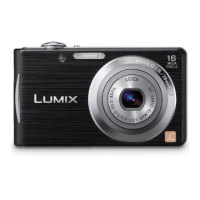
This document serves as a service manual for the Panasonic LUMIX Digital Camera, covering models DMC-FH5P, DMC-FH5PC, DMC-FH5PR, DMC-FH5PU, DMC-FH5GA, DMC-FH5GC, DMC-FH5GD, DMC-FH5GF, DMC-FH5GK, DMC-FH5GM, DMC-FH5GN, DMC-FH5GT, DMC-FS18EB, DMC-FS18EE, DMC-FS18EF, DMC-FS18EG, and DMC-FS18EP. The manual provides comprehensive information for experienced repair technicians, including safety precautions, warning information, service navigation, specifications, control locations, service mode details, service fixtures and tools, disassembly/assembly instructions, measurements/adjustments, and maintenance.
Function Description
The Panasonic LUMIX Digital Camera is designed for capturing still images and motion pictures with audio. It features a built-in memory of approximately 70 MB, and also supports SD Memory Card, SDHC Memory Card, and SDXC Memory Card for expanded storage. The camera offers various recording modes, including Intelligent Auto Mode for automatic settings, Normal Picture Mode for user-defined settings, My Scene Mode for previously registered scenes, and Scene Mode for matching specific recording scenarios. Motion Picture Mode allows for recording video with audio. The camera includes a flash for low-light conditions and an AF Assist Lamp for improved autofocus performance. It also incorporates an Optical Image Stabilizer (OIS) to reduce blur from camera shake. The camera's interface includes a USB 2.0 (High Speed) port for digital connectivity and NTSC/PAL Composite video output with monaural audio line output.
Important Technical Specifications
- Power Source: DC 5.1 V
- Power Consumption: 1.1 W (recording), 0.7 W (playback)
- Camera Effective Pixels: 16,100,000 pixels
- Image Sensor: 1/2.33" CCD, total pixel number 16,600,000 pixels, Primary color filter
- Lens: Optical 4x zoom, f=5 mm to 20 mm (35 mm film camera equivalent: 28 mm to 112 mm)/F3.1 (Wide) to F6.5 (Tele)
- Digital Zoom: Max. 4x
- Extended Optical Zoom: Max. 9x (when set to 3,000,000 pixels [3M] or less)
- Focus Range: Normal: 50 cm (1.64 feet) (Wide)/1 m (3.28 feet) (Tele) to ∞; Macro/Intelligent auto/Motion picture: 5 cm (0.17 feet) (Wide)/1 m (3.28 feet) (Tele) to ∞
- Shutter System: Electronic shutter + Mechanical shutter
- Burst Recording Speed: Approx. 2.0 pictures/second
- Hi-speed Burst Speed: Approx. 6 pictures/second (when 3M (4:3), 2.5M (3:2) or 2M (16:9) is selected)
- Number of Recordable Pictures (Built-in Memory): Approx. 15 pictures (immediately after formatting)
- Shutter Speed: 8 seconds to 1/1600th of a second; [Starry Sky] Mode: 15 seconds, 30 seconds, 60 seconds
- Exposure (AE): Program AE, Exposure compensation (1/3 EV Step, -2 EV to +2 EV)
- Metering Mode: Multiple
- LCD Monitor: 2.7" TFT LCD (4:3), Approx. 230,000 dots (field of view ratio about 100%)
- Flash Range: Approx. 40 cm (1.32 feet) to 3.3 m (10.8 feet) (Wide, [ISO] is set)
- Microphone: Monaural
- Speaker: Monaural
- Recording File Format: JPEG (still picture), "QuickTime Motion JPEG" (motion pictures with audio)
- Dimensions: Approx. 94.3 mm (W)×53.5 mm (H)×18.8 mm (D) [3.7"(W)×2.1"(H)×0.7" (D)] (excluding projecting parts)
- Mass (weight): Approx. 121 g/0.27 lb (with card and battery); Approx. 104 g/0.23 lb (excluding card and battery)
- Operating Temperature: 0°C to 40°C (32°F to 104°F)
- Operating Humidity: 10%RH to 80%RH
- Battery Pack: Lithium-ion, 3.6 V/660 mAh
Usage Features
The camera is designed for user-friendly operation with a clear LCD monitor for viewing and settings. The [Rec]/[Playback] selector switch allows easy toggling between recording and playback modes. A [MODE] button and cursor buttons facilitate navigation through various shooting modes and menu options. The zoom lever controls the optical zoom, while the shutter button captures images. The camera also features an AV OUT/DIGITAL socket for connecting to external displays or computers. The self-timer indicator and AF assist lamp provide visual cues for camera operation. The battery charger supports AC input from 110 V to 240 V and provides DC output of 4.2 V, 0.43 A.
Maintenance Features
The manual outlines several maintenance procedures to ensure the longevity and proper functioning of the device.
- Safety Precautions: Emphasizes the use of an isolation transformer during AC Adaptor servicing, proper lead dress observation, and replacement of critical safety components with manufacturer-specified parts. Leakage current checks (cold and hot) are detailed to prevent shock hazards.
- E.Capacitor Discharge: Provides a procedure for safely discharging the E.capacitor on the Flash P.C.B. using a resistor and insulation tube, crucial before servicing high-voltage circuits.
- Electrostatic Discharge (ESD) Prevention: Offers guidelines for handling electrostatically sensitive devices, including grounding oneself, placing assemblies on conductive surfaces, using grounded-tip soldering irons, and minimizing bodily motions.
- Lithium Ion Battery Replacement: Details the steps for unsoldering and replacing the Lithium battery (Type No.: ML421), emphasizing the use of the same type and manufacture, correct polarity, and proper disposal of used batteries.
- Service Navigation: Identifies the MAIN P.C.B. and LENS UNIT as minimum replacement parts. It also provides a "Check Terminals" guide for diagnosing defective PCBs.
- Lead Free Solder (PbF) Information: Explains the use of lead-free solder in manufacturing and provides service cautions for repair work, including recommended solder types and soldering iron temperature settings.
- Disassembly and Assembly Instructions: Presents a flow chart and detailed procedures for disassembling and reassembling various units of the camera, such as the Rear Case Unit, Front Case Unit, Sub Operation P.C.B., LCD Unit, Top Case Unit, Lens Unit, Top P.C.B., Main P.C.B., Flash Unit, Speaker, Battery Case, and Battery Door Unit. Specific notes are provided for handling components during removal and installation.
- Measurements and Adjustments: Describes how to execute electrical adjustments, including startup into adjustment mode, status adjustment flag setting, and executing specific adjustments like OIS Adjustment. It also provides a matrix table linking replaced parts to necessary adjustments and outlines the "Initial Settings" procedure after replacing the MAIN P.C.B.
- Flash-Rom Data Backup: Explains methods for backing up Flash-rom data (via SD card or PC software) before disassembly, which is crucial for preserving camera settings and adjustment data.
- Light Box Usage: Provides instructions for using the VFK1164TDVLB Light Box for adjustments, including removing the lens connection ring.
- Cleaning: Offers guidance for cleaning the lens (using an air-blower) and the LCD panel (using lens cleaning paper and lens cleaner).

 Need help?
 General





 To Next Page