Writing Sample for Kerri Nussbaum, Quick Reference Card
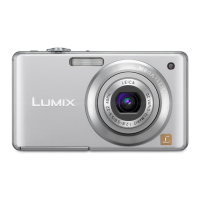
Panasonic DMC-FS3 Camera Quick Reference Card
Panasonic DMC – FS3
Take Pictures
1. Slide Record / Playback selector switch to .
2. Verify mode setting.
3. Aim camera using the screen.
4. Zoom as needed.
5. Check flash.
6. Focus picture.
7. Take picture.
8. Playback picture.
9. Retake picture if necessary.
Verify Mode Setting
1. Press MODE.
2. Press or until [INTELLIGENT AUTO] is
highlighted.
3. With [INTELLIGENT AUTO] highlighted,
press MENU / SET.
Zoom
1. Locate the Zoom lever.
2. Push Zoom lever left to zoom in, right to zoom out.
Check Flash
1. Press to change flash mode.
2. Press or until [AUTO] is highlighted.
3. With [AUTO] highlighted, press MENU / SET.
Focus Picture
1. Press Shutter button halfway to focus. Wait for the
auto-focus to adjust.
2. If camera cannot focus, move the camera farther
away or zoom out and try to focus again.
Playback Picture
1. Slide Record / Playback selector switch to .
2. Press or to view other pictures.
Delete a Picture
1. Slide Record / Playback selector switch to .
2. Press or to locate picture.
3. Press Delete button .
4. Press to select YES.
5. Press MENU / SET.
6. Slide Record / Playback selector switch to .
Delete All Pictures
1. Slide Record / Playback selector switch to .
2. Press Delete button .
3. Press twice to select DELETE ALL.
4. Press MENU / SET.
5. Slide Record / Playback selector switch to .
Changing Picture Quality
1. Slide Record / Playback selector switch to .
2. Press MENU / SET.
3. With PICTURE SIZE highlighted, press .
4. Press or until 8M is highlighted.
5. With 8M highlighted, press MENU / SET twice.
Memory Card / Battery
(Bottom)
Record / Playback Selector Switch

 Need help?
 General






 To Next Page