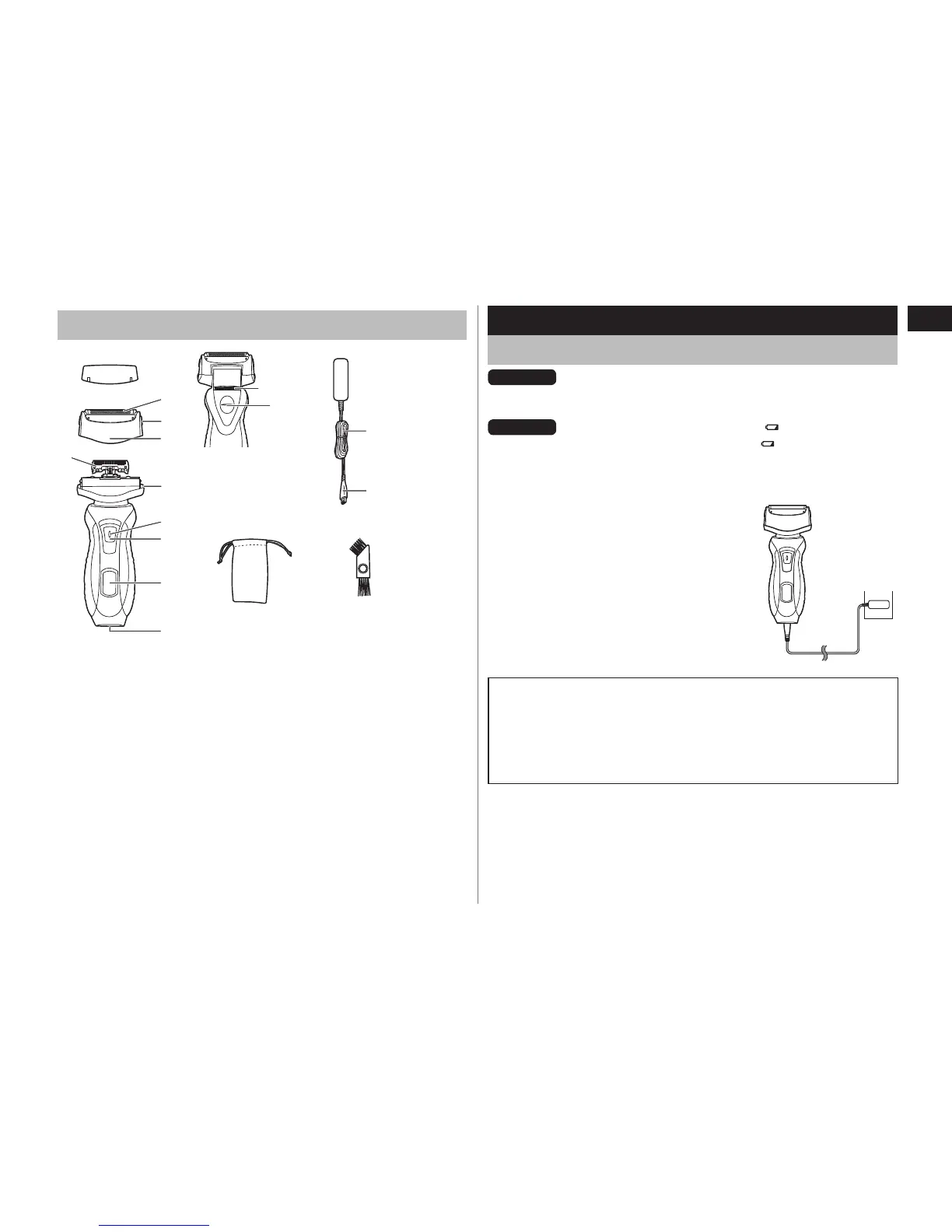
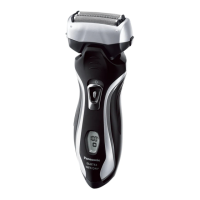
A Protective cap
B Outer foil section
1 System outer foil
2 System outer foil release
buttons
3 Foil frame
C Inner blades
D Main body
4 Foil frame release buttons
5 Switch lock button
6 0/1 switch
7 LED display
8 Appliance socket
9 Trimmer
: Trimmer handle
E Adaptor (RE7‑51)
; Power cord
< Appliance plug
F Travel pouch
G Cleaning brush
Charge
Charging the shaver
ES‑RT40
The battery capacity is low when “LOW” blinks.
You can shav
e 1 to 2 times after “LOW” blinks.
(This will differ depending on usage.)
ES‑RT30
The battery capacity is low when
blinks.
You can shave 1 to 2 times after blinks.
(This will differ depending on usage.)
A full charge will supply enough power for approx. 14 shaves of 3
minutes each.
1
1
Insert the appliance plug into
the shaver.
2
2
Plug in the adaptor into a
household outlet.
Cord shaving
If you insert the appliance plug to the shaver and plug in the
adaptor into a household outlet, you can use it even if the battery
capacity is low.
If the shaver does not work, continue charging it for approx. 1
minute.
•
•





 To Next Page