EasyManua.ls Logo

Panasonic ES-RT40 - Page 6

Panasonic ES-RT40
36 pages
Print Icon
To Next Page IconTo Next Page
To Previous Page IconTo Previous Page
Loading...
6
English
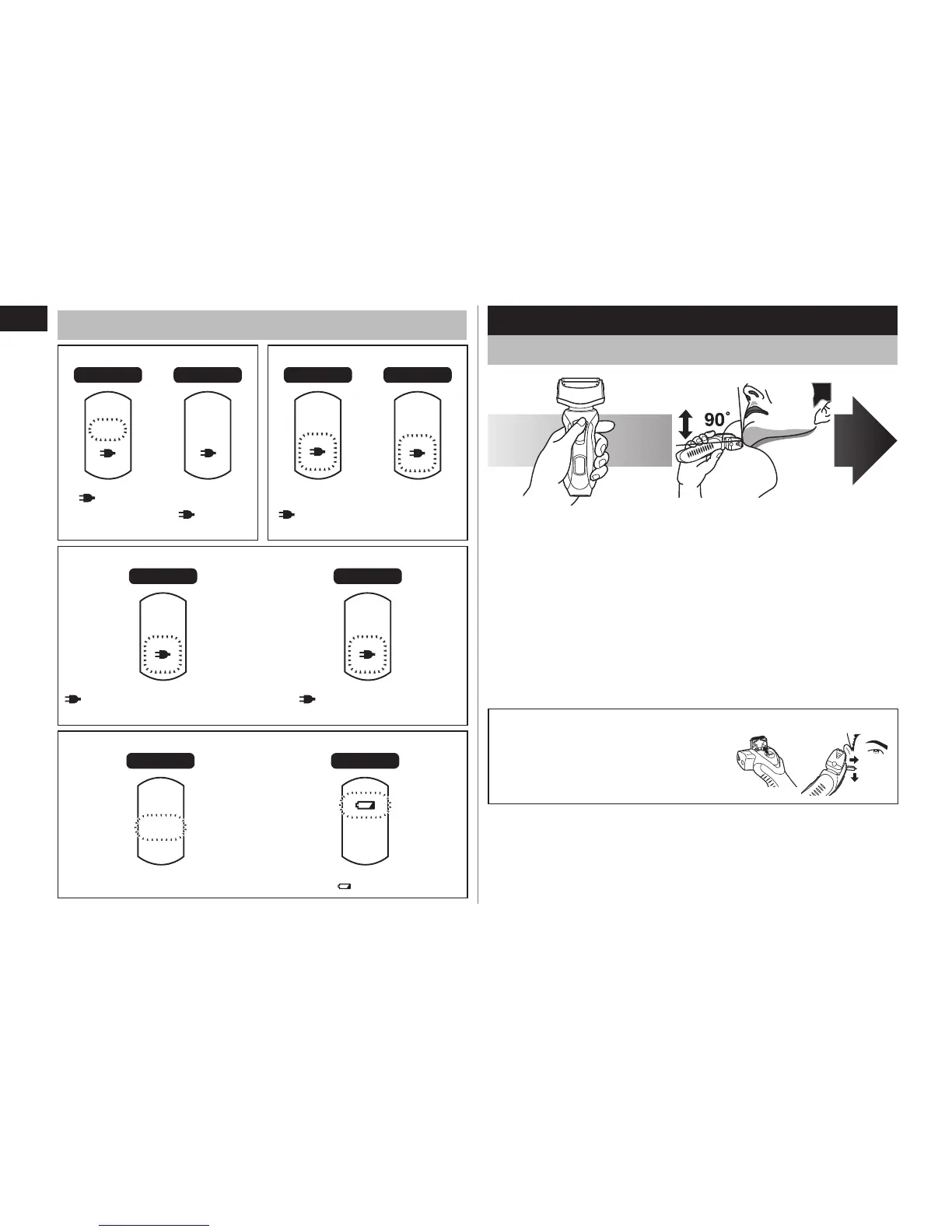
About the LED display
While charging After charging is completed
ES‑RT40 ES‑RT30 ES‑RT40 ES‑RT30
HIGH
MID
LOW
HIGH
MID
LOW
glows.
“HIGH”, “MID”
or “LOW” blinks.
glows. blinks once every second.
10 minutes after charging is completed
ES‑RT40 ES‑RT30
HIGH
MID
LOW
blinks once every 2 seconds.
“HIGH/MID/LOW” go out.
blinks once every 2
seconds.
When the battery capacity is low
ES‑RT40 ES‑RT30
HIGH
MID
LOW
“LOW” blinks.
blinks.
Shave
Using the shaver
1
1
Depress the
switch lock button
and slide the 0/1
switch upwards.
2
2
Hold the shaver as
illustrated above and
shave.
Start out shaving by applying gentle pressure to your face.
Stretch your skin with your free hand and move the shaver back
and forth in the direction of your beard. You may gently increase
the amount of pressure as your skin becomes accustomed to this
shaver. Applying excessive pressure does not provide a closer
shave.
Using the trimmer
Slide the trimmer handle up. Place at
a right angle to your skin and move
downwards to trim your sideburns.

Other manuals for Panasonic ES-RT40

Related product manuals