11
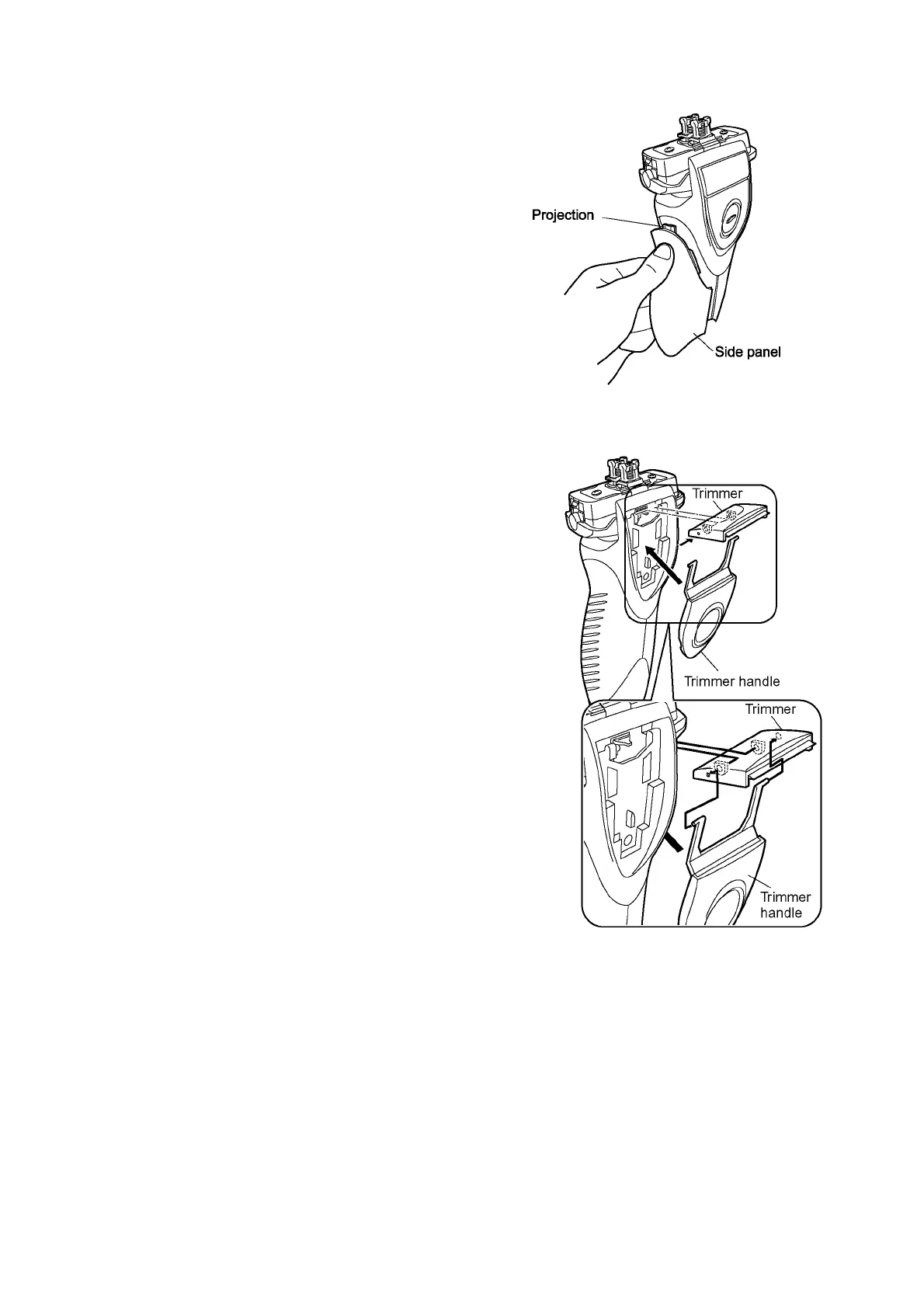
4.2.5. Side panel
Set the side panel on the body and insert the projection on top
of side panel into the housing first. Then hook the front side
and the rear side of the side panel in order.
NOTE:
Make sure that the left and right side panels are firmly fitted
on both rear and front side.
4.2.6. Trimmer
1. Make sure if the bosses of handle arm insert into the
holes of trimmer.
2. Align the bosses of housing with the holes of trimmer, and
hook the trimmer handle.
3. Confirm its operation or smooth movement of trimmer.












 To Next Page