10
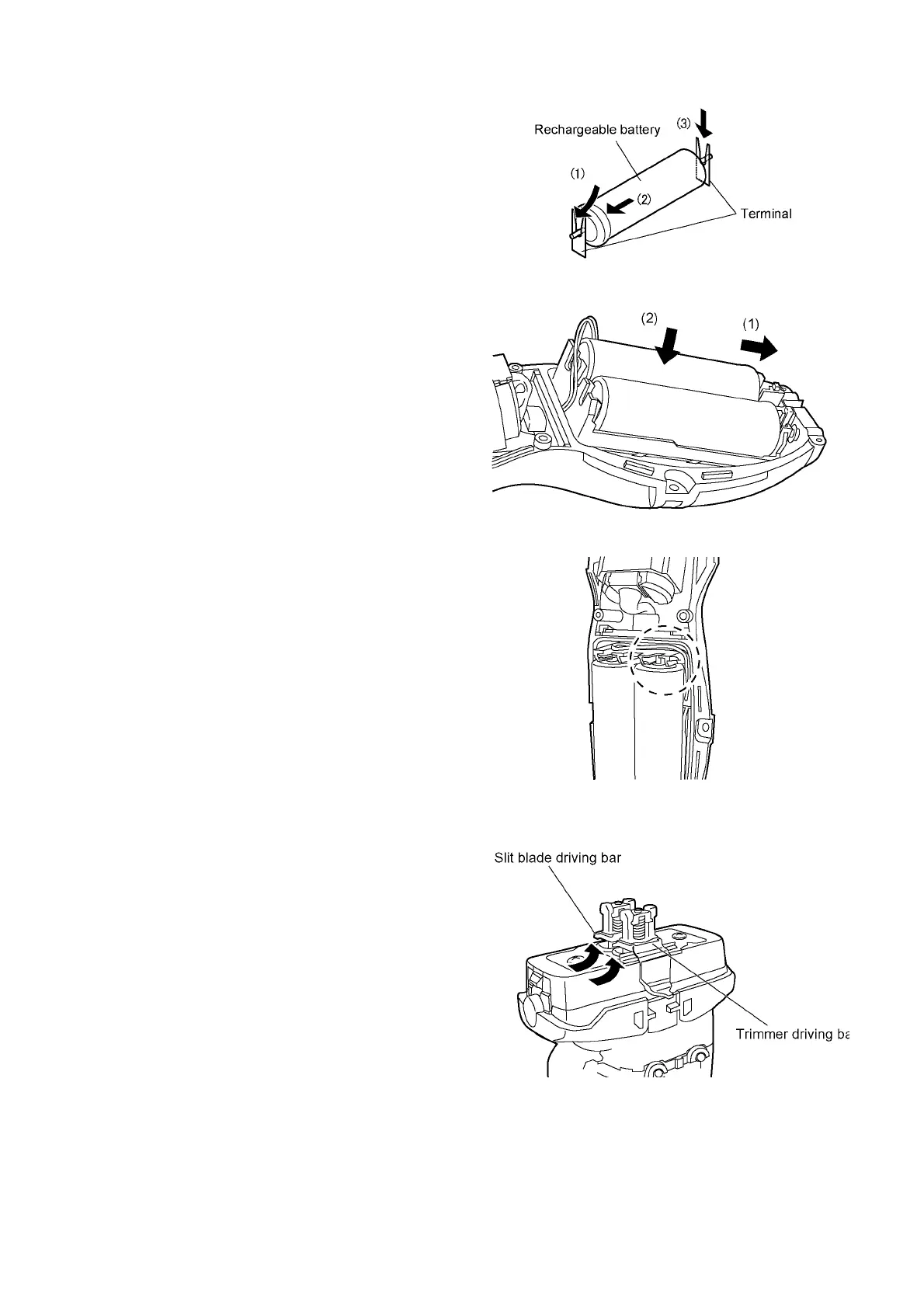
4.2.3. Rechargeable batteries
Insert the rechargeable batteries into chassis. Attach the bat-
tery o-ring and washer to the battery.
Put the battery assembly from the battery terminal side into
housing A, and insert the motor side into housing A.
NOTE:
While setting the battery assembly, pull the lead wires out in
order to prevent pinching. Then press fit the lead wires
neatly.
4.2.4. Driving bars
Set the trimmer driving bar and the slit blade driving bar.












 To Next Page