1
1
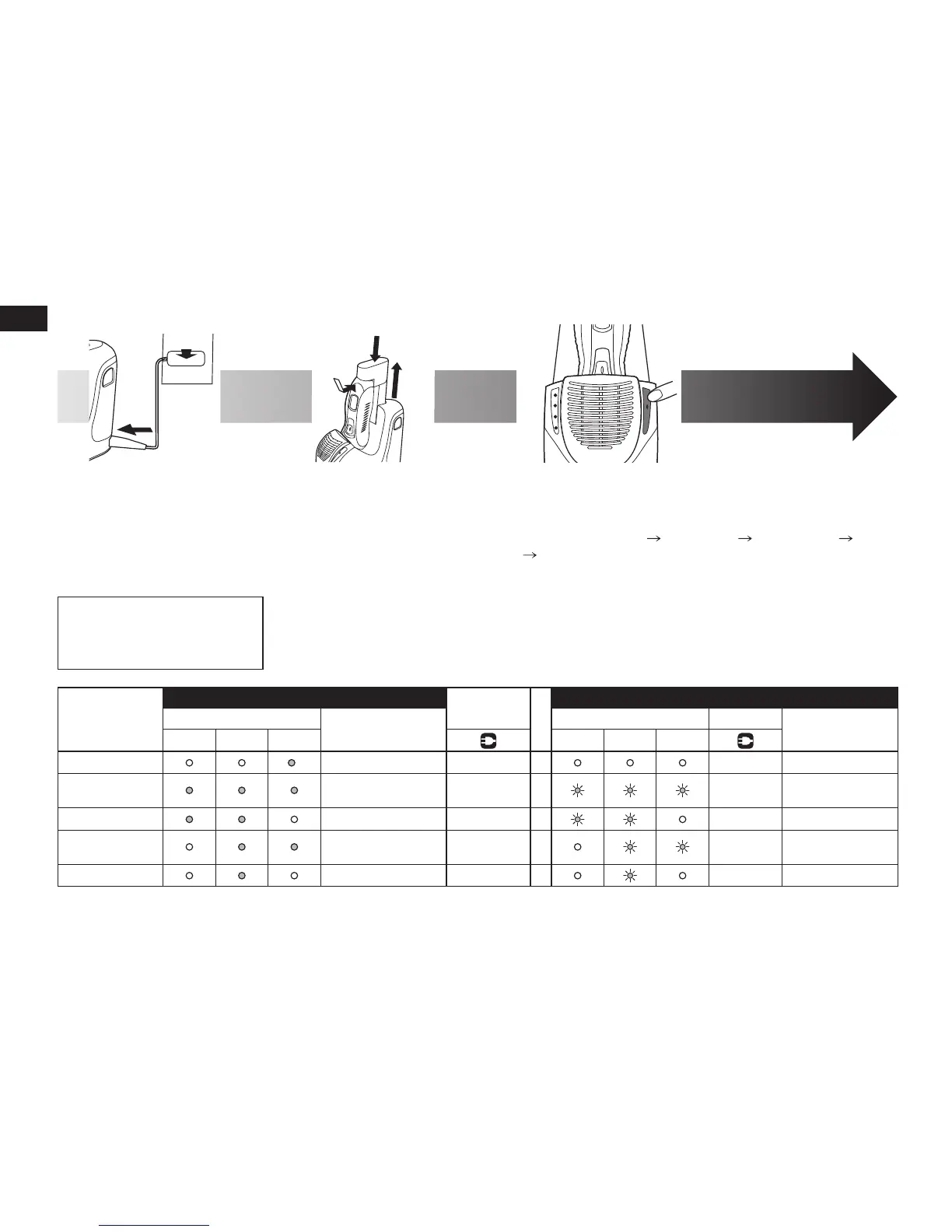
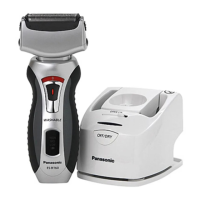
Insert the appliance
plug into
self-cleaning
recharger.
2
2
Plug in the adaptor.
Remove any soap or water on
the shaver if it has been
washed with hand soap or
any other detergent.
•
3
3
Pull up the arm.
4
4
Remove the protective
cap and then attach the
shaver.
Turn the shaver off before attaching.
Check that the outer foil is not
deformed or damaged when you are
attaching the shaver.
5
5
Push down the arm.
•
•
6
6
Press [SELECT] to select the course.
Each time you press [SELECT], the course changes from
“Clean/Dry/Charge” “Clean/Dry” “Dry/Charge” “Dry”
“Charge”.
The courses start approximately 6 seconds after they are
selected.
The course will be aborted if the power is cut off. In this
case, perform the course again from the beginning.
Do not detach the detergent cartridge or the water tank as
the cleaning liquid may spill causing a malfunction.
•
•
•
•
Course
Course selection indications
On shaver
Course completion summary
On recharger
Changeable course
halfway through
On recharger On shaver
Time required
(guide)
CLEAN DRY
CHARGE
CLEAN DRY
CHARGE
1Charge
*
2345
Glows
Blinks 1 hour
2 Clean/Dr
y/
Charge
3
Glows while
charging
Blinks 4 h 30 min
3Clean/Dry
2
–
– 3 hours
4Dry/Charge
235
Glows while
charging
Blinks 4 h 20 min
5Dry
234
–
– 2 h 50 min
*The lamp goes out in 6 seconds.



 To Next Page