7
English
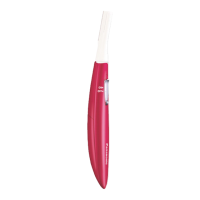
Parts identification (Fig. 1)
A Blade
B Lock switch
C Power switch [0/1]
D Battery cover
E Protective cap
F Cleaning brush
Installing or replacing the battery
1. Make sure the power switch is in the “0” position.
2. Remove the protective cap. (Fig. 2)
3. Rotate the battery cover in the direction of the
arrow, and align the marks. (Fig. 3)
4. Remove the battery cover. (Fig. 4)
5. Insert the battery. (Fig. 5)
• Be careful to insert the battery with + and ‑
correctly oriented.
6. Rotate the battery cover in the direction of the
arrow, and align the marks. (Fig. 6)













 To Next Page