Remote Control Operation Guide
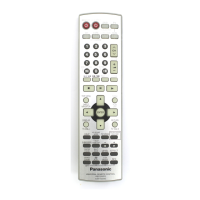
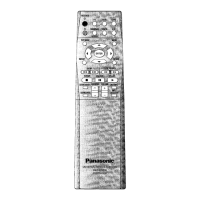
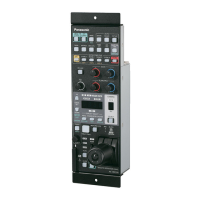
Model No. EUR7702KE0
This remote control is the key to your home theater experience.
Actual operations depend on your equipment and software.
Be sure to read the instructions for the receiver and your other
components.
You may need to enter a code to operate some equipment.
See over for details.
DVD
VCR
TV
RADIO
CD
TAPE
Code table
TV VCR DVD
Panasonic 01,02,26 01,02,09,33 01
Denon – – 01,17
Ferguson ––02
Fisher 14 13,14,15
18,34
–
Funai – 08,30 –
G.E 02,03,07,09 02,03,11 –
GoldStar 07,15 27 –
Hitachi 05,07 09,10,11 11
JVC 12 19,25,31
38,39,40
09
Kenwood ––15
LXI 03,06,07
10,14,15
10,13,14
15,18,27,30
–
Magnavox 06,07,11
15,22
02,09,12 –
Mitsubishi 07,15,16,21 21,22,28,29 06
NEC 07,15 19,25,31,38 –
Nordmende ––02
Philco 06,07 02,09,12,30 –
Philips 06 02,09,12 04,16
Pioneer 02,10,19 09 03
Raite ––13
Quasar 02 01,02,09,33 –
Saba ––02
Sampo ––14
Samsung ––10
Sanyo 14 14,18,34 –
Sharp 08,21 16,17 08
Shintom –32–
RCA 03,07,09
13,23,24,25
02,03,04
09,10,11
12,23,24,26
02
Sony 04 05,06,07
35,36,37
05
Sylvania 06,07,15 02,09,12,30 –
Symphonic 17 30 –
Thomson ––02
Toshiba 10,21 23,24 04
Yamaha ––01
Zenith 18,20 20 07,12
TESTTEST
STEREO MODE
SURROUND MODE
RECEIVER
VOLUME
TV/ VIDEO
DISC/
DECK 1/ 2
SOUND MODE
SFC
EFFECT
DISPLAY
SUBWOOFER
MENU
TV
123
456
10/ ENTER
DIRECT TUNING/
DISC ENTER
7890
VCR DVD
TUNER/BAND
TAP E
AUDIO
CD
TOP MENU
ENTER
LEVEL
TEST
MUTING
EUR7702KE0
UNIVERSAL REMOTE CONTROL
CH
Select STEREO
SOUND MODE
Select SURROUND
Start a test signal
When you select
Dolby Pro Logic 2
MUSIC or PANORAMA
Stop the test signal
SFC
Select HALL, CLUB, LIVE,
THEATER, SIM SURR or PARTY
LEVEL
Select the speaker channel
and adjust its output level
EFFECT
Change the sound effect
LEVEL
Select the speaker channel and adjust its output level
EFFECT
Change the delay time
This remote control can operate Panasonic and Technics audiovisual
equipment that have remote control sensors. You may need to change
the remote control code.
It can also operate some other brands of televisions, video cassette
players, and DVD players. Check the table for the brand and enter the
code as follows.
TV VCR DVD
123
456
7890
123
456
7890
VOLUME
TV/ VIDEO
DISC/
DECK 1/2
SOUND MODE
SFC
DISPLAY
SUBWOOFER
MENU
TV
123
456
10/ENTER
DIRECT TUNING/
DISC ENTER
7890
VCR DVD
TUNER/BAND
TAPE
AUDIO
CD
TOP MENU
ENTER
LEVEL
TEST
MUTING
CH
©2001 Matsushita Electric lndustrial Co., Ltd.
Printed in Malaysia
RQT6201-P
H1101HM0
Remote Control Operation Guide
SOUND
CODES
Press and hold the button
corresponding to the equipment
Enter the first digit
Enter the second digit
The remote control outputs the on/off signal.
If the code is correct, the equipment turns on or off.
If it doesn’t, try entering another code.
¡
Note that this remote control cannot operate some equipment
and that it may not be able to perform some operations.
¡
Reenter the codes after you change the batteries.
CLUB
SIMSURR
THEATHEATERTHEATER
HALL
PARTY
LIVE
Adjust subwoofer
output level
Mute the volume
Adjust the volume
VOLUME
MUTING
SUBWOOFER
SOUND MODE
Other functions
RECEIVER
EFFECT
EUR7702KE0
UNIVERSAL REMOTE CONTROL
RECEIVER
VOLUME
TV/ VIDEO
DISC/
DECK 1/ 2
SOUND MODE
SFC
EFFECT
DISPLAY
SUBWOOFER
MENU
TV
123
456
10/ENTER
DIRECT TUNING/
DISC ENTER
7890
VCR DVD
TUNER/BAND
TAPE
AUDIO
CD
TOP MENU
ENTER
LEVEL
TEST
MUTING
EUR7702KE0
UNIVERSAL REMOTE CONTROL
CH
SFC MODE
CODES
SOUND
Changing the codes
AUDIO
Switch off the receiver
and other components

 Need help?
 General



 To Next Page