-
10
-
2) Other
• Bit and socket condition: Material,
amount of play, etc.
•
Use of a universal joint or socket
adapter
•
User: Manner in which the tool is
applied to the bolt, strength with which
the tool is held, manner in which the
tool’s switch is engaged
•
Condition of object being tightened: Ma-
terial, seating surface finish
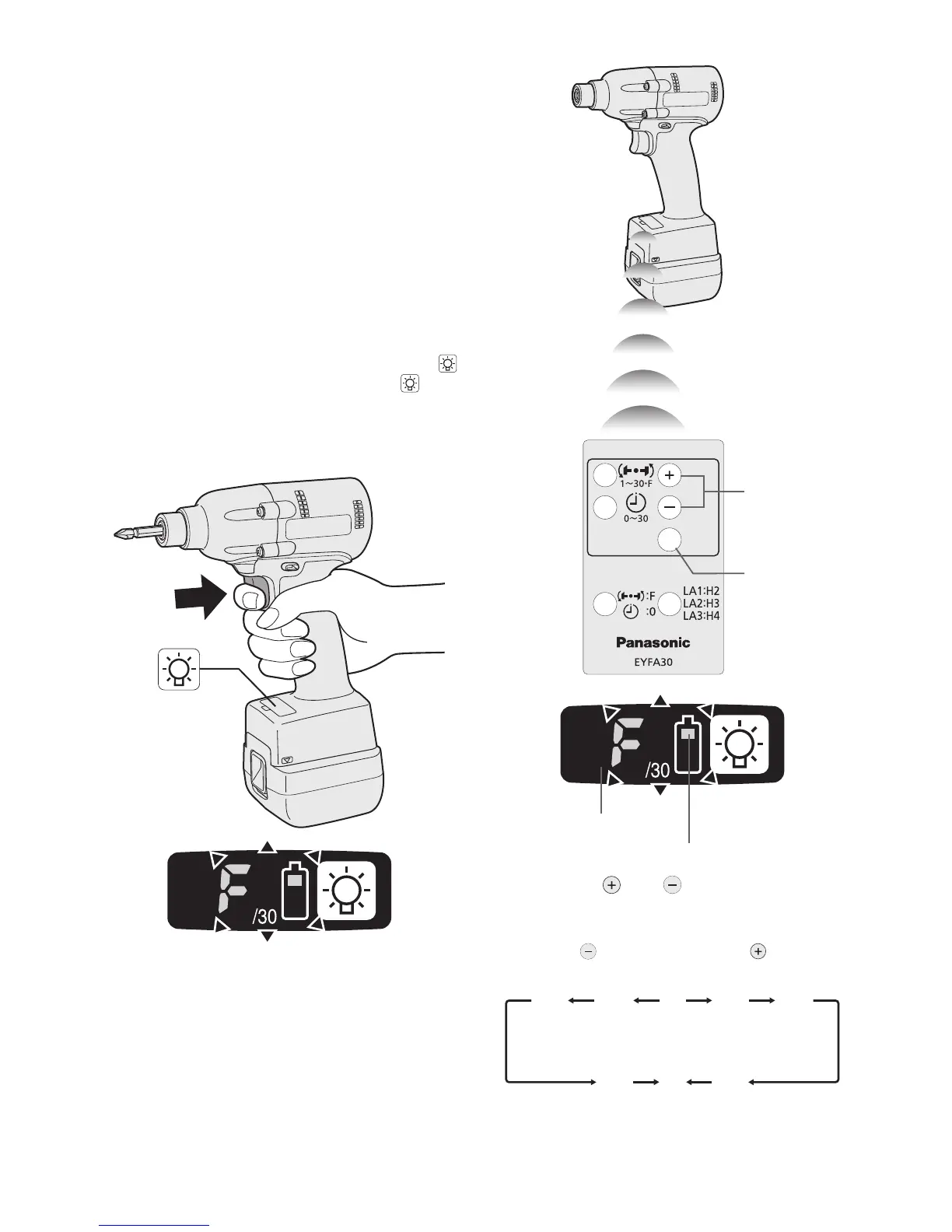
Setting the tool to configuration mode
1.
Turn off the control panel.
• If the control panel is on, remove and
then reinsert the battery pack.
2
. Engage the switch while pushing the
button and then release both the
but-
ton and the switch.
•
After all the LED lamps have turned off,
the control panel will flash and change
to configuration mode.
NOTE:
• Tools ship from the factory set to “F”
mode (torque control function off).
•
The control panel will turn off if the tool
is not operated for a period of 5 min-
utes.
Configuring the torque clutch setting
(1)
(2)
Display
Battery indication lamp
1. Press the and buttons to select the
clutch setting that is appropriate for the
work being performed.


 To Next Page