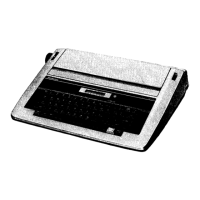
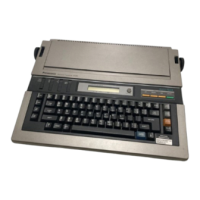
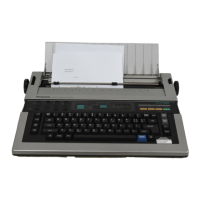
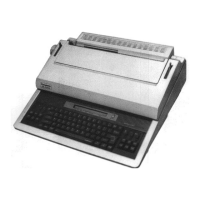
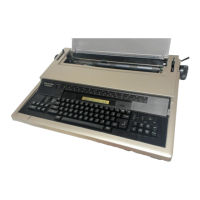
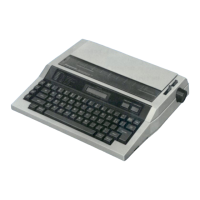
This document provides operating instructions for the Panasonic Electronic Typewriter Model No. KX-R520. It covers various aspects of using, maintaining, and troubleshooting the device.
Function Description:
The Panasonic KX-R520 is an electronic typewriter designed for creating typed documents. It features an "Accu-Spell" spell-verifying function, text memory for storing and recalling information, and various formatting options. The typewriter supports different character pitches, line spacings, and keyboard layouts (KBI and KBII) to accommodate diverse typing needs. It also includes functions for automatic carriage return, bold print, continuous underlining, and word-by-word underlining.
Important Technical Specifications:
- Print Element: Daisywheel, 96 characters
- Print Speed: 12 cps (characters per second)
- Print Pitch: 10, 12, 15
- Line Spacing: 1, 1½, 2
- Paper Width: 12"
- Typing Line: 10"
- Ribbon: Correctable Film-Ribbon Cassette, Fabric Ribbon (Optional)
- Correction Tape: Lift-off Tape, Cover-up Tape (Optional)
- Memory Life: Min. 5 years
- Correction Memory: 1 line
- Text Memory: 2,500 characters
- Dictionary: 86,000 words (for Accu-Spell)
- Power Requirements: AC 120 V ± 10% 60 Hz
- Power Consumption: 30 W (Approx. 3W when the power switch is turned off)
- Operating Temperature: 41°F (5°C) to 95°F (35°C)
- Operating Humidity: 20 to 80% RH
- Storage Temperature: -4°F (-20°C) to 140°F (60°C)
- Dimensions: 16 3/4" (W) x 14 7/8" (D) x 4 3/8" (H) (427 x 365 x 112 mm)
- Weight: 11 lbs. (5 kg)
- Battery: Built-in lithium battery for memory backup (approx. 5 years life)
Usage Features:
- Power Supply: Connects to a household AC 120 V outlet. The power switch turns the unit on and off, with a small power consumption even when off.
- Memory Backup: Stores text, margins, tabs, and selector mode settings even when the power is off, thanks to a built-in lithium battery.
- Changing Consumables: Detailed instructions are provided for changing the ribbon cassette, correction tape, and daisywheel. It emphasizes turning off the power switch before these operations and using CODE+K keys to initialize the carriage if changes are made without powering off.
- Paper Insertion: The paper support and paper bail lever facilitate easy paper insertion. The typewriter accommodates a 12" paper width with a 10" typing line.
- Pitch Selection: Users can select between 10, 12, or 15 pitch (characters per inch) using CODE+3, CODE+4, or CODE+5 keys, respectively.
- Line Spacing: Options for 1, 1½, or 2 lines spacing are available via CODE+6, CODE+7, or CODE+8 keys. Manual platen rotation moves the platen half a line per click.
- Carriage Return: NORM mode stops printing at the right margin, while AUTO mode automatically returns the carriage to the left margin or paragraph indent position when a hyphen or space is entered within the "Hot Zone."
- Keyboard Selection: KBI and KBII modes allow selection between different character and symbol sets on each key. "Dead" keys are available for accent symbols.
- Basic Typing: Standard procedure for typing, setting margins, and tabs.
- Hot Zone: An 8-space preprogrammed zone from the right margin, indicated by a buzzer, signaling the approach of the right margin.
- Indexing: INDEX key moves paper ½ line down, CODE+INDEX moves paper ½ line up, useful for superscripts and subscripts.
- Correction:
- Current Line: CANCEL key lifts off the last printed character. CODE+RELOC with SPACE BAR or BACKSPACE allows erasing characters earlier in the line.
- Previous Line (Manual Correction Mode): CODE+CANCEL enters manual correction mode. CODE+INDEX positions the carriage on the error line. CANCEL lifts off characters. RELOC moves the carriage back to the end of the line.
- Disabling Print During Manual Correction: CODE+TEXT allows making corrections without reprinting the information, useful for multiple corrections.
- Word Erase: QUICK ERASE key deletes one word at a time.
- Line Erase: CODE+QUICK ERASE deletes an entire line.
- Formatting:
- Bold Print: CODE+B activates/deactivates bold printing.
- Underlining: CODE+U for continuous underlining, CODE+W for word-by-word underlining.
- Decimal Tabulation: Automatically aligns decimal points at preset tab stops.
- Centering: Centers text between margins or tab stops, or over a specified point.
- Right Margin Flush: Aligns the last character of each line at the right margin.
- Paragraph Indent: Sets a temporary left margin for indented paragraphs.
- Permanent Hyphen: Prevents automatic carriage return when a hyphen is typed in the "Hot Zone."
- Permanent Space: Prevents separation of characters/words during automatic returns or justified margins.
- Caps Lock: Locks the unit for typing capital letters, lower case numbers, punctuation marks, and symbols.
- Micro-Pitch Spacing: Moves the carriage 1/60 inch for fine adjustments.
- Half Space: Reduces normal carriage spacing by one half.
- Text Memory:
- Storing: TEXT key stores information.
- Adding: Allows adding to an existing text.
- Printing: CODE+TEXT prints a stored text.
- Clearing: CODE+CANCEL clears a text from memory.
- Stop Code: Used in text memory to insert variable information during printing.
- Accu-Spell™ (Spell Verifying Feature):
- Activation: CODE+0 turns Accu-Spell ON/OFF.
- Operation: Checks words when completed (e.g., by pressing SPACE BAR or RETURN). A buzzer sounds three times for misspelled words not in the 86,000-word dictionary.
- Rules: Checks numbers, symbols, punctuation, apostrophes, hyphenated words, and considers capitalization.
Maintenance Features:
- Cleaning: Use only a soft, dry cloth to clean the typewriter. Avoid water or thinners to prevent damage to covers, cases, or electronic circuitry.
- Transport: When transporting or shipping, ensure the carriage is at the far right, and the carriage stopper and ribbon cassette stopper are inserted.
- Troubleshooting Guide: Provides a table of common symptoms, their causes, and remedies/checks (e.g., unit not printing, blurred printing, no deletion, buzzer sounds, text memory full, unit not operating).
- Product Service: Refers users to an authorized service center for repairs.
- Optional Accessories: A list of available daisywheels, ribbon cassettes, correction tapes, and hard covers with their part numbers.

 Need help?
 General

 To Next Page