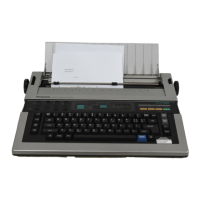
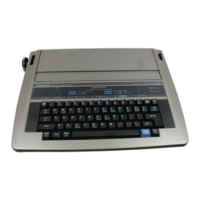
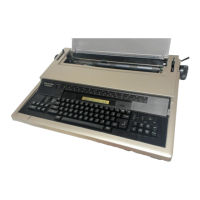
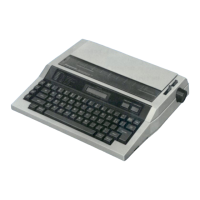
The Panasonic Electronic Typewriter KX-R340 is a sophisticated typing device designed for efficiency and ease of use, incorporating various features for text creation, editing, and spell-checking.
Function Description:
The KX-R340 serves as an electronic typewriter with advanced memory capabilities, allowing users to store and recall phrases and entire text documents. It supports multiple typing modes, including "TPWR" for immediate printing, and "L/L" or "JUST" for display-first typing with subsequent printing, which is beneficial for corrections and formatting. The typewriter features a 14-character LCD display that aids in confirming typed characters before printing and allows for editing stored information.
Key functions include:
- Basic Typing Operations: Standard character input, carriage return (normal and auto), margin setting, tab stops (decimal tabulation included), centering, right margin flush, paragraph indent, permanent hyphen, permanent space, caps lock, micro-pitch spacing, half space, and typing impression control.
- Correction Features: One-line correction memory for automatic deletion of the last typed character, manual corrections on previous lines, and word-at-a-time erasure.
- Text Formatting: Bold print and underlining for emphasis.
- Auto Column: A unique feature for creating tables (ruled forms) with automatic centering of columns between margins. It supports 2 to 12 columns, with a maximum of 12 characters per column.
- Memory Functions:
- Phrase Memory: Stores up to 20 phrases (12,000 characters total) for repetitive use. Phrases can be stored, printed, modified, scrolled through, searched, and cleared.
- Text Memory: Stores longer documents for revisions, repetitive print-outs, variable information insertion, or width changes. Texts can be stored, added to existing files, printed, modified, searched, moved, copied, deleted, and renamed.
- ACCU-SPELL™ (Spell Verifying Feature): An integrated spell-checker with an 86,000-word basic dictionary and a 120-word user dictionary. It identifies misspelled words with a buzzer and flashing display, allowing for corrections. Users can add, delete, and list words in the user dictionary, and verify the spelling of an entire text file.
Important Technical Specifications:
- Print Element: Daisywheel, 96 characters.
- Print Speed: 12 characters per second (cps).
- Print Pitch: 10, 12, 15.
- Line Spacing: 1, 1 1/2, 2.
- Paper Width: 12 inches.
- Writing Line: 10 inches.
- Ribbon: Correctable Carbon Ribbon (Fabric Ribbon optional).
- Correction Tape: Lift-off Tape (Cover-up Tape optional).
- Operating Modes: TPWR, L/L, JUST.
- Memory Life: Minimum 5 years (for built-in lithium battery retaining functions).
- Correction Memory: 1 line.
- Phrase/Text Memory: 12,000 characters.
- Built-in Dictionary: 86,000 words.
- User Dictionary: 120 words.
- Display Type: Liquid Crystal Display with contrast adjuster.
- Display Size: 14 characters + counter.
- Power Requirements: Refer to the nameplate on the bottom of the unit. DC (Ni-Cd, Optional).
- Power Consumption: 35 W (Approx. 3 W when the power switch is turned off).
- Operating Temperature: 41°F (5°C) to 95°F (35°C).
- Operating Humidity: 20 to 80% RH.
- Storage Temperature: -4°F (-20°C) to 140°F (60°C).
- Dimensions: 16 13/16" (W) × 14 3/4" (D) × 4 3/8" (H) (427 × 375 × 112 mm).
- Weight: 12 3/4 lbs. (5.8 kg).
Usage Features:
- User-Friendly Interface: The typewriter is designed with clearly labeled function keys and a display that provides messages and indicators for various operations.
- Power Options: Can be powered by an AC Power Cord (included) or an optional Ni-Cd Rechargeable Battery Pack (KX-R40). The battery provides portability, and the unit indicates a "WEAK BATTERY!" message when charging is needed.
- Memory Back-up: A built-in lithium battery retains stored text, phrases, margins, tabs, and dictionary contents for approximately 5 years, even when the power switch is off.
- Display Contrast Adjustment: An adjuster allows users to optimize the LCD display's visibility.
- Safety Interlock Switch: Prevents operation when the top cover is open.
- Paper Handling: Features a paper support, paper guide, platen knob (left and right), paper bail, and rollers for easy paper insertion and adjustment. The paper release lever allows for free paper movement.
- Typing Modes: Offers "TPWR" for direct printing, and "L/L" or "JUST" for display-first typing, which is ideal for editing and formatting before committing to paper.
- Automatic Functions: Auto Column for table creation, automatic carriage return in "Hot Zone" mode, and automatic decimal alignment with decimal tabulation.
- Search and Replace: Allows users to find specific words or phrases within stored text and replace them.
- Block Operations: Enables moving, copying, or deleting blocks of text within documents.
Maintenance Features:
- Easy Component Replacement: Ribbon cassettes, correction tapes, and daisywheels are designed for user-friendly replacement. Instructions are provided for changing these parts.
- Cleaning: The typewriter should be cleaned with a soft, dry cloth. Water or thinners are explicitly warned against as they can damage the covers, cases, or electronic circuitry.
- Transportation: For safe transport, the carriage should be positioned at the far right, and the Carriage Stopper (yellow) and Ribbon Cassette Stopper should be inserted.
- Troubleshooting Guide: The manual includes a comprehensive troubleshooting section to help users diagnose and resolve common issues such as no operation, incorrect printing, or buzzer sounds, before seeking professional service.
- Product Service Information: Users are advised to consult an authorized Panasonic dealer for service if needed.
- Optional Accessories: A list of replacement parts and accessories, including different daisywheel printing elements, ribbon cassettes, correction tapes, and the Ni-Cd Rechargeable Battery Pack, is provided for easy ordering.

 Need help?
 General

 To Next Page