EasyManua.ls Logo

Panasonic KX-TD7685 - User Manual

Panasonic KX-TD7685
76 pages
Print Icon
To Next Page IconTo Next Page
Loading...
Document Version 2009-03
Operating Instructions
DECT 6.0 Portable Station
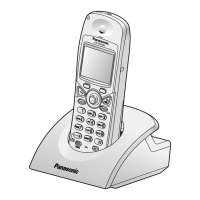
Model No. KX-TD7685
Thank you for purchasing a Panasonic DECT 6.0 Portable Station.
Please read this manual carefully before using this product and save this manual for future
use.
Please use only the battery provided and charge the battery for about 7 hours before using
the handset for the first time.
See page 74 for System Requirements.

Table of Contents

Other manuals for Panasonic KX-TD7685

Question and Answer IconNeed help?

Do you have a question about the Panasonic KX-TD7685 and is the answer not in the manual?

Summary

Before Initial Use

Accessories (included)

Lists all included accessories with part numbers and quantities for the Panasonic DECT 6.0 Portable Station.

Installation

Battery Installation

Details the steps for inserting the battery into the handset.

Charger Connection

Explains how to connect the AC adaptor to the charger and to the AC outlet.

Charging the Battery

Charger Wall Mounting

Attaching the Belt Clip and Belt Clip Holder

Before Operating the Handset

Location of Controls

Identifies and describes the various controls and indicators on the Panasonic DECT 6.0 Portable Station handset.

Key Lock

Meeting Mode

Residential Mode and Office Mode

Selecting the Display Language

Editing the Standby Display Name

Editing the Names of the Flexible CO Keys

Adjusting the Ringer Volume or Turning the Ringer off while Ringing

Changing the Vibrate Setting

Adjusting the Receiver;Speaker;Headset Volume

Changing the Usage Mode (Residential Mode;Office Mode)

Display

Soft Keys

Operation Outline for Residential Mode

Operation Outline for Office Mode

Function Menus

Function Keys

Flexible CO Keys

Making Calls

One-touch Dialing

Hot Line

System Speed Dialing

Doorphone Call

Automatic Callback Busy

Searching for an item stored in the Phonebook

Handset Phonebook

Guides on how to search for entries within the Handset Phonebook by scrolling or name.

Receiving Calls

Caller ID

During a Conversation

Transferring a Call

Instructions on how to transfer calls to extensions or outside parties.

Holding

Explains how to place calls on regular or exclusive hold.

Three-party Conference

Useful Features

Call Forwarding

Details how to set up and cancel various call forwarding options.

Do Not Disturb

Explains how to activate and deactivate the Do Not Disturb feature.

Call Waiting

Paging

Absent Message

Log-in;Log-out

Extension Dial Lock

Message Waiting

Making Use of the Voice Mail Service

Listening to a Message

Instructions for accessing and listening to voice messages from own or other extensions.

Leaving a Message

Guides on how to leave voice messages for other extensions.

Using the Handset Phonebook

Handset Phonebook

Overview of storing up to 100 items with names, numbers, and categories in the handset.

Private Ring

Explains how to organize entries into Private Ring Categories for custom alerts.

Storing a New Item

Step-by-step guide to add a new contact to the Handset Phonebook.

Editing a Stored Item

Storing an Item Using the Predialing

Storing an Item Using the Outgoing Call Log

Storing an Item Using the Incoming Call Log

Storing an Item Using the PBX System Phonebook

Storing an Item Using the PBX Extension Phonebook

Editing Category Names

Assigning Hot Keys

Entering Characters

Character Mode Table

Locking the Handset Phonebook

Unlocking the Handset Phonebook

Unlocking the Handset Phonebook Temporarily

Deleting Stored Items

Handset Phonebook

Instructions for deleting individual or all items from the Handset Phonebook.

Hot Key Dial

Explains how to delete assigned Hot Keys.

Configuring Handset Settings

Changing the Initial Settings

Provides an overview of customizing handset settings via the menu.

Handset Setting Menu Layout

Incoming Option

Memo Alarm

Talk Option

Answer Option

Key Option

Display Option

Tone Option

System Option

Other Option

Memo Alarm Setting

Troubleshooting

Error Messages

Important Information

Battery Information

Details battery operating time, low battery warnings, and replacement procedures.

Replacing the Battery

Step-by-step guide for replacing the handset battery and charging it.

Important Safety Instructions

FCC and Other Information

Radio Frequency Exposure Requirements

Information on FCC compliance and RF exposure limits for the device.

Customer Information

Details FCC compliance, product identifier, and customer support contact information.

Hearing Aid Compatibility

Other Important Information

For Best Performance

Operating Range

Discusses factors affecting the operational range and signal quality.

Noise

Explains sources of noise and interference and how to mitigate them.

System Requirements

Summary

Before Initial Use

Accessories (included)

Lists all included accessories with part numbers and quantities for the Panasonic DECT 6.0 Portable Station.

Installation

Battery Installation

Details the steps for inserting the battery into the handset.

Charger Connection

Explains how to connect the AC adaptor to the charger and to the AC outlet.

Charging the Battery

Charger Wall Mounting

Attaching the Belt Clip and Belt Clip Holder

Before Operating the Handset

Location of Controls

Identifies and describes the various controls and indicators on the Panasonic DECT 6.0 Portable Station handset.

Key Lock

Meeting Mode

Residential Mode and Office Mode

Selecting the Display Language

Editing the Standby Display Name

Editing the Names of the Flexible CO Keys

Adjusting the Ringer Volume or Turning the Ringer off while Ringing

Changing the Vibrate Setting

Adjusting the Receiver;Speaker;Headset Volume

Changing the Usage Mode (Residential Mode;Office Mode)

Display

Soft Keys

Operation Outline for Residential Mode

Operation Outline for Office Mode

Function Menus

Function Keys

Flexible CO Keys

Making Calls

One-touch Dialing

Hot Line

System Speed Dialing

Doorphone Call

Automatic Callback Busy

Searching for an item stored in the Phonebook

Handset Phonebook

Guides on how to search for entries within the Handset Phonebook by scrolling or name.

Receiving Calls

Caller ID

During a Conversation

Transferring a Call

Instructions on how to transfer calls to extensions or outside parties.

Holding

Explains how to place calls on regular or exclusive hold.

Three-party Conference

Useful Features

Call Forwarding

Details how to set up and cancel various call forwarding options.

Do Not Disturb

Explains how to activate and deactivate the Do Not Disturb feature.

Call Waiting

Paging

Absent Message

Log-in;Log-out

Extension Dial Lock

Message Waiting

Making Use of the Voice Mail Service

Listening to a Message

Instructions for accessing and listening to voice messages from own or other extensions.

Leaving a Message

Guides on how to leave voice messages for other extensions.

Using the Handset Phonebook

Handset Phonebook

Overview of storing up to 100 items with names, numbers, and categories in the handset.

Private Ring

Explains how to organize entries into Private Ring Categories for custom alerts.

Storing a New Item

Step-by-step guide to add a new contact to the Handset Phonebook.

Editing a Stored Item

Storing an Item Using the Predialing

Storing an Item Using the Outgoing Call Log

Storing an Item Using the Incoming Call Log

Storing an Item Using the PBX System Phonebook

Storing an Item Using the PBX Extension Phonebook

Editing Category Names

Assigning Hot Keys

Entering Characters

Character Mode Table

Locking the Handset Phonebook

Unlocking the Handset Phonebook

Unlocking the Handset Phonebook Temporarily

Deleting Stored Items

Handset Phonebook

Instructions for deleting individual or all items from the Handset Phonebook.

Hot Key Dial

Explains how to delete assigned Hot Keys.

Configuring Handset Settings

Changing the Initial Settings

Provides an overview of customizing handset settings via the menu.

Handset Setting Menu Layout

Incoming Option

Memo Alarm

Talk Option

Answer Option

Key Option

Display Option

Tone Option

System Option

Other Option

Memo Alarm Setting

Troubleshooting

Error Messages

Important Information

Battery Information

Details battery operating time, low battery warnings, and replacement procedures.

Replacing the Battery

Step-by-step guide for replacing the handset battery and charging it.

Important Safety Instructions

FCC and Other Information

Radio Frequency Exposure Requirements

Information on FCC compliance and RF exposure limits for the device.

Customer Information

Details FCC compliance, product identifier, and customer support contact information.

Hearing Aid Compatibility

Other Important Information

For Best Performance

Operating Range

Discusses factors affecting the operational range and signal quality.

Noise

Explains sources of noise and interference and how to mitigate them.

System Requirements

Panasonic KX-TD7685 Specifications

General IconGeneral
TypeCordless Telephone
TechnologyDECT 6.0
Frequency1.9 GHz
Talk TimeUp to 10 hours
DisplayLCD
KeypadYes
Caller IDYes
SpeakerphoneYes
Headset JackYes
Number of Handsets1
Call WaitingYes
Conference CallingYes
IntercomYes
Voicemail IndicatorYes
BatteryNi-MH
SecurityDECT encryption

Related product manuals