EasyManua.ls Logo

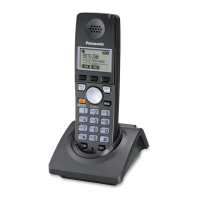
Panasonic KX-TGA470C - User Manual

Panasonic KX-TGA470C
20 pages
Print Icon
To Next Page IconTo Next Page
Loading...
Thank you for purchasing a Panasonic product.
Please read this installation
manual before using the unit
and save it for future reference.
For assistance, please call
1-800-561-5505 or visit us at
www.panasonic.ca
This unit is an additional handset compatible with the following
series of Panasonic Digital Cordless Phone:
KX-TG4711/KX-TG4731/KX-TG4741/KX-TG4771/
KX-TG7731/KX-TG7741
(The corresponding models are subject to change without
notice.)
You must register this handset with your base unit before it can
be used. This installation manual describes only the steps
needed to register and begin using the handset. Please read
the base unit’s operating instructions for further details.
Charge the batteries for about 7 hours before initial use.
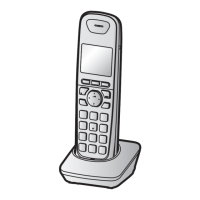
Additional Digital Cordless Handset
Model No.
KX-TGA470C
Installation Manual
PNQX5096ZA TT1211MG0 (A)
Printed in China
TGA470C(en).fm Page 1 Tuesday, November 22, 2011 5:52 PM

Questions and Answers

  • C
    christine96Aug 7, 2025
    Why I cannot register a cellular phone to the Panasonic Cordless Telephone base unit?
    • C
      Christine RileyAug 7, 2025
      If you're having trouble registering your cellular phone to the Panasonic Cordless Telephone base unit, there could be a few reasons. First, ensure your cellular phone supports the hands-free profile (HFP) specification, as compatibility issues may arise. Also, double-check that the Bluetooth feature on your cellular phone is turned on. If the Bluetooth technology isn't working correctly, try turning your cellular phone off and on again. If your cellular phone is connected to another Bluetooth device, disconnect it. Some cellular phones may require you to enter the base unit PIN to register.
  • A
    Amanda PierceAug 17, 2025
    What to do if my Panasonic KX-TGA470C unit does not work?
    • T
      tmoranAug 17, 2025
      If your Panasonic Cordless Telephone unit isn't working, here are a few things to try: * Make sure the batteries are installed correctly. * Fully charge the batteries. * Check all the connections. * Unplug the base unit’s AC adapter to reset the unit, then reconnect it. * Ensure the handset has been registered to the base unit.
  • B
    Brenda HuangAug 27, 2025
    How to turn on Panasonic Cordless Telephone handset?
    • J
      Jennifer DavidAug 27, 2025
      If your Panasonic Cordless Telephone handset doesn't turn on even after installing charged batteries, place the handset on the base unit or charger to turn it on.

Panasonic KX-TGA470C Specifications

General IconGeneral
BrandPanasonic
ModelKX-TGA470C
CategoryCordless Telephone
LanguageEnglish

Related product manuals