
 Need help?
Do you have a question about the Panasonic MLS-3751 and is the answer not in the manual?
Defines hazard symbols (DANGER, WARNING, CAUTION) and operational symbols for user safety.
Lists materials like flammables and corrosives, detailing associated risks and prohibitions.
Covers essential grounding, power cord usage, and warnings against product modifications.
Details how to safely place objects in containers, use bags, and ensure proper sterilization.
Focuses on exhaust hose, steam vents, keeping hands clear, and safe cover operation.
Addresses wetting, installation surface, moving, and heating water draining precautions.
Specifies the type of water (purified or city) to be used for heating.
Warns against using the product for purposes other than its intended sterilization function.
Advises cleaning the chamber after sterilizing mediums that generate specific gases.
Instructs to turn the power switch to OFF at the end of each day's use for safety.
Details recommended location, temperature, humidity, and altitude factors for installation.
Specifies required clearances around the unit and potential impact on wall surfaces.
Outlines requirements for connecting the power cord and ensuring proper electrical grounding.
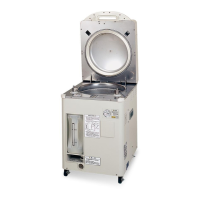
Labels and describes the main external parts of the autoclave for user reference.
Explains the purpose and operation of each button and display on the control panel.
Describes the information provided on the product's rating label, including electrical specifications.
Explains the location and meaning of various warning labels placed on the unit for safety.
Advises on using steam-impermeable containers, sealing objects, and placing items.
Provides instructions for sterilizing liquids, including time lag considerations and recommendations.
Covers sterilization for large containers, waste, and the correct use of sterilization bags.
Covers exhaust tank installation and powering on the unit to prepare for operation.
Details opening cover, adding heating water, loading objects, and closing the cover.
Explains how to choose sterilization cycles, adjust settings, and start the operation.
Guides on monitoring progress, what happens upon completion, and safely opening the cover.
Covers taking out objects, powering off the unit, and draining heating water.
Explains how to set a delayed start for sterilization cycles using the timer function.
Explains unit behavior during power failure and safety device activation.
Guides on checking the unit and safely removing objects after power is restored.
Describes the Standard and Warning modes of the voice guide and their purposes.
Details the procedure for changing voice guide settings, mode, and volume.
Provides instructions for cleaning the product exterior, exhaust tank, and chamber interior.
Emphasizes cleaning seals and openings to prevent steam leaks and ensure proper function.
Basic troubleshooting steps for common operational issues before calling for service.
Identifies operational sounds and heat generation that are not indicative of a malfunction.
Explains cautionary messages and error signs displayed on the unit with their remedies.
Lists product models, power supply voltages, and power consumption ratings.
Details dimensions, internal volume, chamber size, operating temperatures, and pressure ranges.
Outlines built-in warning functions, included accessories, and available optional items.
Guides on performing routine daily checks and understanding scheduled safety inspections.
Provides steps for immediate actions when unusual events or malfunctions occur during operation.
Details how to contact customer service and what specific information is required for support.
Discusses part replacement timeframes and fields for recording important purchase details.
 General
| Brand | Panasonic |
|---|---|
| Model | MLS-3751 |
| Category | Laboratory Equipment |
| Language | English |

 To Next Page
