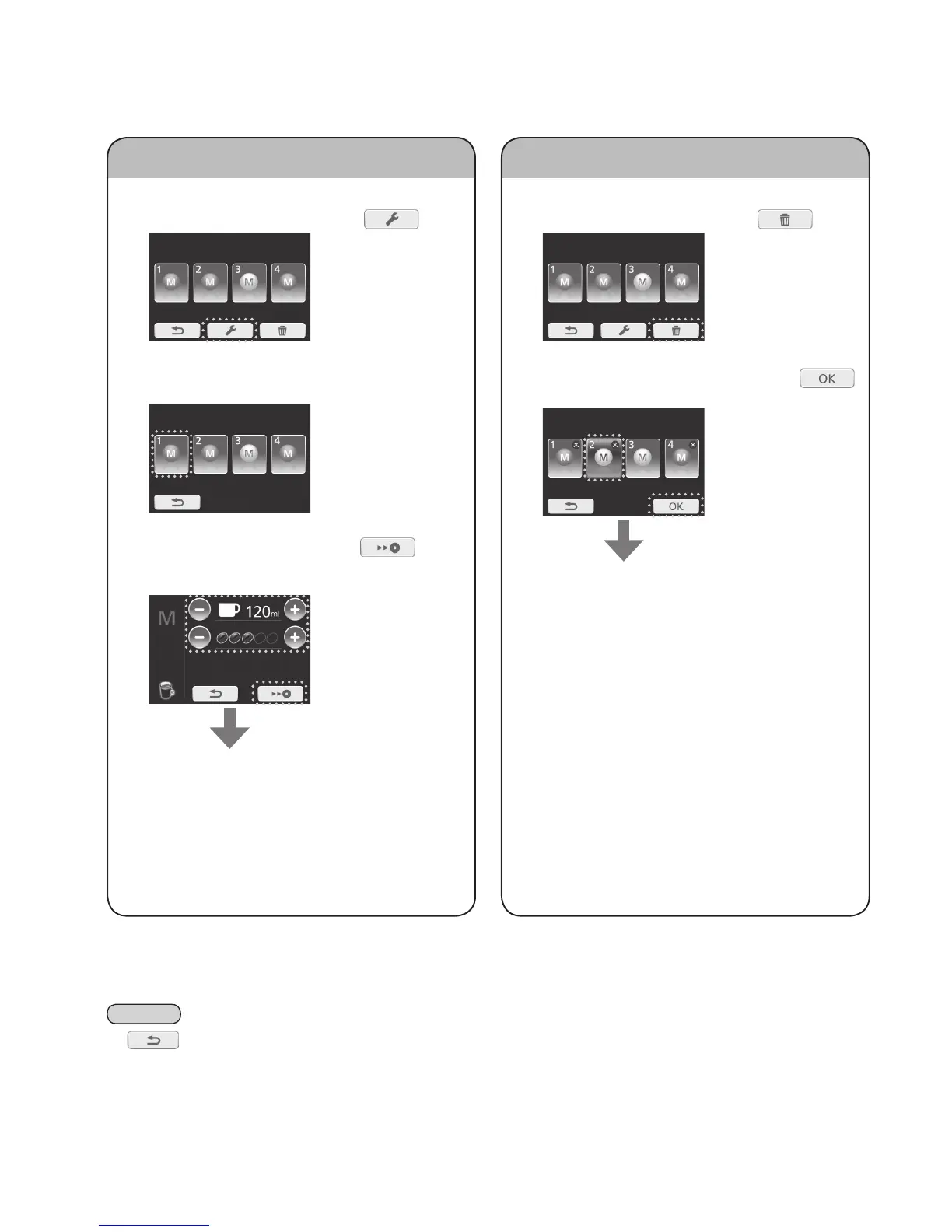
Changingmemorysetting
1
Displaythememorymenuasstep1on
“Memorysetting”.Thenpress .
2
Select“memory”youwishtochange.
• Greyed-out icons cannot be selected.
3
Adjustthequantityandpress to
savethesetting.
(e.g. for coffee)
Returnstothememorymenu
Deletingmemorysetting
1
Displaythememorymenuasstep1on
“Memorysetting”.Thenpress .
2
Select“memory”todeleteandpress .
• The selected setting will light up in blue.
Returnstothememorymenu
Note
• If is pressed, the display will return to the previous display.
Memorysetting(Continued)


 To Next Page